
Shortcut
22 plugins tagged with shortcut
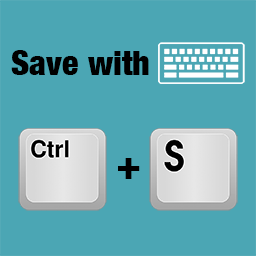
Save with keyboard
Save everything in the most natural way by pressing Ctrl+S (or Cmd+S on Mac).
Text Replace
Replace text with other text. Handy for creating shortcuts to common, lengthy, or frequently changing text/HTML, or for smilies.
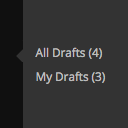
Quick Drafts Access
Adds links to 'All Drafts' and 'My Drafts' under Posts, Pages, and other custom post type sections in the admin menu.

alx ip statistic
Receiving ip addresses and browser identifiers of visitors on the login page and on any page of the site.

TinyMCE Code Formatting
Adds the Pre and Code buttons to the TinyMCE toolbar with customizable shortcuts

Command Palette
Bring the power of text editor command palette to WordPress Admin.
Opes Favicon
Opes Favicon allows you to add and manage favicons & icons on your WordPress website.
Link Shortcut
Make TinyURL-like URLs (you.com/33ks8s) that redirect to pages inside / outside your blog. Can also create human-readable aliases (you.com/facebook).

TinyMCE Pre Button
Adds the Pre button to the TinyMCE toolbar and the shortcut Ctrl+0 to format text with <pre> tag

GoToMenu – Menu Navigator
A simple and accessible WordPress plugin that allows users to quickly navigate through your site's menus using the F2 keyboard shortcut.
MindValley Shortcut Framework
Collection of Additional Keyboard Shortcuts for Post Editor page.
The Saver
This plugins allows you to publish your posts/pages and update your files in the admin panel by pressing CTRL+S.
Universal Accessibility Key (UAK) / Initiative MAJ+A
Add an accessibility shortcut to tour Wordpress website / Ajoute le raccourci clavier MAJ+A à votre site Wordpress

WP Horoscope
WP Horoscope - Cung hoàng đạo cho wordpress giúp hiển thị thông tin trong ngày của các cung hoàng đạo.
Tiny Link
Get an alternate TinyURL link for your article or post permalink.
Keys to Admin
Provides you a shortcut from blog to admin interface without putting any disturbing link in your page.
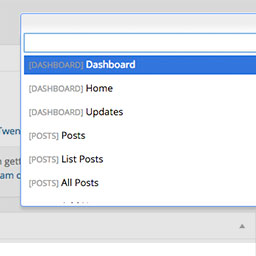
Dashy
Dashy gives you a search field to get to admin pages quicker.
Registration Page Shortcut
Plugin allow you to create a page that will display registration form for your user registers.
WP Keyboard Navigation
Navigate your WordPress site via keyboard.
Plugins Site Menu Link
Adds a link to the Plugins management page to the site's toolbar admin menu.
BT Keyboard Shortcuts
Apple-style keyboard shortcut markup. Shortcode [btkbd] for ⌘⇧P-style output.
SquareFox Save Shortcut
Keyboard shortcut -- CTRL + S or COMMAND + S to save