


GoToMenu – Menu Navigator
5/5 (1 ratings) 10 active installs Updated Nov 16, 2024
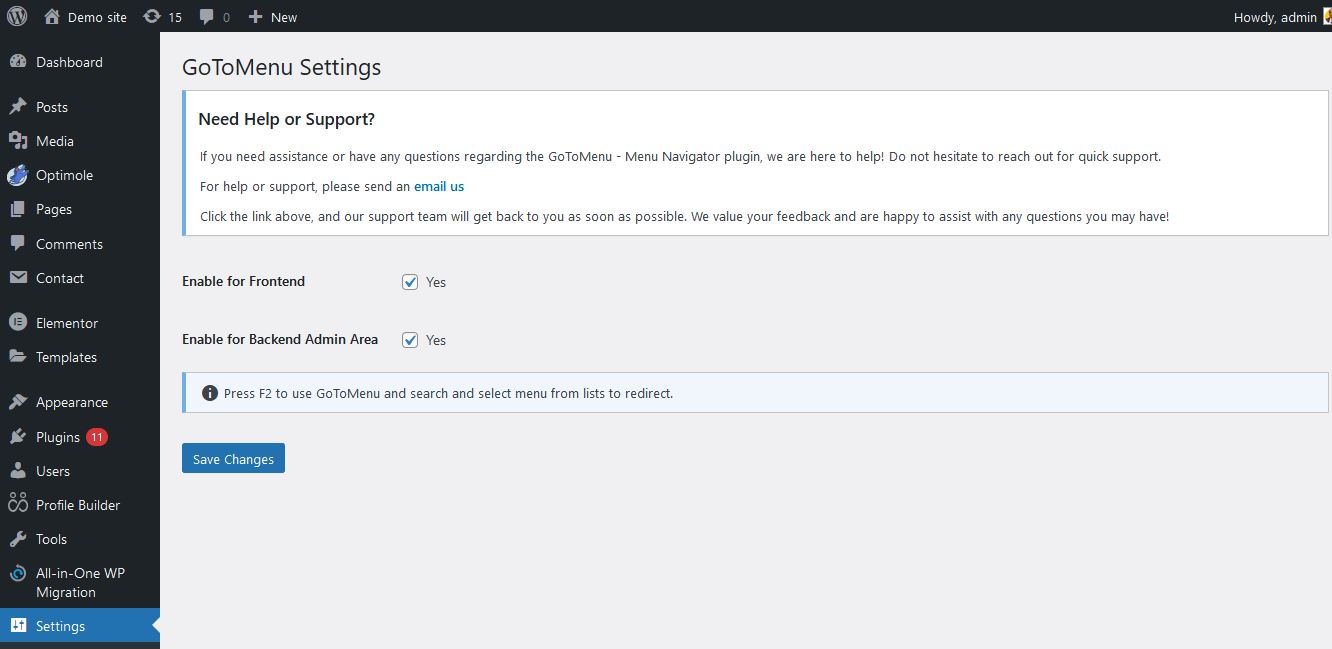
<strong>GoToMenu Settings Page:</strong> The settings page where you can enable or disable the plugin's frontend functionality.
GoToMenu – Menu Navigator GoToMenu – Menu Navigator is a WordPress plugin that boosts efficiency by offering rapid access to any registered menu. A simple F2 keypress opens a search box, letting users quickly find and open their desired menu. Save time and streamline workflow by skipping manual menu scrolling.
Key Features:
- Adds a settings page under “GoToMenu” in the WordPress admin area.
- Includes a toggle field called “Enable for Frontend” to enable or disable the plugin’s functionality on the frontend.
- Includes a toggle field called “Enable for backend” to enable or disable the plugin’s functionality on the backend.
- When enabled, users (including guest users) can press the F2 key to open a modal displaying a list of available menus.
- Users can select a menu from the dropdown list and navigate directly to the selected menu’s page.
- Fully accessible and keyboard-friendly, with support for navigating the modal using keyboard keys.
License
This plugin is licensed under the GPLv2 or later. See the License URI for more details.