
Developer
137 plugins tagged with developer

Elementor Beta (Developer Edition)
Elementor Beta (Developer Edition) gives you direct access into Elementor's development process, and lets you take an active part in perfecting o …

FakerPress
FakerPress is a clean way to generate fake and dummy content to your WordPress, great for developers who need testing

Debug Log Manager – Conveniently Monitor and Inspect Errors
Log PHP, database and JavaScript errors via WP_DEBUG with one click. Conveniently create, view, filter and clear the debug.log file.

Maintenance Redirect
Display a maintenance mode page and allow invited visitors to bypass the functionality to preview the site.

Maintenance Mode
This plugin is intended primarily for developers who need to allow clients to preview sites before public launch, or temporarily hide a WordPress site …

ReactPress – Create React App for WordPress
Easily create, build and deploy React apps into your existing WordPress sites.

Debug This
Peek under the hood with sixty debugging reports just one click away.

Simply Show Hooks
Simply Show Hooks helps theme and plugin developers to quickly see where all the action and filter hooks are on any WordPress page.
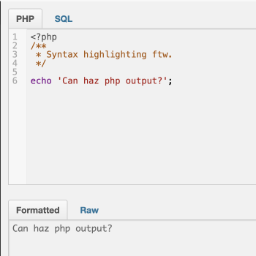
Debug Bar Console
Adds a PHP/SQL console to the Debug Bar. Requires the Debug Bar plugin.

System Dashboard
Central dashboard to monitor various WordPress components, processes and data, including the server.

Bulk Page Stub Creator
A developer admin plugin that lets you bulk create page stubs by providing a batch of page titles and slugs.

Ray
Easily debug WordPress sites using Ray.
Developer Loggers for Simple History
Useful loggers for SimpleHistory for developers during development of a site or to maintain a live site.

Theme Inspector
A developer's inspector to illuminate the WordPress Template Hierarchy and help with building WordPress Classic themes.
Term Menu Order
Creates a 'menu_order' column to specify term order, allowing theme and plugin developers to sort term by menu order.

J7 Beaver Header Footer Templates
Adds a panel to the Theme Customizer to insert a Beaver Builder layout as a header/footer globally on each page.
Developer Mode
Limit access to the WordPress admin panel for your clients. Block functionality like updating plugins and viewing menu items for administrators, while …
TCPDF Library
A WordPress wrapper for the popular TCPDF Library.
Customizer
Add theme's or plugin's options to the WordPress Customizer. Build theme and plugin options accessible from WordPress front-end.
Asset Queue Manager
A tool for experienced frontend performance engineers to take control over the scripts and styles enqueued on their site.

SiteCare – Search Engine Visibility
One forgotten setting can hide your site from Google. A red/green eye shows visibility at a glance, plus a one-click fix and instant email alerts.

Variable Inspector
Inspect PHP variables on a central dashboard in wp-admin for convenient debugging.

Developer Debug Tools
Lots of debugging and testing tools for developers.

Simple System Status
View Information about your WordPress Configuration (Defaults, Themes, Plugins) and Server Information that is useful for debugging and support.