


Developer Debug Tools
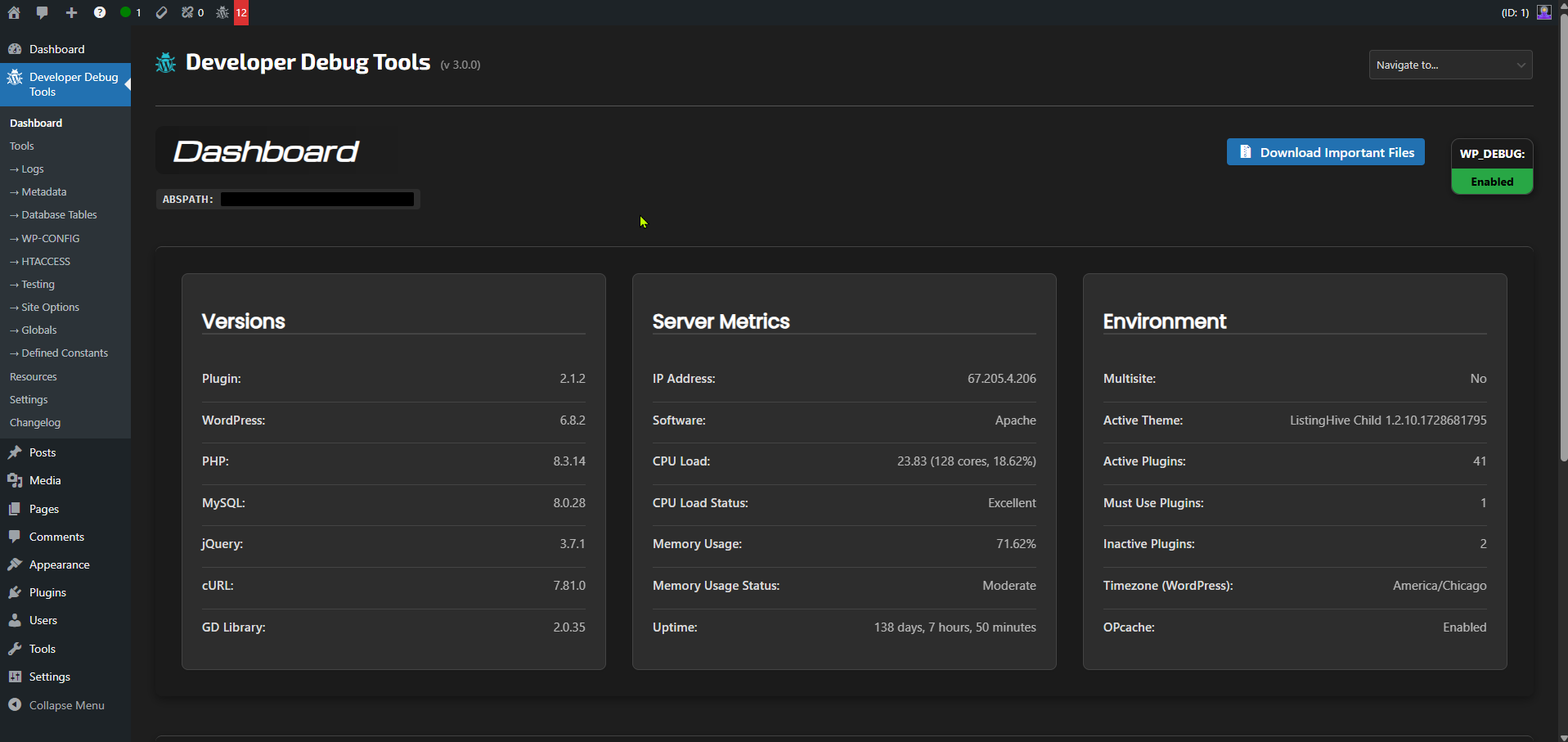
Dashboard
The “Developer Debug Tools” WordPress plugin is a powerhouse for developers and site administrators! It’s a FREE comprehensive toolkit that helps you identify, troubleshoot, and resolve issues in your WordPress site, making debugging a breeze. No premium version available.
This plugin offers a suite of features to aid in debugging, including, but not limited to:
- Dashboard with important site information and server metrics
- Enhanced log viewer for
debug.log, error logs, custom logs, and an activity log - Config file viewers and editors for
wp-config.phpand.htaccessfiles - SEO viewer for
robots.txt, sitemaps, andllms.txtwith built-in diagnostics (Added in 3.0.5) - Meta Data viewer and editor for users, posts, tax terms, comments, and media
- Database Table records viewer
- Site Options viewer and editor
- Globals viewer
- Defined Constants viewer
- Transients, Cookies, and Sessions management
- REST API viewer and status checker
- Post Types and Taxonomies viewers
- Auto-Draft viewer and clearer
- Shortcode Finder
- Cron Jobs viewer
- PHP Info and php.ini viewers
- Discord Notifications of fatal errors and when users with certain roles log in
- Discord Messenger for testing connections with Discord
- Security Checks with 55 read-only checks, a security score, and how to fix each issue (Added in 3.0.6)
- See who’s online and last online dates
- Heartbeat Monitor for testing WP Heartbeat API sitewide
- Plugins Page Enhancements with addt plugin data and notes feature
- Security Options for hiding the plugin and password protection to any admin page
- Admin Bar Tools such as seeing Post ID/type/status, User ID, an interactive centering tool, and more
- Quick Debug Links for debugging users, posts, and comments
- Gravity Forms integrations
With “Developer Debug Tools”, you can:
- Identify and fix errors, bugs, and conflicts
- Troubleshoot complex issues with ease
- Update user and post meta straight from the admin area
- Streamline your development and testing workflow
This plugin is a must-have for any WordPress developer or site administrator who wants to ensure a stable, efficient, and high-performing website. It’s like having a trusty sidekick that helps you tackle even the most challenging debugging tasks!
External Services
The Security Checks tool (Developer Debug Tools > Tools > Security Checks) connects to the services below when a developer runs a check, and on a daily or weekly schedule if Scheduled Runs is turned on in Settings > Security Checks (off by default). Nothing is sent on page loads.
- WordPress.org API (api.wordpress.org): The Core Files Modified check downloads the official file checksums for your WordPress version and language. The Closed or Abandoned Plugins and Themes check looks up each installed plugin and the active theme. Sent: your WordPress version and locale, and the folder names (slugs) of your plugins and active theme. Privacy policy: https://wordpress.org/about/privacy/
- WordPress.org downloads (downloads.wordpress.org): The Plugin Files Modified check downloads the official file checksums for each installed plugin from WordPress.org. Sent: the plugin’s slug and version. Privacy policy: https://wordpress.org/about/privacy/
- Discord (discord.com): If Discord alerts for Security Checks are turned on, a scheduled run that finds new problems sends the site name, the security score, and the names of the newly failing checks to the webhook URL you enter. Terms: https://discord.com/terms Privacy policy: https://discord.com/privacy
The Security Checks tool also requests this site’s own pages the way a logged-out visitor would, opens a secure connection to this site to read its certificate, and looks up DNS records for this site’s domain and the admin email’s domain with your server’s DNS resolver. These do not send data to any third party.
Demo