
Crop
25 plugins tagged with crop

Image Aspect Ratio Crop Field for Advanced Custom Fields
ACF field that allows user to crop image to a specific aspect ratio or pixel size

Image Regenerate & Select Crop
Advanced management for images, register new sub-sizes, sub-sizes details, regenerate and cleanup files.
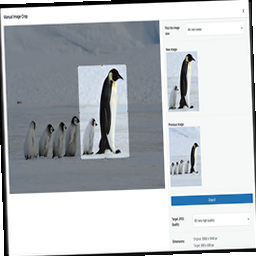
Manual Image Crop
Plugin allows you to manually crop all the image sizes registered in your WordPress theme (in particular featured image).

WP SmartCrop
WP SmartCrop will crop your images on-the-fly to match your CSS, keeping the main focal point in view.
Thumbnail Crop Position
Select the crop position of your thumbnails.
WPThumb
An on-demand image generation replacement for WordPress' image resizing.

Thumbnail Editor
Manually Crop and Resize thumbnail images that are uploaded in the Media section.

WP Crop Stop
Just stop cropping images.

Presswell Art Direction
Manage focal-point cropping and on-demand custom image generation in WordPress.

Crop and Resize Images
Crop and Resize Images Plugin allows you to easily modify WordPress uploaded images.
Theme Blvd Image Sizes
When using a theme with Theme Blvd Framework version 2.2+, this plugin allows you to change your theme's image sizes.
SmartCrop
Instead of cropping to the center of an image, SmartCrop attempts to use the most interesting part of the image for the thumbnail.

Advanced Pixel Editor
Edit images with an AI prompt, or crop, resize, rotate, flip, contrast and sharpen them inside the Media Library. Powered by ImageMagick.
Plugin Name: oQey Add-ons
oQey Add-ons is a plugin that add more features for oQey Gallery users.
Farm-Calculators
Add farm calculators to your website to help visitors determine various farming and crop related information.

AllTerrain Photo Editor – Crop, Resize, Paint & Photo Filters
A small painting studio inside WordPress. Brushes, layers and filters, straight in the Media Library.
Picture grabber, resizer and cropper
Picgrab is a plugin that download, resize and crop an image on the fly. It also stores resized and cropped images in local cache.
wp-imageresize
Manipulate images direct on template file

Painterro
Paste screenshots and edit images directly in your wordpress admin area. Use Painterro button in visual editor for images editing.
Better Images Crop
Better Images Crop made croping results same as width and height in media settings

Responsive cropped Yummy images, pictures and thumbnails
Manual cropping of images for different sizes

Incod Image Dimension Manager
Resize, fit and unify every image to fixed dimensions with a letterbox canvas or crop, no limits, and full support for all Custom Post Types.

Pixlio – Image Editor
Edit images directly in WordPress with layers, text, crop, resize, adjustments and PNG/JPEG export.

Yinga Focus
Set the subject of an image once — every placement keeps it in view, on every screen size. Zero bytes of CSS or JavaScript for your visitors.