
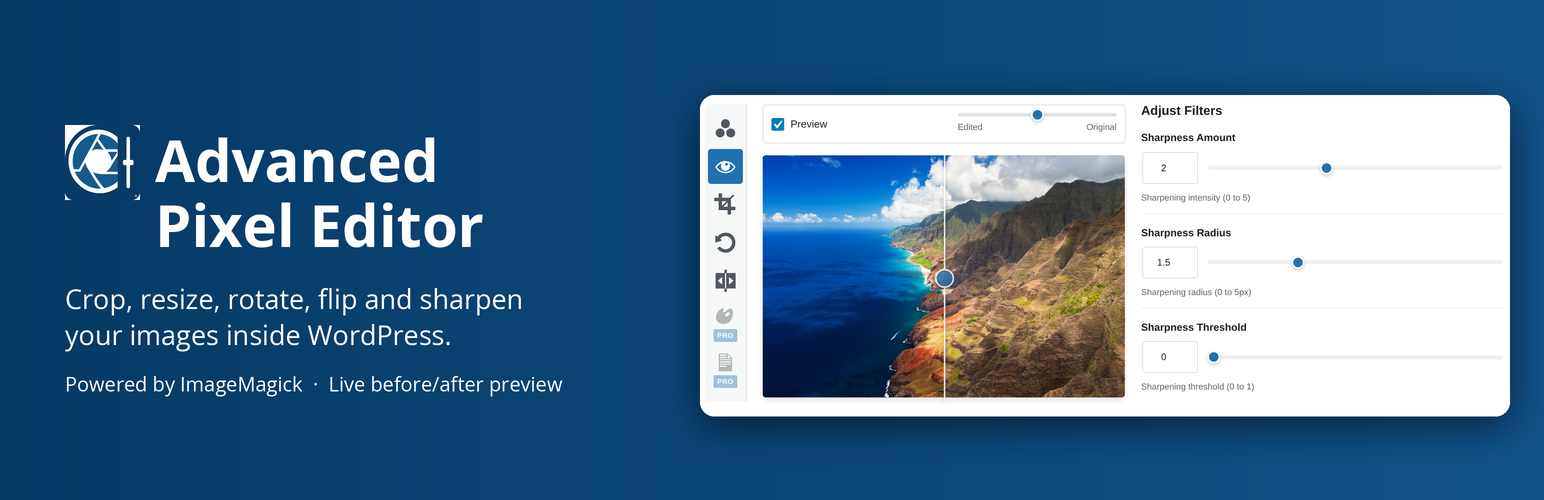

Advanced Pixel Editor

Contrast with the live before/after comparison slider
Stop leaving WordPress to edit your images. Advanced Pixel Editor brings Photoshop-grade image processing, powered by ImageMagick, directly into your dashboard. Select any image from your Media Library, fine-tune contrast and sharpness with live preview, and save the result without ever opening a desktop app.
Advanced image editing within WordPress. Sigmoidal contrast adjustment and unsharp masking (the same core algorithms used by Photoshop and Lightroom) with precision sliders that update the preview instantly. Drag the built-in before/after comparison slider to evaluate your edits side-by-side with the original.
Edit with AI. Describe a change in words, like “Replace the sky with a warm sunset”, and the AI provider you connected to WordPress edits the image. Refine it with another prompt, adjust it with the other tools, and save it like any other edit. Requires WordPress 7.0 or newer and an OpenAI or Google key under Settings > Connectors. Free and unlimited in this plugin; your provider bills its own usage.
Works right where you already are. Open the editor from the Media Library grid view, list view, or attachment edit screen. Your edited image can be saved as a new file or used to replace the original (with automatic backup and one-click restore).
What You Can Do
- AI Edit: Edit an image with a text prompt through the AI provider connected in WordPress 7.0+, then refine, adjust and save it
- Sigmoidal Contrast: The same gradual, tone-preserving contrast curve used by Photoshop and Lightroom
- Unsharp Mask: Professional sharpening with independent amount, radius, and threshold controls, identical to Photoshop’s Filter Sharpen Unsharp Mask
- Real-time Preview: Every slider change renders instantly via ImageMagick on the server
- Before / After Slider: Draggable comparison overlay to evaluate edits at a glance
- Save As New or Replace: Keep the original untouched, or overwrite it with automatic backup
- Restore Original: One click to revert a replaced image
- Crop & Resize: Interactive crop overlay with aspect ratio presets (free, 1:1, 4:3, 16:9), resize with aspect lock, and DPI controls
- Rotate & Flip: Free rotation with 45 and 90 degree presets, plus horizontal and vertical mirroring
- Deep Media Library Integration: “Advanced Editor” buttons in grid modal, list view, and attachment page
- Fully Responsive: Works on desktop, tablet, and mobile
- Accessible: Full keyboard navigation, ARIA labels, and screen reader support
Upgrade to Pro
Need more than contrast, sharpening, crop, rotate and flip? Advanced Pixel Editor Pro adds these tools to the same editor:
- Advanced Filters. Brightness, saturation, hue, auto levels, sepia, vignette, Gaussian blur, noise reduction and emboss, all with live preview
- Watermarking. Text watermarks (size, color, opacity, rotation) or image watermarks from your Media Library, with a 9-point position grid and tiling
- Batch Processing. Apply contrast, sharpness, brightness, saturation and hue to many images at once, processed in the background with progress tracking, saved as new files or replacing the originals
- Zoom & Pan. Magnify the preview up to 8x to judge fine detail while you edit
Powered by ImageMagick – The Industry-Standard Open-Source Image Engine
Advanced Pixel Editor is powered by ImageMagick, the leading free and open-source software suite for creating, editing, converting, and manipulating digital images. First conceived in 1987 and publicly released in 1990, ImageMagick remains a foundational tool in digital imaging nearly four decades later.
It delivers battle-tested algorithms that power professional workflows worldwide, many of which are functionally equivalent (or directly comparable) to those found in premium tools like Adobe Photoshop and Lightroom, including:
- Sigmoidal contrast for natural, highlight-preserving brightening and dynamic range adjustments
- Unsharp masking for precise sharpening with controllable halo suppression
- Lanczos resampling (and other high-quality filters) for crisp resizing and scaling
All processing runs securely server-side via the mature PHP Imagick extension, which binds directly to ImageMagick’s core libraries. This gives your WordPress site professional-grade image manipulation without relying on client-side JavaScript limitations or third-party cloud dependencies. Only the optional AI Edit tool uses an outside service, the one you connect yourself.
Requirements & Hosting Compatibility
The plugin requires the Imagick PHP extension (not the older deprecated GD-only fallback).
Most modern hosting providers (including SiteGround, Kinsta, WP Engine, Flywheel, Cloudways, and the majority of VPS/dedicated servers running PHP 8.1+) have Imagick pre-installed or available with one support ticket. If your host does not have it enabled:
- Open a quick support ticket asking: “Can you enable the Imagick PHP extension for my account?”
- Most providers activate it within hours (often instantly via their control panel).
We strongly recommend confirming Imagick is active before going live. You can usually check via a phpinfo() page or a simple test script:
<?php echo extension_loaded('imagick') ? 'Imagick is installed (version: ' . phpversion('imagick') . ')' : 'Imagick extension is NOT available.'; ?>
If Imagick cannot be enabled on your current host, consider migrating to a provider that supports it natively. It is a standard requirement for serious image-heavy WordPress sites in 2026.
Giving Back to the Open-Source Community
When you purchase Advanced Pixel Editor Pro, 20% of proceeds are donated directly to support ongoing development, security maintenance, and infrastructure costs of the ImageMagick project.
You can also contribute independently:
- Sponsor ImageMagick on GitHub Sponsors github.com/sponsors/ImageMagick The project maintains an active sponsorship page with transparent goals and recognition for supporters.
- Visit the official ImageMagick sponsorship page imagemagick.org/support
Your support helps keep this critical open-source library secure, fast, and freely available for millions of developers and businesses worldwide.
External services
The optional AI Edit tool sends data to an outside service only when a user clicks Generate. It then sends the image being edited and the text prompt, through the WordPress AI Client, to the AI provider the site owner connected under Settings > Connectors, and receives the edited image back. Nothing is sent otherwise, and the plugin contacts no other service.
- OpenAI (via the AI Provider for OpenAI plugin): terms and privacy policy
- Google Gemini (via the AI Provider for Google plugin): terms, privacy policy
The prompt, the provider name and the model name are stored with an image saved from an AI result.
Support
For support, feature requests, or bug reports, please visit:
* GitHub Repository
* WordPress Support Forums
Contributing
Contributions are welcome! Please see our contributing guidelines on GitHub.
Credits
Developed by Rafael Minuesa and the ProWoos team. GitHub