
Confirm
17 plugins tagged with confirm
MW WP Form
MW WP Form is shortcode base contact form plugin. This plugin have many features. For example you can use many validation rules, inquiry data saving, …
DM Confirm Email
Protect your wordpress site with spam registration. DM Confirm Email requires new users to confirm their email addresses.
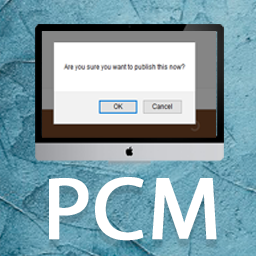
Publish Confirm Message
An extra confirmation dialog for the Publish button to help prevent accidental publishing.

Easy Options for WooCommerce
Access hidden WooCommerce options such as: Disable Confirm Logout, Hide Password Strength Meter, Hide Categories from Shop Pages and Widgets, Show Emp …
Cookie Confirm
Cookie Confirm allows you to easily insert a customisable notification for your users to choose and save their cookie preferences.

Norick Confirm for Contact Form 7
Adds a confirmation screen to Contact Form 7 and provides compatibility with modern versions of WordPress and Contact Form 7.

Cart Checkout Confirmation
Cart Checkout Confirmation plugin will give you a step to confirm information to proceed to checkout

Confirm Publishing Actions
Prompts a user to click a confirm button whenever he tries to submit, publish, update, schedule or delete a post.

WPCF7 Extended
"WPCF7 Extended" can add confirm step to "Contact Form 7". WPCF7拡張はお問い合わせフォーム7を追加できます確認, に確認画面を追加するプラグインです。
MW WP Form A8 Tracker
MW WP Form a8 tracker is an extension plugin for MW WP FORM. This plugin can easily introduce A8.net tracking tags.
Publish Confirmation
When you hit the "Publish" button, a small dialog box appears asking you if you're sure you want to publish the post.
Confirm JS for Contact Form 7
A Javascript plugin that provides a confirmation screen for the Contact Form 7 plugin. Display a confirmation screen on Contact Form 7 with reCAPTCHA …
Confirm Cookies Info
Small plug for all who on his blog have / should put the text on the use of cookies technology.
Izurutoys Confirmation Screen for Contact Form 7
Adds a confirmation step to Contact Form 7 forms. Compatible with the [confirm] / [back] tag syntax of "Contact Form 7 add confirm".

Unomoon Form
Shortcode-based contact form with a confirmation screen. A maintained fork of MW WP Form, tracking its security fixes and verified on WordPress 7.

BPOTech Confirm Step for Contact Form 7
Adds a confirmation step so visitors can review Contact Form 7 input before the message is sent.

Plugear Review Step for Contact Form 7
Add a confirmation step to your Contact Form 7 forms. Turn it on per form. No second form, no extra page, no shortcode to add.