
Admin Columns
22 plugins tagged with admin-columns

Admin Columns
Take control of your WordPress admin list tables. Add, remove, and reorder columns for posts, users, media, and more - no coding needed.

Adminify – White Label, Admin Menu Editor, Login Customizer
White label WordPress admin, admin menu editor, login page customizer, admin dark mode, media library folders, admin columns.
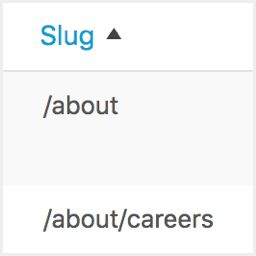
Admin Slug Column
Adds a URL path column to all admin post type edit screens. Works with posts, pages, and any custom post type including WooCommerce products.

Add Featured Image Column
This plugin adds a featured image column to any post type which supports featured images. See which posts have a featured image at a glance!

Users Registration Date – Sortable Users Column
See when each user registered: a sortable "Registered" date column on the Users page. Sort users by registration date, shown in your site timezone.

Post Admin Word Count
Adds a sortable word count column to the admin post list for all public post types. Efficient, lightweight and built with modern best practices.

Manage Admin Columns
This plugin adds a featured image column to WordPress Dashboard. It automatically adds a column to any post type which supports a featured image.

WooCommerce Product Type Column
Displays a "product type" column (with icons) on the products admin screen in WooCommerce.
Admin Columns – Icons Add-on
Use icons instead of text labels in column headers on post, user, media and other admin pages. Extension for Admin Columns.

Sortable Columns
Easily make any admin column sortable for posts and pages in your WordPress admin. Fast, flexible, no coding!

Slugmatic – Sortable Slug Columns for Any Post Type
Add a sortable Slug column to any post type — and switch it on or off per type from one simple settings page.

Product Publisher Info for WooCommerce
Adds a Publisher column to the WooCommerce products overview page showing the product author and last editor with date.
Adjust Users Screen
Alter the Users screen in the admin, re-ordering the columns and turning individual columns on or off.

GPosson Columns Manager for Pods
The essential extension to manage your Pods columns. Automatic detection and advanced settings.

Admin Views Column for Matomo
Display Matomo page views in WordPress admin lists for posts, pages, and custom post types.

EEL – Custom List Editor Lite
Edit selected list values directly from the WordPress post list screen.

IDPeek – Show Post, Page & User ID
Shows the ID next to every post, page, product, category, tag, and user in your WordPress admin. No settings, works instantly.

Neutrope Media Columns
Add lightweight status columns and safe filters to the WordPress Media Library.

RB Post Views Columns
A lightweight and smart plugin that adds a Post Views column to your WordPress admin to help you track how many times each post has been viewed.

Freshet Pages Plus
Duplicate page or post in one click, sortable last modified column, parent and template filters, the URL path under every title, search by slug.

RB Thumbnail Columns
Adds a thumbnail (featured image) column to your WordPress admin post list screen.
Word Count Sorter
Word Count Sorter adds a sortable "Word Count" column to the WordPress admin post list, allowing users to sort posts by word count in ascend …