

Adminify – White Label, Admin Menu Editor, Login Customizer

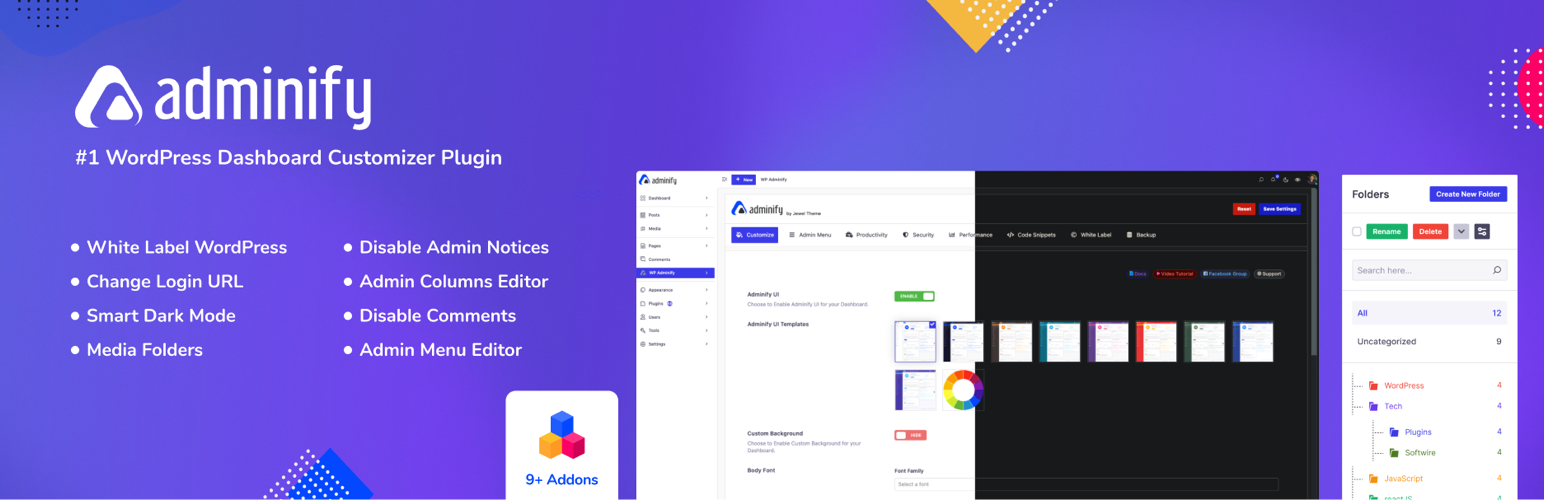
The main Adminify settings panel - the control center for all customization options.
Adminify is a white label WordPress admin customization plugin built for agencies, freelance developers, and site owners who want a custom WordPress admin without touching code. One plugin gives you a drag and drop admin menu editor, a login customizer, admin dark mode, a dashboard customizer, media library folders, and an admin columns editor – all controlled from a single admin panel. If you need to rebrand WordPress for a client, build a client portal, or simply run a cleaner admin interface for your own team, Adminify covers the whole job.
Upgrade to Adminify Pro | Documentation | Live Demo | Support
Video Overview
Why Choose Adminify for Admin Customization?
Most admin customization jobs need several single-purpose plugins stitched together: one for white label branding, one for the login screen, one for the dashboard, one for media folders, one for admin columns. Adminify replaces that whole stack with one custom admin panel. Every admin customization setting – menus, login screen, dashboard, colors, columns, notices – lives in the same place, so you’re not hunting through five different settings pages to customize admin behavior across a site. Agencies use it to rebrand WordPress for clients and build a simplified client dashboard; solo site owners use it to get a calmer, more usable admin interface for themselves. Either way, the admin panel becomes the control center for the entire WordPress backend.
White Label WordPress: Rebrand the Entire Admin Area
White label WordPress starts with the basics: replace the admin bar logo, the sidebar logo, and the favicon with your own branding. From there, Adminify lets you go further – customize the admin footer text with your own copy or copyright notice, and swap the default “Howdy” greeting for something that matches your agency or client’s brand. This is what turns a stock install into a real white label dashboard for every client site you manage.
White label branding in Adminify isn’t limited to the dashboard. Pair it with the login customizer for a white label login page (the white label login can be done with loginfy addon), and the result is a fully rebranded custom admin experience from the moment a client logs in to the moment they land on their dashboard. Agencies that need to rebrand WordPress across multiple client sites can apply the same white label settings consistently, so every custom admin panel feels like a product you built rather than a plugin someone installed. For teams that want white label WordPress without hiring a developer, this is the fastest route: no code, no child themes, just a settings screen for logo, favicon, footer text, and greeting text.
Admin Menu Editor: Drag and Drop Menu Control
The admin menu editor lets you visually rearrange, rename, and hide any admin menu item without writing a line of code. Drag a menu item up the list, rename it to something a client will actually understand, or hide admin menu entries that don’t apply to a particular role. It’s a menu editor built for real client work, not just a demo screen.
Role based menu control is where the admin menu editor earns its keep. Build a different custom menu layout for each user role, including custom roles, so an editor sees a simplified admin menu while an administrator sees everything. Add custom menu items that link to internal pages, external URLs, or page builder pages, assign a Dashicon or upload your own SVG icon, group related items with separators, and set any item to open in a new tab. Combined with role based menu visibility, the admin menu editor is one of the fastest ways to hide admin menu clutter and restrict admin access for the roles that shouldn’t see it – all without editing a single PHP file.
Login Customizer: Build a Custom Login Screen
Adminify’s login customizer, Loginfy, is a dedicated login page customizer for the WordPress login screen. Upload your own logo, choose a background color, image, gradient, or slideshow, and style the login form’s width, background, border radius, shadow, buttons, and labels. Every change appears in a live preview, so you can see the custom login screen taking shape as you build it rather than saving blind.
Because the login page customizer covers every visible element – logo, background, form styling, buttons, and error messages – it’s straightforward to build a custom login page that matches a client’s brand exactly, and to pair that custom login screen with your white label dashboard for one continuous brand experience from login to logout. Developers who want extra control can add custom CSS directly inside the login customizer. Security-conscious teams can also change the login URL to a custom slug, add a login attempt limiter, and set role based login redirects and logout redirects so each role lands on the right page after signing in or out – the login redirect and logout redirect settings work independently, so a client can log in to their custom dashboard and log out to a different page entirely.
Admin Dark Mode and WordPress Admin Theme
Adminify ships several ready-made WordPress admin theme skins – Light, Dark, Gradient, and Glass – so you can apply a different admin theme without writing custom CSS. On top of the theme skins sits a dedicated admin dark mode toggle: per-user dark mode preference, optional auto-scheduling between light and dark by time of day, and custom colors and fonts for teams that want their own look.
This is real dark mode for the WordPress admin, not a CSS filter slapped over the default screens – the admin dark mode setting works alongside the block editor and every WordPress admin theme skin, so dark mode looks correct no matter which admin theme is active. Toggle it from the toolbar, schedule it automatically, or set it per user so each person on a team gets the dark mode or light mode they actually prefer.
Dashboard Customizer: Build a Custom Dashboard
The dashboard customizer shapes a custom dashboard for every role – it’s admin customization aimed squarely at the busiest screen in WordPress. Remove the default welcome panel, add your own dashboard widgets (text, RSS feed, or iframe embeds), and control colors, fonts, and layout entirely through the visual dashboard customizer, with no custom CSS and no theme files required.
A custom dashboard matters most on client sites: replace the welcome panel with onboarding content that actually helps a client, add dashboard widgets that show what they need to see, and remove the ones they don’t. The result is a clean client dashboard rather than the stock WordPress screen full of plugin promotions. Agencies building a full client portal experience typically combine the dashboard customizer with the admin menu editor and white label settings so the custom dashboard, the menu, and the branding all match. Add dashboard widgets and that you prefer to keep on your admin.
Customize admin can be your priority if you or your cleints prefer a cleaner WordPress Dashboard panel.
Media Library Folders and Media Management
Media library folders bring simple, drag-and-drop organization to the WordPress media library. Create folders and subfolders, drag files into media folders, filter and browse by folder, and bulk move files between them. If a site has years of uploads sitting in one flat list, media library folders turn that into something a client can actually navigate.
Media Replace, bundled with the media folders feature, swaps out any image or file while keeping its original URL and ID intact – useful for updating a logo or a PDF without breaking every link that points to it. Folder support isn’t limited to the main media screen either: media folders work inside the Elementor media picker, the Classic Editor popup, and the Customizer, so the organization holds up everywhere media gets selected.
Admin Bar Editor and Toolbar Control
The Admin Bar Editor addon puts the WordPress toolbar under full control. Rename admin bar links, reorder them, or hide admin bar items per user role – useful when a client’s toolbar is cluttered with links only a developer needs. Combined with the admin menu editor and role based menu settings, the admin bar editor lets you hide admin bar clutter for clients while keeping full access for admins, closing the loop on a properly customized admin interface from top toolbar to side menu.
Productivity: Notices, Username Changer, and More
Admin notices pile up fast – plugin update nags, theme promotions, core update reminders. Adminify’s notices tool lets you hide admin notices with one toggle, or disable admin notices for specific user roles only, so clients never see upgrade prompts meant for developers. The hide admin notices setting covers the block editor as well as classic admin screens, and agencies commonly use it to disable admin notices across every client site they manage.
Beyond admin notices, Adminify includes a built-in username changer that renames any WordPress login username directly, username changer is suitable for multi user websites, including administrator accounts, with no database edits and no need to create a new account. You can also replace the welcome panel with your own onboarding content, hide Screen Options and Help tabs for a cleaner admin interface, and use the instant admin menu search to jump straight to any settings screen.
Adminify’s duplicate post feature clones any post, page, or custom post type in one click – content, template, featured image, and metadata all carry over to the copy. Need a new landing page based on an existing one? Run duplicate post and edit the copy without ever touching the original. The same one-click cloning covers categories, tags, and custom taxonomies too, and editors who publish recurring layouts lean on the duplicate post button to skip rebuilding the same structure every time. Every duplicate post starts as a draft, so the live site never shows a half-edited copy.
Admin Columns Editor
The admin columns editor adds, removes, and reorders admin columns in post and page list views for any post type. Pull in custom fields from ACF, MetaBox, and Pods so the values that matter – a price, a status, a custom field – show up right in the list view instead of being buried inside each post.
Key columns are sortable, including the featured image column and custom field columns, which makes large list views far easier to scan and manage. WooCommerce sites get direct support too: show SKU, stock status, price, or weight as admin columns on the product list, so store admins can review inventory without opening every product individually.
Security Controls
Security settings round out the admin panel: change the default login URL to a custom slug to cut down on brute-force attempts, add a login attempt limiter, and disable comments globally across posts, pages, and media in one switch. Role based login redirects and logout redirects send each user to the right place after they sign in or sign out, admin access can be restricted by role, and the Heartbeat API can be tuned per screen area to reduce unnecessary admin-side requests. A cleanup toggle also removes unneeded head tags – RSS links, RSD, WLW Manifest, shortlinks, the generator tag, and emoji scripts – and can disable oEmbeds site-wide.
Built for Agencies: Client Portal and Client Dashboard
Agencies managing several WordPress installs don’t want to jump between five different plugins to customize admin screens – Adminify keeps the admin menu editor, white label branding, login customizer, and dashboard customizer in one custom admin panel. Used together, they turn the default WordPress backend into a genuine custom WordPress admin experience: a simplified client dashboard, or a fuller client portal, where every menu item, color, and widget is something you chose rather than something WordPress shipped by default.
Restrict admin access by user role, hide admin menu entries with role based menu rules, apply a WordPress admin theme that matches the client’s brand, and set login redirects so each client lands on their own client dashboard the moment they sign in. The same custom admin tools work just as well for solo site owners who simply want a calmer, more organized admin interface for themselves – complete WordPress backend customization without writing code. Clients get a friendly, focused admin panel; you keep full control over every setting behind it.
Addon System
Extend Adminify’s admin tools with dedicated addon plugins:
- Admin Bar Editor: Customize the WordPress toolbar – rename items or hide admin bar elements per role
- Loginfy: Customize the WordPress login page – logo, background, form styling, custom login URL, and role based login redirects
- Admin Columns Editor: Add, remove, reorder, and sort admin columns in list views, including ACF, MetaBox, Pods, and WooCommerce fields
- Quick Menu: Pin your most-used admin screens to a floating quick access menu and jump to any settings page in one click
- Activity Logs: Track user actions including logins, post edits, and plugin activity
- Google PageSpeed Insights: Check site performance scores directly from the admin dashboard
- RoleMaster Suite: Create, edit, clone, and manage user roles and capabilities
- Header and Footer Scripts: Add analytics snippets or custom scripts without editing theme files
These are some other admin tools competable with Adminify.
Get Adminify Pro – Unlock All Features
Source Code
This plugin uses compiled and minified JavaScript and CSS files built with webpack and npm.
The full unminified source code is publicly available at: https://github.com/litonarefin/adminify-free
External services
Adminify relies on the following third-party / external services. Each entry describes what the service is, what data is sent, when it happens, and links to the provider’s terms and privacy policy.
Optional usage diagnostics (Pixar Labs)
This is OFF by default. Only if a site administrator explicitly opts in by clicking “Allow” on the “What we collect” admin notice does Adminify send the administrator email address and basic, non-sensitive site information (for example WordPress version, active plugins and site name) to help us understand how the plugin is used and improve it. Nothing is sent unless you opt in.
- Data sent: administrator email and basic site information — only after you click “Allow”.
- Triggered: only on the explicit “Allow” opt-in; never automatically.
- Pixar Labs Terms | Pixar Labs Privacy Policy