


Stockline – Custom Stock Messages for WooCommerce
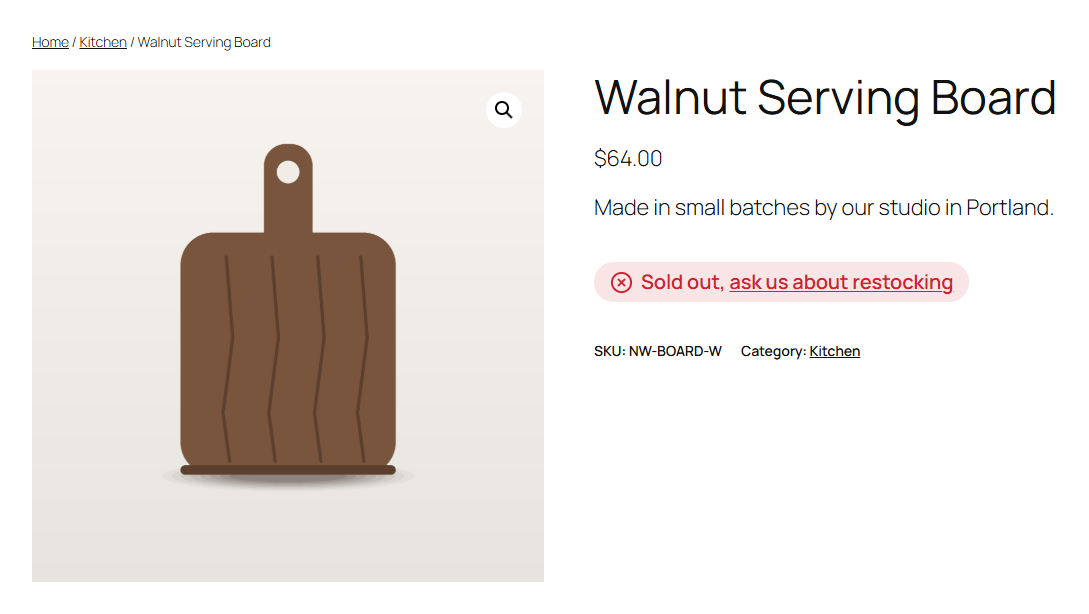
Out of stock: your own store-wide message, here with a link, in the badge style with the default icon and colour.
WooCommerce tells shoppers “Out of stock” and leaves it there. Stockline lets you say something useful instead: “Only 2 left, order soon”, “Made to order, ships in 2–3 weeks”, “Sold out, ask us about restocking”.
Your own message for every stock state
- In stock: e.g. “In stock, ships today”. Also shown for products that don’t track stock, where WooCommerce shows nothing.
- Low stock: e.g. “Only {qty} left, order soon”, using WooCommerce’s own low stock threshold (store-wide or per product).
- On backorder: e.g. “Ships in 2–3 weeks”.
- Out of stock: e.g. “Sold out, back soon”.
Leave any message empty to keep WooCommerce’s text, with your icon and colour. Other plugins can add states of their own, such as a “Pre-order” state, and they get a message, icon and colour on the same screen.
Looks right in your theme
- Icons (check mark, warning, clock, cross, delivery truck, dot) and a colour per state.
- Plain text or a soft coloured badge.
- A live preview of each state on the settings screen as you type, before you save.
- Keeps WooCommerce’s own CSS classes, so your theme’s styling still applies.
Works everywhere WooCommerce shows stock
Classic themes, block themes (the Add to Cart form block) and variable products, where the message updates as shoppers pick options. Stockline hooks the final stock HTML that WooCommerce itself builds, so there are no template overrides to go stale after WooCommerce updates.
Placeholders and light HTML
Use {qty} for the units left and {product} for the product name. Bold text and links are allowed, e.g. Sold out, <a href="/contact">ask us about restocking</a>.
For developers
stockline_stock_htmlfilters the final markup ($html,$product,$state).stockline_states,stockline_stateandstockline_placeholderslet other plugins add a state with its own message, icon and colour, and placeholders for it. Preorderline uses them for a “Pre-order” state with{date}.stockline_product_settingslets a plugin give a product or variation its own message, icon or colour, andstockline_page_colorsadds the colours it uses to the page’s stylesheet.stockline_enqueue_stylesloads the small stylesheet beyond product pages, e.g. for a Single Product block on a landing page.stockline_loadedfires once Stockline has loaded, for add-ons.
Stockline Pro
Stockline’s messages are store-wide. If some products need their own (“Back mid-November”, or “Size S is back in December” for one variation), the separate Stockline Pro add-on adds a message, icon and colour per product and per variation, a preview dialog on the product screen, and columns for them in the Gridline bulk editor. Everything described above works without it. See extendiment.com/plugins/stockline. Stockline Pro is sold under our Terms and Privacy Policy.