
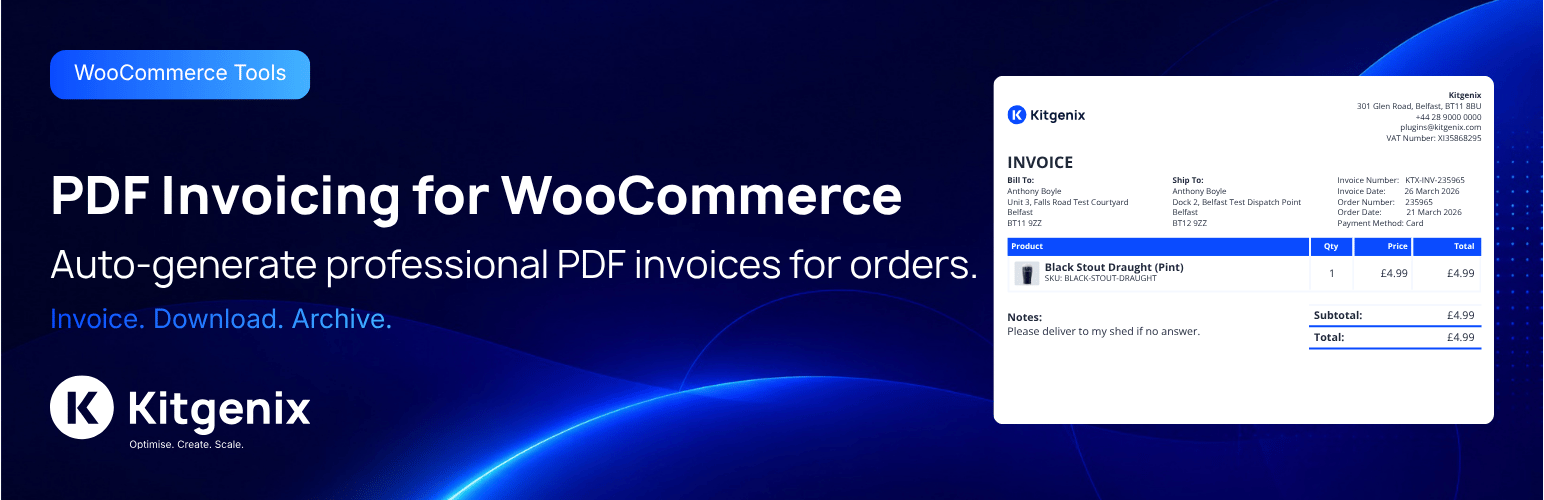

Kitgenix PDF Invoicing for WooCommerce

Settings: Company & Document Details tab, including company name, address, tax/VAT ID, and invoice prefix.
Kitgenix PDF Invoicing for WooCommerce generates PDF order documents locally from WooCommerce data. It supports invoices, receipts, packing slips, credit notes, pro forma invoices, delivery notes and statements, with configurable numbering, templates, email attachments and customer downloads.
PDF rendering happens on the WordPress server using the bundled Dompdf library. The plugin does not require a hosted Kitgenix invoicing account and does not send order contents to an external invoicing service in order to produce the PDF.
It is designed for store owners, finance teams, fulfilment staff and support teams that need repeatable WooCommerce paperwork and a controlled record of document numbers/history.
Developed by Kitgenix.
WooCommerce PDF Document Types
The codebase defines seven document types:
- Invoice.
- Receipt.
- Packing Slip.
- Credit Note.
- Pro Forma Invoice.
- Delivery Note.
- Statement.
Each type can use its own generation rules and can be enabled/disabled according to the plugin’s settings. Rules can consider WooCommerce order status and payment state so a document is only offered/generated when it makes sense for the store’s workflow.
PDF Invoice Features
- Local PDF generation with bundled Dompdf.
- Seven document types.
- Four bundled visual templates: Standard, Simple, Modern and Business.
- Company logo, address and tax/VAT registration details.
- Configurable document colours and presentation settings.
- Custom CSS controls used by the PDF renderer.
- Optional uploaded custom fonts supported by the font manager.
- Token-based document-number formats.
- Zero-padding, prefixes and sequence controls.
- Sequence reset options including calendar/fiscal-year scenarios supported by settings.
- Separate credit-note identity/history handling.
- Atomic database-backed sequence table for collision-resistant numbering.
- Automatic WooCommerce email attachments.
- Test email workflow for configured attachment mapping.
- Customer downloads from My Account.
- Guest document access using a valid WooCommerce order key where the relevant route/action permits it.
- Admin order meta box/actions for generating and retrieving documents.
- Bulk generation/download archive workflows.
- Order-list filtering for document state.
- Persistent document archive/history where enabled.
- Regenerate and void controls with history records.
- Tax terminology/localisation packs.
- Custom order fields and notes in document output where configured.
- WooCommerce HPOS compatibility handling.
- Developer filters/actions for output, identifiers, custom CSS and related document behaviour.
Four Bundled Invoice Templates
Standard, Simple, Modern and Business templates are included in the plugin. They share the configured business identity but use different layout/presentation choices.
The template files are local to the plugin; PDF output is not generated by loading a hosted HTML template from Kitgenix.
Document Numbering and Sequences
Document identity is more than a filename. The plugin includes a sequence table and token-based formatting so invoices/other documents can receive consistent identifiers with prefixes and zero-padding.
Sequence periods can be configured so numbering can continue indefinitely or reset according to the supported calendar/fiscal-year rules. The sequence table is used to avoid two concurrent generation requests selecting the same next number.
Credit notes have their own mapping/history logic so refund-related documents can be tracked separately from the main invoice sequence where configured.
Generation Rules
A document type can be gated by order status/payment conditions. This lets stores avoid, for example, exposing a final invoice at a point in the order lifecycle where their accounting workflow expects a pro forma document instead.
The same availability checks are used by customer/admin output paths so a document button is not simply cosmetic if the order does not meet its configured rule.
Automatic Email Attachments
Administrators can map document types to WooCommerce email IDs. When a mapped email is generated and the document is available for the order, the plugin can create/use the relevant PDF and attach it to the outgoing message.
A test-send workflow is included so administrators can verify email attachment configuration without placing a real new order for every test.
Temporary files generated for email delivery are cleaned up after use.
Customer Downloads
Customer-facing actions can add document downloads to WooCommerce My Account/order areas. The plugin includes invoice and credit-note download handling and validates the order/customer context before serving protected order documents.
Guest access can use WooCommerce’s order key in the supported flow, allowing legitimate guest purchasers to retrieve an eligible document without being treated as an arbitrary anonymous request.
Persistent PDF Archive and History
When persistent archive mode is enabled, generated documents can be stored under a hardened uploads subdirectory with metadata tracking the archived entries. Administrators can regenerate or void documents, with history events recorded against the order/document.
This provides a clearer audit trail than silently replacing a previous PDF without recording that an administrator regenerated it.
The exact accounting/legal retention period remains the site owner’s responsibility; the plugin does not claim to determine jurisdiction-specific compliance requirements automatically.
Bulk Document Export
WooCommerce order bulk actions can generate a batch archive for selected orders/documents. The plugin creates a downloadable archive file for the requested set instead of requiring an administrator to open every order and download each PDF individually.
Tax and Localisation
The document display layer includes configurable tax terminology and localisation packs so labels can be adapted for VAT, GST, Sales Tax or other terminology supported by the plugin’s configuration.
Order totals and line items are taken from WooCommerce’s order data, helping PDFs reflect the taxes/totals WooCommerce has already calculated rather than introducing an independent tax-calculation engine.
Branding, Custom Fonts and CSS
Business identity settings include company details, logo and visual choices. The plugin also contains a custom-font manager that accepts supported font files and registers them with Dompdf for local rendering.
Custom document CSS can be filtered/sanitised through the plugin’s rendering pipeline. Administrators should keep custom CSS print-focused and test all enabled templates after significant visual changes.
Security and Data Handling
PDF generation uses local WooCommerce order data. Download/admin actions are protected by the applicable WooCommerce/WordPress capability, order-key and nonce checks in their context.
Persistent archive directories are hardened by the plugin, and temporary generated files are removed after use where the workflow does not require long-term storage.
The plugin does not transmit order contents to Kitgenix to generate PDFs. External requests used by the shared admin Hub/fonts are documented separately under External Services.
Developer Extensibility
The codebase exposes filters/actions for document output and generation decisions, custom CSS, custom order fields and other integration points. Document types and renderer modules are separated into classes so integrations can modify supported output without editing bundled template files directly.
The developer section below lists the hooks currently documented by the plugin.
Typical Uses
- Automatic PDF invoices attached to WooCommerce emails.
- Packing slips for warehouse picking/packing.
- Delivery notes included with shipments.
- Credit notes for refunded orders.
- Pro forma invoices before final invoicing.
- Customer self-service invoice downloads from My Account.
- Branded receipts for completed orders.
- Batch export of documents for finance or fulfilment teams.
External Services
This plugin includes a shared “Kitgenix hub” component in wp-admin (a single top-level “Kitgenix” menu page shared across all installed Kitgenix plugins) which may fetch publicly available plugin metadata – active install counts, star ratings, and icon/banner artwork – from WordPress.org using WordPress core’s plugins_api() function. This request is only made when an administrator views the Kitgenix hub page, sends only the relevant plugin slugs, and is cached for up to 24 hours using WordPress transients to minimise repeat calls:
- Transient:
kitgenix_hub_wporg_active_installs_v1 - Transient:
kitgenix_hub_wporg_ratings_v1 - Transient:
kitgenix_hub_wporg_media_v1
No order data, customer data, or store content is ever sent as part of these requests. WordPress.org’s API is governed by the WordPress.org privacy policy (https://wordpress.org/about/privacy/).
Aside from this, PDF generation happens entirely on your own server using the bundled Dompdf library. No order or customer data is sent to any third-party PDF generation, invoicing, or storage service.
Developers
Text domain:
kitgenix-pdf-invoicing-for-woocommerce
Architecture:
– Modular plugin with Admin/Settings/Invoicing/Email/Frontend modules
– Document types registry (extendable) with built-in invoice, receipt, packing slip, credit note, pro forma invoice, delivery note, and statement types
– Template system with theme overrides + HTML/CSS filters
– Secure download endpoints with nonce/capability checks and optional order key validation
– Token-based numbering engine using an atomic database sequence table (with a non-atomic option-based fallback)
– Rule-based document availability controls by type, order status, and payment state
– Document status (issued/voided) and per-document history log, independent of the archived PDF file
Numbering tokens available in settings:
– {prefix}
– {order_number}
– {order_id}
– {sequence}
– {refund_sequence}
– {year}
– {yy}
– {month}
– {day}
– {country}
– {billing_country}
– {shipping_country}
– {fiscal_year}
– {fiscal_year_short}
– {fiscal_year_start}
– {fiscal_year_end}
Key filters:
– kitgenix_pdf_invoicing_modules
– kitgenix_pdf_document_types
– kitgenix_pdf_document_enabled
– kitgenix_pdf_document_user_can_download
– kitgenix_pdf_document_filename
– kitgenix_pdf_batch_archive_filename
– kitgenix_pdf_persistent_archive_enabled
– kitgenix_pdf_archive_relative_root
– kitgenix_pdf_invoice_filename (back-compat)
– kitgenix_pdf_document_attachment (inline vs download)
– kitgenix_pdf_document_template_path
– kitgenix_pdf_document_html
– kitgenix_pdf_invoice_html (back-compat)
– kitgenix_pdf_document_custom_css
– kitgenix_pdf_document_lang
– kitgenix_pdf_document_title
– kitgenix_pdf_document_body_class
– kitgenix_pdf_show_shipping_address
– kitgenix_pdf_email_document_map
– kitgenix_pdf_email_attach_document
– kitgenix_pdf_document_identifier
– kitgenix_pdf_document_number_context
– kitgenix_pdf_document_number_format
– kitgenix_pdf_sequence_use_table
– kitgenix_dompdf_enable_php (advanced; default false)
Key actions:
– kitgenix_before_stream_pdf_document
– kitgenix_after_stream_pdf_document
– kitgenix_before_stream_pdf_invoice (back-compat)
– kitgenix_after_stream_pdf_invoice (back-compat)
– kitgenix_pdf_document_archived
– kitgenix_pdf_document_regenerated
– kitgenix_pdf_document_void_status_changed
– Template hooks:
– kitgenix_pdf_before_document / kitgenix_pdf_after_document
– kitgenix_pdf_before_document_wrapper / kitgenix_pdf_after_document_wrapper
– kitgenix_pdf_after_notes
– kitgenix_pdf_after_order_data_rows
This plugin does not register any shortcodes, REST API routes, custom post types, or custom taxonomies. Integration is entirely via the WordPress action/filter hooks listed above, WooCommerce order meta boxes and order actions, and the My Account area.
Data Handling
- Plugin settings stored in a single option:
kitgenix_pdf_invoicing_settings. - Admin activity/event log (settings saves, generation failures, skipped documents, failed attachments) stored in:
kitgenix_pdf_invoicing_event_log. - Anonymous generation metrics stored in:
kitgenix_pdf_invoicing_for_woocommerce_metrics. - Legacy (non-atomic fallback) numbering counters stored in:
kitgenix_pdf_invoicing_for_woocommerce_number_sequences. - Atomic numbering counters stored in a dedicated database table (
{$wpdb->prefix}kitgenix_pdf_sequences). - Upgrade/migration version marker stored in:
kitgenix_pdf_invoicing_for_woocommerce_db_version. - Custom uploaded font metadata stored in:
kitgenix_pdf_invoicing_for_woocommerce_custom_fonts. - Document identifiers/history stored on the order to keep documents stable:
_kitgenix_pdf_invoicing_for_woocommerce_invoice_number_kitgenix_pdf_invoicing_for_woocommerce_invoice_date_kitgenix_pdf_invoicing_for_woocommerce_packing_slip_number_kitgenix_pdf_invoicing_for_woocommerce_packing_slip_date_kitgenix_pdf_invoicing_for_woocommerce_receipt_number_kitgenix_pdf_invoicing_for_woocommerce_receipt_date_kitgenix_pdf_invoicing_for_woocommerce_credit_note_count_kitgenix_pdf_invoicing_for_woocommerce_credit_note_history_kitgenix_pdf_invoicing_for_woocommerce_credit_note_refund_map_kitgenix_pdf_invoicing_for_woocommerce_archived_documents
- Archived PDFs stored in uploads and reused as immutable document copies when available.
- Uploaded custom font files stored under the plugin’s hardened uploads sub-directory.
- Batch ZIP exports generated on demand (temporary files, deleted after download).
- Email attachments generated as temporary files and cleaned up automatically.
- No customer data is sent to a third-party PDF generation service; rendering happens locally using the bundled Dompdf library.
Security & Privacy
- All admin actions protected with nonces and capability checks.
- Inputs sanitised; outputs escaped appropriately.
- Dompdf PHP execution disabled by default. Enable only if you understand the risk:
add_filter( ‘kitgenix_dompdf_enable_php’, ‘__return_true’ );
Security identifiers (exact):
– Admin meta box downloads use admin-post.php actions kitgenix_admin_stream_invoice, kitgenix_admin_stream_receipt, kitgenix_admin_stream_packing_slip, kitgenix_admin_stream_credit_note, kitgenix_admin_stream_pro_forma_invoice, kitgenix_admin_stream_delivery_note, and kitgenix_admin_stream_statement, protected by query arg nonce created/verified with nonce action kitgenix_admin_pdf.
– WordPress action hooks for those admin-post actions: admin_post_kitgenix_admin_stream_invoice, admin_post_kitgenix_admin_stream_receipt, admin_post_kitgenix_admin_stream_packing_slip, admin_post_kitgenix_admin_stream_credit_note, admin_post_kitgenix_admin_stream_pro_forma_invoice, admin_post_kitgenix_admin_stream_delivery_note, and admin_post_kitgenix_admin_stream_statement.
– Document status actions (regenerate/void) use admin_post_kitgenix_admin_regenerate_document and admin_post_kitgenix_admin_void_document, gated on manage_woocommerce and a type-and-order-scoped nonce.
– Frontend document downloads use the optional _wpnonce value created/verified with nonce action kitgenix_download_{doc_type}_{order_id}.
– WooCommerce order action key: kitgenix_download_pdf_invoice (hook: woocommerce_order_action_kitgenix_download_pdf_invoice).
– WooCommerce bulk action keys: kitgenix_pdf_batch_export_invoice, kitgenix_pdf_batch_export_packing_slip, kitgenix_pdf_batch_export_receipt, kitgenix_pdf_batch_export_credit_note, kitgenix_pdf_batch_export_pro_forma_invoice, kitgenix_pdf_batch_export_delivery_note, and kitgenix_pdf_batch_export_statement.
Admin page hook suffix:
– kitgenix_page_kitgenix-pdf-invoicing-settings
PDF generation is performed locally on your server using Dompdf. This plugin does not send customer data to a third-party PDF generation API.
Uninstall
Uninstall removes the plugin settings option (kitgenix_pdf_invoicing_settings), the admin event log option (kitgenix_pdf_invoicing_event_log), the metrics option (kitgenix_pdf_invoicing_for_woocommerce_metrics), the numbering sequence option (kitgenix_pdf_invoicing_for_woocommerce_number_sequences), the atomic numbering sequences database table, the custom fonts metadata option, and the upgrade/migration version marker (kitgenix_pdf_invoicing_for_woocommerce_db_version) when uninstalled via WordPress.
It also deletes the activation redirect transient: kitgenix_pdf_invoicing_for_woocommerce_do_activation_redirect.
Order meta, archived document metadata, archived PDF files, document history, and uploaded custom font files are intentionally preserved to avoid accidental loss of invoice, receipt, packing slip, or credit note history. Site owners who want the uploaded font files removed too can delete the relevant uploads sub-folder manually.
Support Development
If this plugin helps you generate clean WooCommerce PDFs and reduces admin work, you can support ongoing development with a one-off donation via PayPal:
https://www.paypal.com/donate/?hosted_button_id=KALF36K6JJ9B2
Third-Party Libraries
This plugin bundles Dompdf (LGPL-2.1) and its dependencies (php-font-lib, php-svg-lib, html5-php, php-css-parser, thecodingmachine/safe) via Composer. Their license files are included under vendor/ in the distributed plugin package. See https://github.com/dompdf/dompdf for the upstream project.
Credits
Built with ❤︎ by @kitgenix – https://kitgenix.com
Bundled library: Dompdf (see vendor/ for licenses)