🎉 Use coupon MYXERO to enjoy 20% recurring discount on any plan. View Pricing

Sticky Preview and Publish Buttons by FibroJedi
5/5 (2 ratings) 20 active installs Updated Dec 2, 2025

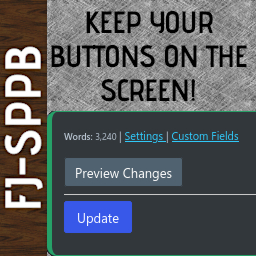
FJ-SPPB on an already-published page or post: Just the preview and update buttons.
Stop scrolling back up to the Publishing buttons on large screens! Or stop having to scroll down a long way on smaller screens!
Take advantage of a Preview and Publish/Update Button in post editor that scrolls down the screen as you scroll, saving you time and annoyance.
Customise your tab to work your way, and even decide how the buttons function.
Other Features
- Normal or Compact Mode.
- Set the border colour of your tab, and slightly themes the options page.
- Choose post types and post formats you do not want the tab to appear on. For example, on a Video or an Aside format, where it doesn’t really help!
- Mastodon/Fediverse link on the plugin’s screen so you have a point of contact as I don’t publicise an email address.
Need Help or Have Ideas?
Known Issues
- [RankMath] If you update your Search Snippet (“SEO Data”) or your Facebook/Twitter card, sometimes my tab does not save these. I am actively looking at fixing this.
- As mentioned, this has not been tested with Gutenberg. If you want to do this and let me know what code changes I need to make, I’ll credit you once I implement it.
- When the editor moves to an IFRAME, this may cause issues with the word count. I’ll try to look out for it.