

CAPI Suite: Meta Pixel, Pinterest & TikTok for WooCommerce
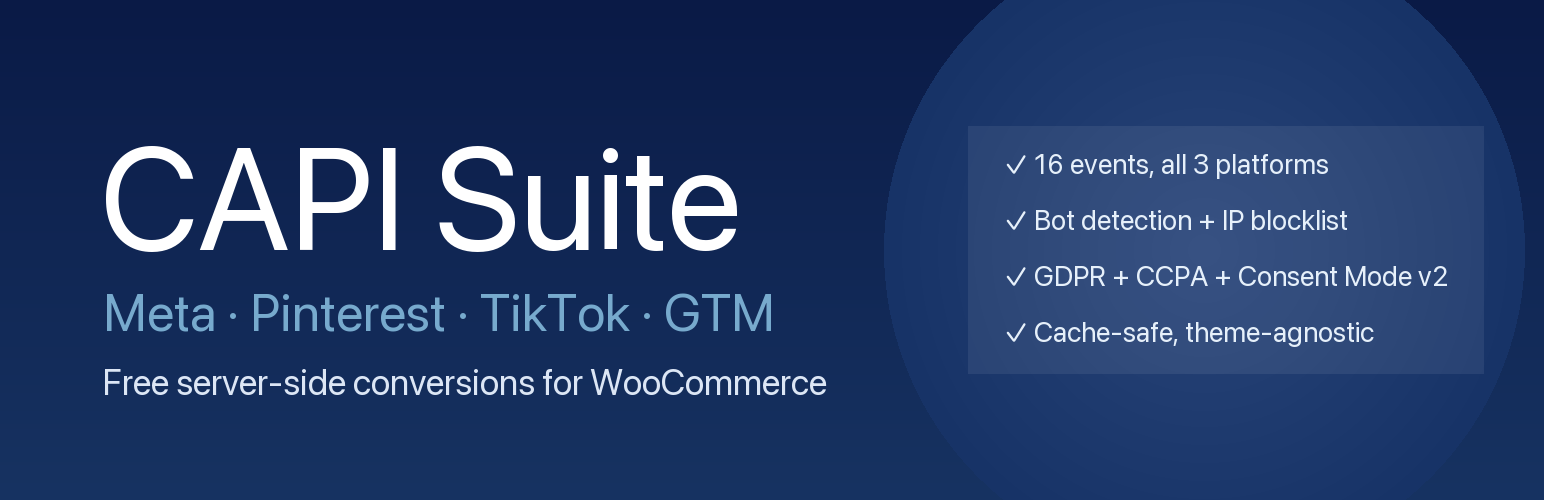
Meta Pixel, Pinterest and TikTok, sent server-side, in one free plugin. A bundled Google Tag Manager template covers browser-side tracking. Sixteen events you switch on individually — PageView, ViewContent, ViewCategory, SelectItem, AddToCart, ViewCart, InitiateCheckout, AddShippingInfo, AddPaymentInfo, Purchase, Search, CompleteRegistration, AddToWishlist, Lead, Login and Comment — plus subscription renewals handled on their own terms. Classic and block-based checkout, HPOS compatible, each platform retried independently on failure. No cloud server to rent, no premium tier to unlock, no event limit.
Your match quality climbs on its own after you update. Twenty identity parameters are assembled per event and normalised exactly the way Meta requires before they are hashed. The hashed keys are then remembered for up to 180 days behind a consent gate, so a returning visitor arrives already identified instead of anonymous. Nothing raw is ever written to disk: only salted SHA-256 hashes, which survive even a WordPress security-key rotation.
Attribution survives the whole journey, not just the click. Eight click identifiers are captured and kept — fbclid, gclid, wbraid, gbraid, ttclid, pina_id, _epik and _ttp — written into first-party cookies client-side so a cached landing page never loses them, then persisted onto the order so a payment that completes days later is still credited to the campaign that earned it. Subscription renewals inherit the original order’s identifiers instead of being credited to a fresh ad.
Bots don’t get counted as customers — and real shoppers on a VPN still are. Datacenter ranges are weighed against actual browser behaviour: mouse movement, scrolling, and whether a cart ever appears. A doubtful visit is held rather than thrown away, and if that visitor goes on to act like a real person, the whole funnel is released and reported retroactively. Purchases are never held back while any of this is decided. Apple iCloud Private Relay and corporate VPN egress ranges are recognised as real people, not as datacenters.
Safari visitors stay attributable for 90 days, not 7. The cookie is written by the server, so Safari’s seven-day cap on script-written cookies stops resetting the visitor every week.
Your orders are counted once, not twice. The same event ID goes out browser-side and server-side within Meta’s 48-hour deduplication window, so each platform matches them up instead of double-counting. A browser event that falls outside the window is suppressed rather than sent as a second conversion.
You keep your analytics when a visitor declines cookies. The event still goes through for counting, with personal details stripped out first. Five consent platforms are recognised automatically — CookieYes, Cookiebot, Complianz, iubenda and Termly — and a filter covers anything else, including OneTrust, Usercentrics and hand-rolled banners.
Built like infrastructure, not like a tracking snippet
- Nothing is lost when a platform has a bad minute. Events queue and retry per platform: if Meta accepts an event and Pinterest times out, only Pinterest is retried. Dispatch runs on Action Scheduler rather than WP-Cron, so a stalled queue is visible and recoverable instead of silent.
- Built for shared hosting. Counters are incremented atomically in SQL rather than read-modify-written, so overlapping requests cannot lose each other’s work. The bot blocklist is stored as roughly 10,000 pre-computed numeric ranges queried through a database index, not as a text list parsed on every request.
- The REST endpoint is not an open door. Events are signed with a rotating HMAC token, nonce-verified where a form is involved, and rate-limited per IP — with the limiter backed by a database table so it still works on hosts with no object cache.
- A bundled GTM template gets your browser-side tags running in minutes. 37 tags, 12 triggers and 17 variables covering GA4, Meta Pixel, TikTok Pixel, Pinterest Tag and Google Ads, with Conversion Linker already attached — normally an afternoon of manual GTM work. A written manual is included for anyone who would rather build it by hand.
- You can see exactly what was sent, and undo a bad exclude. The Event Log shows the identity parameters that went out with each event and the platform’s own response. Its By-IP view groups repeat traffic together, flags real buyers so you don’t accidentally exclude them, and excludes a confirmed bot in one click.
- Page caching stays on. Works with LiteSpeed, WP Rocket, Varnish and Cloudflare full-page cache.
- Queue health is visible from your WordPress dashboard. A widget shows backlog size, the oldest pending event, and when the last dispatch succeeded, so a stuck queue doesn’t go unnoticed.
- The bot blocklist maintains itself. Ranges for nine cloud providers ship with the plugin and refresh daily in the background. You can add your own, exclude any rule you disagree with, and download the active list as plain text.
- Test before you trust it. Send a test event to Meta or TikTok from the settings page and watch it arrive in Events Manager, with test-event codes handled for you.
- Privacy work is already done. The plugin registers with WordPress’s personal-data export and erasure tools, contributes its own section to the privacy policy WordPress generates for you, and stores IP addresses only as salted hashes.
What this plugin stores
To match server-side conversion events to the right person, the plugin stores SHA-256 hashes of contact details a visitor provides — email, phone, name and address components — against an opaque visitor identifier. Raw contact details are never written to disk; values are hashed before storage and the hash cannot be reversed.
- Two first-party cookies. An opaque visitor identifier (1 year) and a Meta-format browser identifier
_fbp(90 days). - 180-day retention. Records are deleted 180 days after they were last seen. Filterable via
mcapi_identity_retention_days. - Consent-gated. Nothing is stored, and nothing already stored is read, where marketing consent has been refused. Withdrawing consent expires both cookies and deletes the stored record.
- Privacy tools. WordPress’s personal-data export and erasure both cover this data.
- Shared devices. A stored record is replaced whenever a new person identifies themselves and is deleted at logout. A second person who only browses without identifying themselves is covered by the 180-day expiry rather than by an immediate reset — worth knowing if your customers use shared or public computers.
Our Philosophy
This plugin is free. Not “free with limits” — just free. Every feature works, there is no pro version waiting behind a paywall, and the code is GPL, so you can read every line that touches your customers’ data.
External Services
This plugin connects your website to external services to send event data.
- Service Used: Meta Conversion API (graph.facebook.com)
- Purpose: To send user interaction and e-commerce event data from your server to Meta’s servers for ad performance measurement, optimization, and audience building.
- Data Sent: Event details (product ID, price) and user parameters (IP address, user agent, hashed email/name/phone, Facebook cookies) are sent when a user performs a key action.
- Service Used: TikTok Events API (business-api.tiktok.com)
- Purpose: Same as Meta CAPI, providing server-side conversion tracking for TikTok Ads optimization and attribution.
- Data Sent: Event details (product ID, price, currency) and user parameters (IP address, user agent, hashed email/phone/external_id, ttp / ttclid cookies) are sent upon user action. Optional under the merchant’s TikTok credentials — the plugin only sends to TikTok if the credentials are configured.
- Service Used: Pinterest Conversions API (api.pinterest.com)
- Purpose: Same as the Meta CAPI, providing reliable tracking for ad performance and audience building on Pinterest.
- Data Sent: Event details and hashed user parameters are sent upon user action.
- Service Used: Google Tag Manager (googletagmanager.com)
- Purpose: To load a JavaScript container from Google’s servers that allows you to manage and deploy marketing and analytics tags.
- Data Sent: The plugin provides your GTM Container ID to Google to fetch the correct script. GTM itself may collect data based on how you configure your tags.
- Service Used: Cloud-provider IP range list —
raw.githubusercontent.com/rezmoss/cloud-provider-ip-addresses- Purpose: Used by the optional Datacenter IP filter to keep the bot blocklist current. Daily background fetch downloads CIDR ranges for AWS, Google Cloud, Azure, Cloudflare, DigitalOcean, Linode, Vultr, Oracle Cloud, and Fastly so events from those ranges can be filtered out before reaching Meta / Pinterest / TikTok.
- Data Sent: None. The plugin only downloads public IP-range manifests; no visitor data is sent to GitHub.
- License: Source repository is CC0-licensed.
- Service Used: Apple iCloud Private Relay egress IP list — same
raw.githubusercontent.com/rezmoss/cloud-provider-ip-addressessource (folderapple_private_relay/)- Purpose: Used by the optional Datacenter IP filter to whitelist real Apple visitors who exit through Apple’s relay infrastructure. Daily background fetch downloads the merged CIDR list so iOS Safari users on Private Relay aren’t mistaken for datacenter bots.
- Data Sent: None. The plugin only downloads the public manifest; no visitor data is sent.
Shared hosting note. Some restrictive shared hosts block outbound HTTPS by default. If event delivery silently fails after install, ask your host to whitelist the following domains for outgoing connections: graph.facebook.com, business-api.tiktok.com, api.pinterest.com, and raw.githubusercontent.com (only needed if you keep “Auto-fetched” enabled on the Blocked Traffic tab — covers both the datacenter blocklist and the Apple Private Relay whitelist).
Disclaimer
This plugin is an independent, community-driven implementation of server-side Conversions API protocols. It is not affiliated with, endorsed by, or sponsored by Meta Platforms, Inc., TikTok Ltd., Pinterest, Inc., Google LLC, Automattic Inc., or any other trademark holder referenced herein.
“Meta”, “Facebook”, and the Meta Pixel are trademarks of Meta Platforms, Inc. “TikTok” is a trademark of TikTok Ltd. “Pinterest” is a trademark of Pinterest, Inc. “Google Tag Manager”, “Google Ads”, and “GA4” are trademarks of Google LLC. “WooCommerce” is a trademark of Automattic Inc. All trademark references are used solely for descriptive interoperability purposes — to indicate which platforms this plugin can transmit data to under the merchant’s own configured credentials.
No user data is transmitted to any external service until the merchant explicitly configures their own platform credentials in the plugin settings. The plugin does not “phone home” or contact any developer-controlled server. The only outbound HTTP calls are: (1) merchant-configured CAPI endpoints, (2) the public CIDR manifests at raw.githubusercontent.com used by the optional Datacenter IP filter — no visitor data is sent in those manifest fetches.