
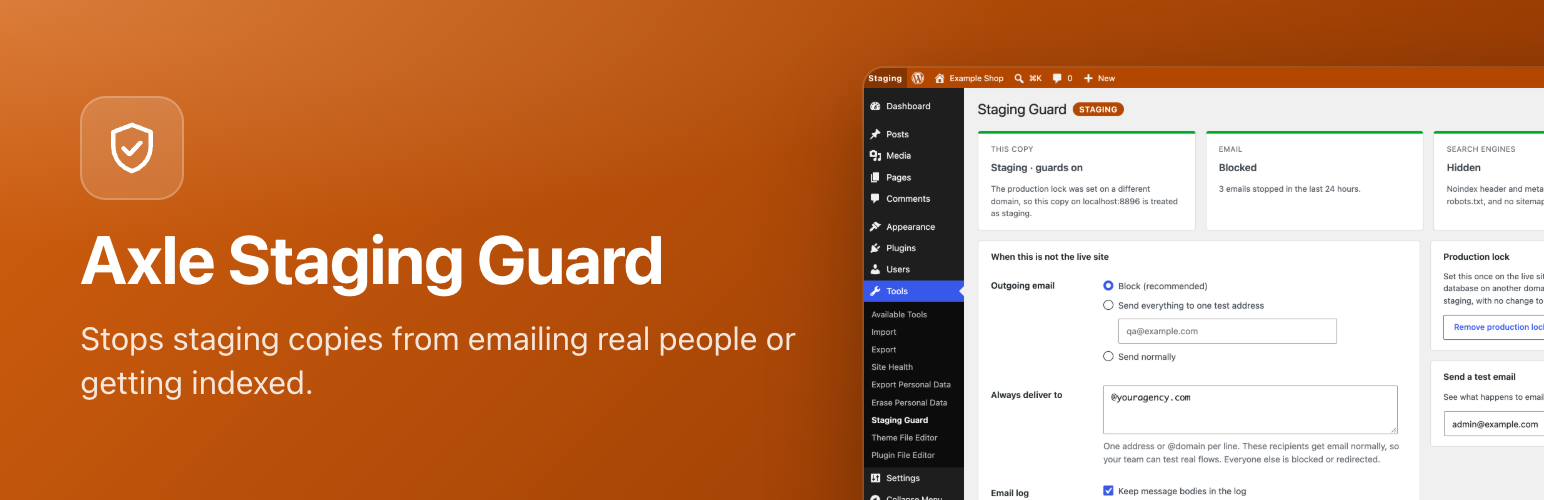

Axle Staging Guard

The coloured admin bar on a staging copy.
Every agency has a staging story. A copy of the live database goes to staging, and then:
- a scheduled task emails every customer from the staging site,
- Google indexes staging.example.com and it outranks the real site,
- someone spends an hour editing staging, thinking it was live.
A fourth one is quieter: the copy keeps talking to your payment gateway, CRM, Mailchimp list or Zapier webhooks with the live keys it inherited.
Axle Staging Guard prevents all four, on every copy that is not the live site.
On staging, development and local copies it:
- Blocks all outgoing email, or sends it all to one test address with the real recipients shown in the subject. Cc and Bcc recipients are removed too.
- Lets your own team keep receiving email: list addresses or whole domains (@youragency.com) under “Always deliver to”.
- Keeps a list of the last 50 stopped emails (recipient, subject and time), so you can see what would have gone out. Turn on “keep message bodies” to check email content as well.
- Sends a test email from the settings screen, so you can see exactly what happens to email from this copy.
- Blocks outgoing API calls except to hosts you allow, or just logs them. It covers requests made through the WordPress HTTP API, which is what payment gateways, CRM and marketing plugins, webhook plugins, Slack notifications and license checks use. A blocked call fails with a clear error, never a fake success.
- Always lets through what WordPress needs: wordpress.org and its subdomains (updates, translations, the plugin directory), the site’s own address and localhost. Add your own hosts, with wildcards like
*.example.com. - Keeps a list of the stopped or logged calls: method, host, path, the plugin that made them and how often. No query strings, bodies or headers, and keys in webhook URLs are masked.
- “Test a URL” shows what would happen to a request, without sending it.
- Hides the site from search engines with an
X-Robots-Tagheader, anoindex, nofollowrobots meta tag and a robots.txt that blocks everything, and turns off the XML sitemap. - Colours the whole admin bar (orange for staging, blue for development, green for local) and labels it, on the dashboard and on the front end.
- Adds the environment to every browser tab title, for example “[Staging] Posts”, so the right tab is easy to find.
- Adds a Site Health check that warns when email from a staging copy could still reach real people, or when staging copies of the live site would not be detected.
On the live site it does nothing.
Free and open source under the GPL. No pro version, no upsells, no ads in wp-admin, no tracking. And it stays that way.
Part of Axle by AryanX, a family of free plugins for running WordPress sites safely.
How it knows which copy is live
- If
WP_ENVIRONMENT_TYPEis set in wp-config.php or in the server environment, it uses that. This is the WordPress standard, and many hosts set it for you. - Otherwise, use the production lock: on the live site, go to Tools > Staging Guard and click “This is the live site”. From then on, any copy of the database running on a different domain is treated as staging, with no wp-config.php change.
The lock stores a hash of the live domain instead of the domain itself. Migration tools that search and replace the domain name in the database leave the hash alone, so the lock survives the copy to staging.
If neither is set, WordPress assumes production and Axle Staging Guard stays off.
Settings in wp-config.php
Fix the email behaviour per environment, so a database copy cannot change it:
define( 'AXLE_STAGING_GUARD_MAIL_MODE', 'redirect' ); // block, redirect or allow
define( 'AXLE_STAGING_GUARD_REDIRECT_TO', '[email protected]' );
define( 'AXLE_STAGING_GUARD_ALLOWLIST', '@youragency.com, [email protected]' );
define( 'AXLE_STAGING_GUARD_HTTP_MODE', 'block' ); // allow, log or block
define( 'AXLE_STAGING_GUARD_HTTP_ALLOWED_HOSTS', 'sandbox.paypal.com, *.youragency.com' );
define( 'AXLE_STAGING_GUARD_HTTP_BLOCKED_HOSTS', 'hooks.slack.com' ); // always blocked, in every mode
define( 'AXLE_STAGING_GUARD_PRODUCTION_HOSTS', 'example.com, shop.example.com' ); // the live domains
define( 'AXLE_STAGING_GUARD_KEEP_BODIES', false );
define( 'AXLE_STAGING_GUARD_NOINDEX', true );
define( 'AXLE_STAGING_GUARD_LOG_DAYS', 7 );
WP-CLI
wp axle-staging-guard statusshows the environment, how it was detected, and what is guarded.wp axle-staging-guard lock-productionmarks the current domain as the live site.wp axle-staging-guard unlock-productionremoves the lock.wp axle-staging-guard loglists stopped email.wp axle-staging-guard test-email [email protected]sends a test email and reports what happened to it.wp axle-staging-guard http-loglists blocked and logged outgoing requests.wp axle-staging-guard test-url https://api.example.com/v1says what would happen to a request to that URL.
Try it before you install. try.axlewp.com/axle-staging-guard opens a private WordPress in your browser with this plugin and some demo content.