


ZMPlugin
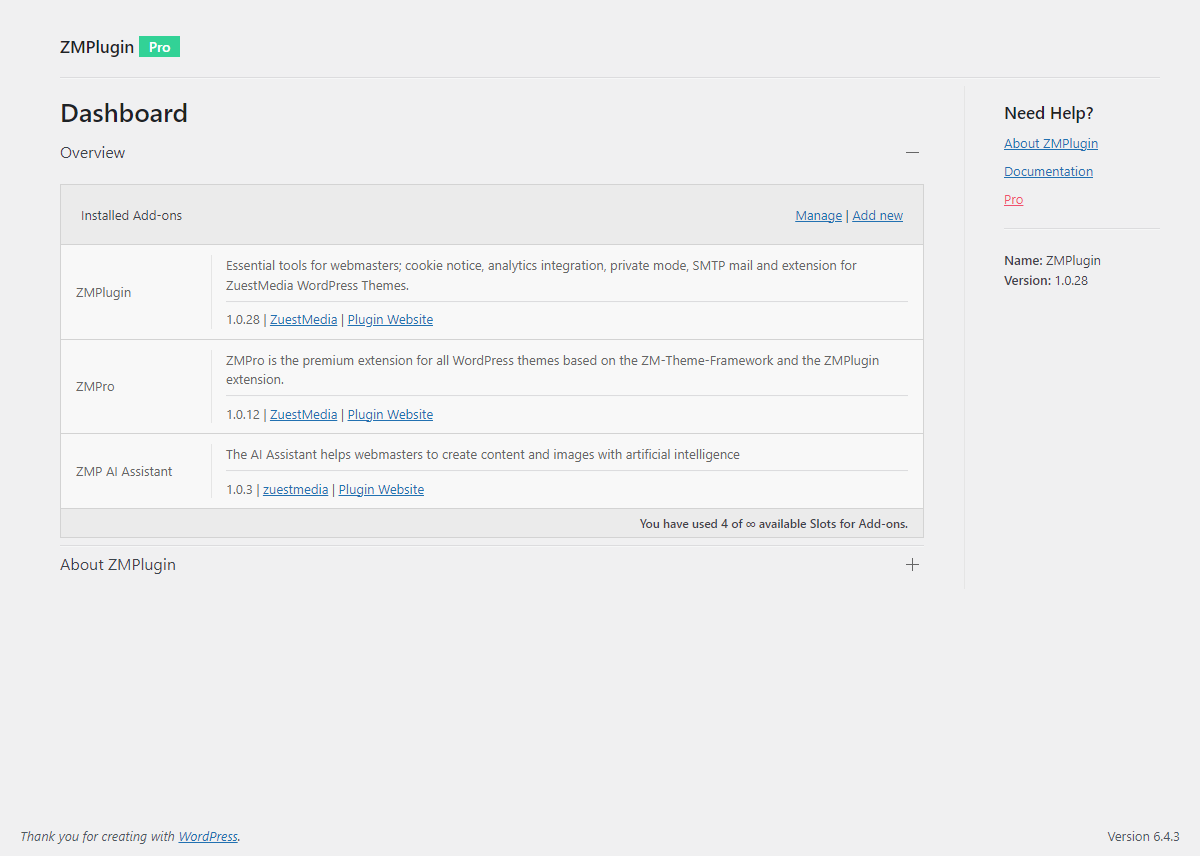
ZMPlugin is the official companion plugin for ZuestMedia WordPress themes such as Corporate and Modular.
When used together with a ZuestMedia theme, ZMPlugin adds theme-specific features including additional theme settings, Customizer options, editable block templates and the Design Explorer for importing starter designs.
In addition to its theme companion features, ZMPlugin includes a collection of useful tools for everyday WordPress administration. These features can be used independently of a ZuestMedia theme, making ZMPlugin useful for any WordPress website.
Theme Companion for ZuestMedia Themes
ZMPlugin extends supported ZuestMedia themes with additional functionality and configuration options directly inside WordPress.
Theme companion features include:
- Theme-specific settings and options
- Additional Customizer settings
- Editable block templates
- Design Explorer with importable starter designs
- Additional theme-related functionality and integrations
These features are available when using a supported ZuestMedia theme such as Corporate or Modular.
Additional WordPress Tools
ZMPlugin also provides several useful features that work independently of ZuestMedia themes:
- Cookie consent banner
- Tracking script integration for GA4, Google Tag Manager and Matomo
- Private mode with redirection
- SMTP mail delivery
- Gutenberg block patterns
- WordPress dashboard customization
- WordPress login customization
This means you can also use ZMPlugin as a standalone plugin on other WordPress websites.
Theme Companion Features
Theme & Customizer Settings
When using a supported ZuestMedia WordPress theme, ZMPlugin adds additional settings and configuration options to the WordPress Dashboard and Customizer.
These settings extend the theme and provide additional possibilities for customizing the appearance and behavior of your website.
Block Templates
ZuestMedia themes can use block templates to display static and dynamic content.
ZMPlugin provides the functionality required to manage and edit these templates using the native WordPress block editor.
Design Explorer
The Design Explorer allows you to browse and import premade starter designs directly into WordPress.
Starter designs provide a convenient starting point for building a website with supported ZuestMedia themes.
Theme companion features are only available in combination with supported ZuestMedia themes such as Corporate or Modular.
Additional Plugin Features
The following features can be used independently of a ZuestMedia theme.
Cookie Consent Banner
Display a cookie consent banner and control when tracking scripts are loaded.
Tracking scripts configured through ZMPlugin can be prevented from loading until the visitor has given consent.
Tracking Script Integration
Integrate common analytics and tracking solutions without manually editing your theme files.
Supported integrations include:
- Google Analytics 4
- Google Tag Manager
- Matomo (self-hosted)
Tracking integrations can be combined with the ZMPlugin cookie consent banner.
Private Mode
Restrict public access to your WordPress website and redirect visitors to the WordPress login form or to a page of your choice.
Private Mode is useful for websites that are still under development, internal websites or temporary maintenance situations.
SMTP Mail
Configure WordPress to send emails through your own SMTP server.
SMTP settings apply to emails sent through wp_mail(), including WordPress system emails and compatible plugins such as Contact Form 7.
Block Patterns
Access a selection of pre-built block patterns that can be inserted directly into the WordPress block editor.
Block patterns provide reusable layouts and content structures that can be adapted to your website.
WordPress Dashboard Options
Customize selected elements of the WordPress administration area.
Available options include customization of the WordPress logo, help tabs and dashboard footer text.
WordPress Login Options
Customize selected elements of the WordPress login screen (wp-login.php).
Options include a custom login logo and configurable redirect behavior after login.
Who is ZMPlugin for?
ZMPlugin is primarily designed for websites using ZuestMedia WordPress themes.
It provides the companion functionality required to unlock additional theme settings, templates, starter designs and other theme-specific features.
However, you do not need to use a ZuestMedia theme to benefit from ZMPlugin. Features such as the cookie consent banner, analytics integrations, SMTP configuration, Private Mode, block patterns and WordPress administration options can also be used on other WordPress websites.
Resources
Learn more about ZuestMedia WordPress themes and plugins.
Additional premium functionality is available through ZMPro, a separately distributed premium extension for ZuestMedia themes and plugins.
For documentation and help, visit the ZMPlugin documentation.
You can also find ZuestMedia on GitHub.
The plugin uses the following third-party resources
- uikit CSS, JS, Icons Framework
License: MIT
Source: https://getuikit.com/
Copyright
ZMPlugin WordPress Plugin, Copyright 2023 zuestmedia.com
ZMPlugin is distributed under the terms of the GNU GPL