

Video Gallery – YouTube Gallery, Playlist & Video Grid
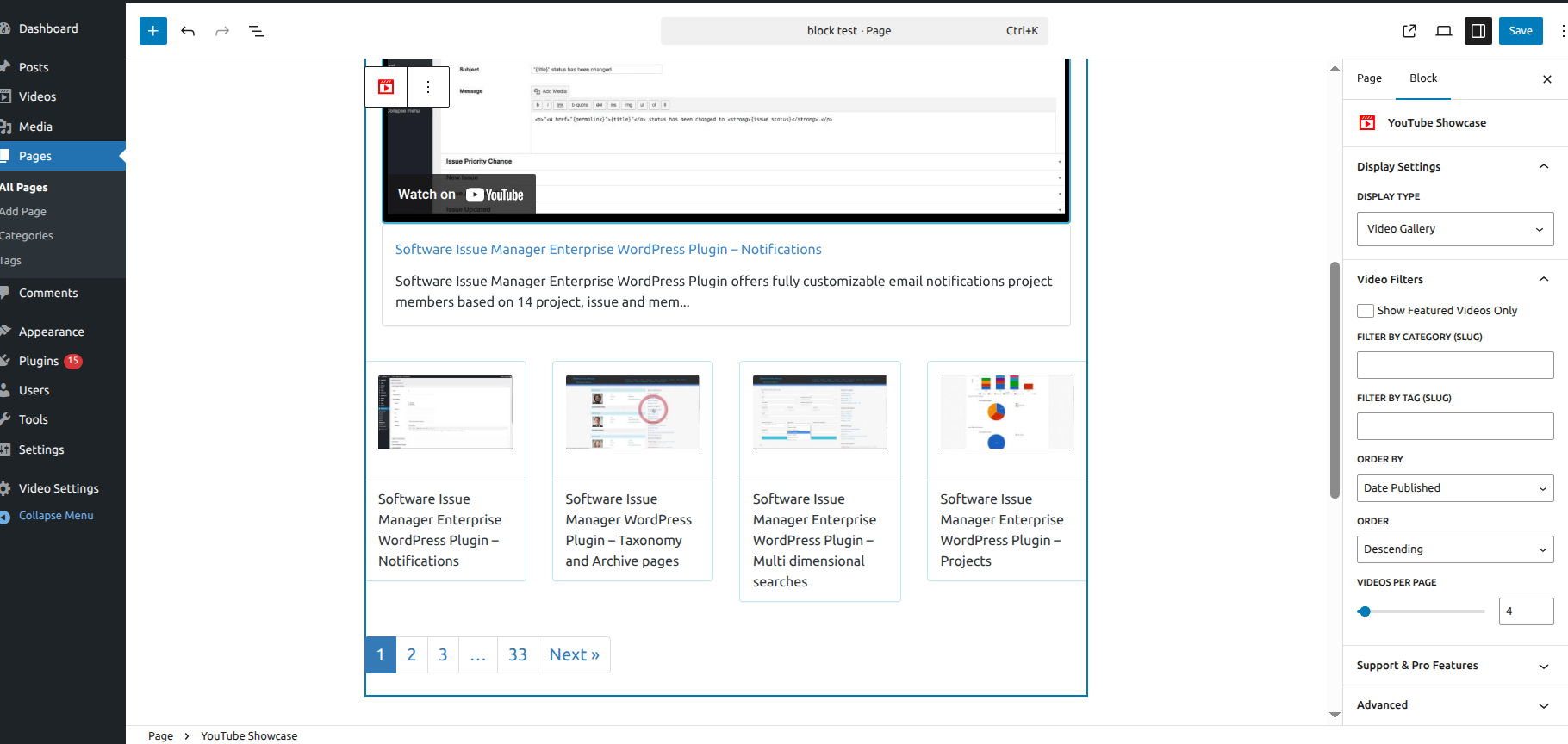
The Visual Block Editor – Design your YouTube Showcase with a real-time preview directly in the sidebar.
Turn your YouTube videos into a professional video hub. Build visually in the block editor, or use shortcodes if that’s your workflow.
Video Gallery & Playlist for YouTube (YouTube Showcase) is rated 4.9 out of 5 stars across 128 reviews and is featured in WPBeginner’s Best YouTube Video Gallery Plugins roundup. The Visual Block lets you design grids and playlists directly in the Block Editor with a real-time preview in the sidebar — change a setting and see the result instantly, without saving and refreshing.
Whether you’re a creator, blogger, or marketer, this plugin displays your YouTube content in responsive, mobile-ready layouts in a few clicks.
🔗 Quick Links
- Live Demo Site – See it in action.
- WPBeginner Featured Review – Rated as a top choice.
- Documentation – Easy step-by-step setup guides.
🚀 Key Features
- Visual Block Builder — pick your videos and watch the gallery update live in the sidebar, no save-and-refresh needed
- Optional Setup Assistant — creates ready-to-use gallery and grid pages in one click
- Cinematic Playlists — a large featured player with thumbnail navigation below it
- Responsive Video Grids — 4-column layouts that adjust automatically for mobile and tablet
- Automated Video Pages — every video gets its own SEO-optimized page with WordPress comments enabled
- Lightweight Code — built to keep your page speed high
- Full Customization — set thumbnail quality (16:9 or 4:3) and adjust video URL slugs for your own branding
- Shortcode Support — build galleries with classic shortcodes if you don’t use the block editor
Getting Started & Details
How to Add Videos
The plugin uses the YouTube Video ID, the 11-character string at the end of a YouTube URL.
Example: for youtube.com/watch?v=9K4uBRkFJEU, the ID is 9K4uBRkFJEU. Enter that ID in the video editor and the plugin fetches the rest.
Built-in Layouts
If you run the Optional Setup Assistant, it creates two ready-to-use pages:
1. YouTube Video Gallery — a main player with thumbnail navigation below it
2. YouTube Video Grid — a 4-column responsive layout
Customization Tips
- Thumbnail Quality — switch between 16:9 and 4:3 to match your site’s design
- Content & Excerpts — add custom text per video; the full text shows on the single video page, the excerpt shows below the main video in the gallery view
Get More with YouTube Showcase Pro
- Auto-sync entire YouTube channels or playlists, no manual adding
- Lightbox popup player — videos open without leaving the page
- Filter and search videos by category or tag on the frontend
- Masonry, Coverflow, and additional grid layouts
- 40–65% faster page loads from optimized embed loading
👉 Upgrade to YouTube Showcase Pro
Technical Foundation
This plugin was developed using the WP App Studio design and development platform, ensuring a modular and maintainable code structure that follows WordPress standards.