


WPMasterToolKit (WPMTK) – All in one plugin
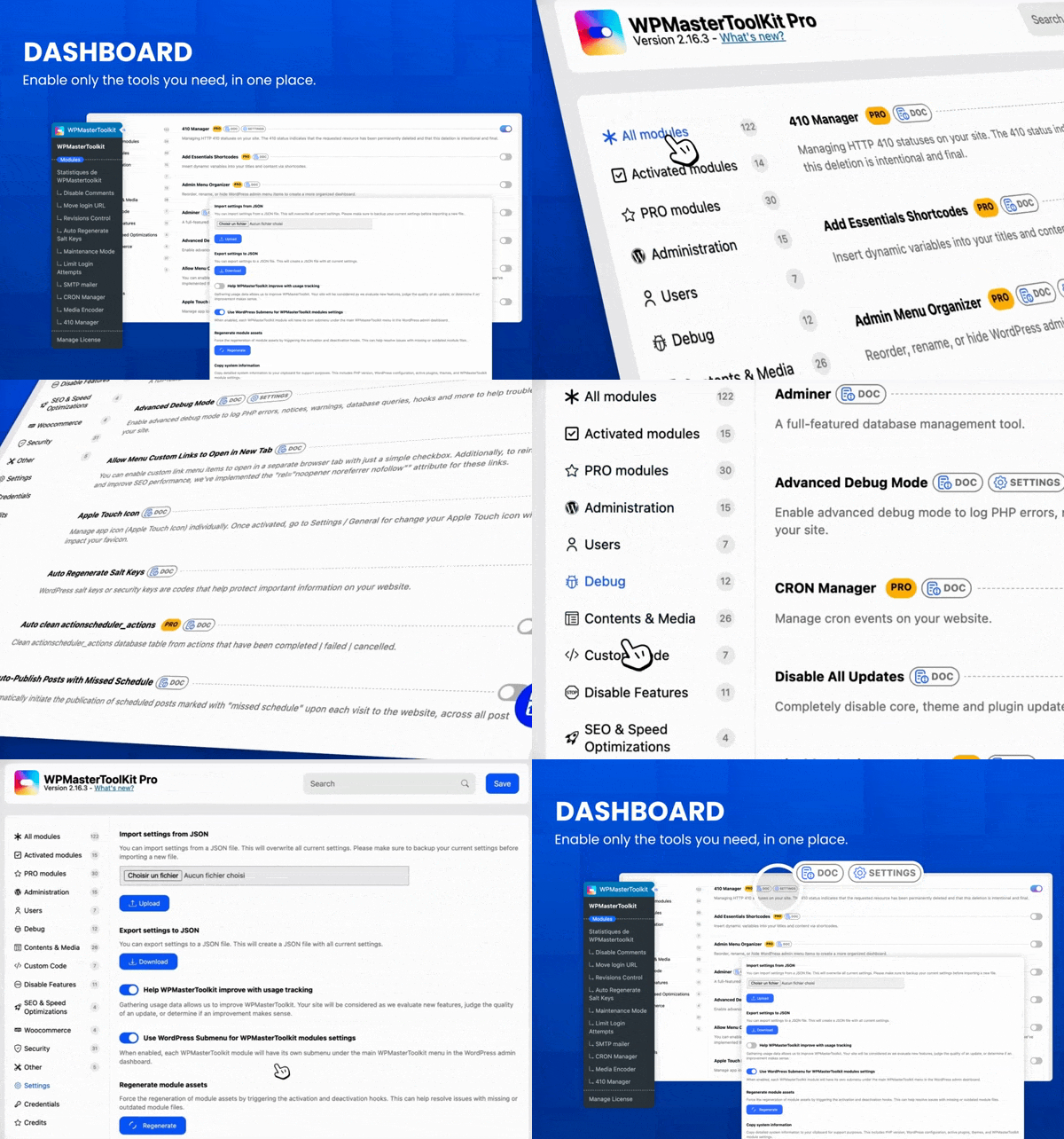
Activate the modules you need to customize your WordPress according to your needs. A disabled module will have no impact on your site.
WPMasterToolKit is an all-in-one WordPress plugin that replaces dozens of separate plugins with 100+ modular tools for security, performance, administration, media and development.
Activate only what you need and manage everything from one place. Built for site owners, freelancers, developers and agencies.
98 free modules, plus 37 advanced modules and additional features with WPMasterToolKit Pro.
Review by Alexis Fichou (WP-Origami):
Review by Enzo (Easy WordPress):
98 free modules
Administration
* Clean Up Admin Bar
* Disable Dashboard Widgets: Clean up the dashboard by disabling widgets that load unnecessary assets.
* Enhance List Tables: Add or remove columns in post type, taxonomy, media, comment and user list tables.
* Heartbeat Control: Modify or disable the WordPress Heartbeat API to reduce server CPU usage.
* Hide Admin Bar
* Hide Admin Notices
* Log In/Out Menu
* Maintenance Mode
* Password Protection
* Plugin & Theme Rollback
* Redirect After Login
* Redirect After Logout
* Social Login
* Wider Admin Menu
Users
* Clean Profiles
* Export Users
* Last Login Column
* Local Avatars
* Multiple User Roles
* Temporary Login
Debug
* Adminer
* Advanced Debug Mode
* Disable All Updates
* Disable wp_mail
* File Manager
* Mail Catcher
* Meta Debugger
Contents & Media
* Allow Menu Custom Links to Open in New Tab
* Auto-Publish Posts with Missed Schedule
* Browser Theme Color
* Content Duplication
* Content Order
* Duplicate Menu
* Export Posts & Pages
* External Permalinks
* Image Upload Control
* Media Cleaner
* Media Encoder: Convert images to WebP locally. AVIF conversion is available in Pro.
* Media Library & Post Folders
* Nav Menu Visibility
* Obfuscate Email Addresses
* Open All External Links in New Tab
* Post Per Page
* Quick Add Post
* Redirect 404 to Homepage
* Register Custom Content Types
* Revisions Control
* Search Replace in Database
* SVG Upload
Custom Code
* Code Snippets
* Custom Admin CSS
* Custom Body Class
* Custom Frontend CSS
* Insert <head>, <body> and <footer> Code
* Manage ads.txt and app-ads.txt
* Manage robots.txt
Disable Features
* Disable Block-Based Widgets Settings Screen
* Disable Dashicons CSS and JS Files
* Disable Emoji Support
* Disable Feeds
* Disable Gutenberg
* Disable jQuery Migrate
* Disable Really Simple Discovery (RSD) <link> Tag
* Disable REST API
* Disable Windows Live Writer (WLW) Manifest <link> Tag
* Disable WordPress Shortlink <link> Tag
SEO & Speed Optimizations
* Disable WP Sitemap
* Redirect Manager
WooCommerce
* Disable Cart Fragments Scripts
Security
* Auto Regenerate Salt Keys
* Ban Emails
* Blacklisted Usernames
* Block 404 PHP File Scanning
* Block User Registration from Disposable Email
* Custom COOKIEHASH
* Disable XML-RPC
* Disallow Bad Requests
* Disallow Directory Listing
* Disallow Malicious File Access in Uploads
* Disallow Plugin Upload
* Disallow Theme Upload
* Disallow User Registration
* Disallow WP File Edit
* Force SSL
* Force Strong Password
* Hide Login Errors
* Hide PHP Version
* Hide WordPress Version
* Limit Login Attempts
* Lock Admin Email
* Lock Site URL
* Move Login URL
* Obfuscate Author Slugs
* Prevent User Enumeration
* Protect Website Headers
Other
* Apple Touch Icon
* Child Theme Generator
* SMTP Mailer
37 Pro modules
Administration
* Admin Menu Organizer
* Custom Login Design
* Disable Blog
* Local Google Fonts
* White Label
Users
* User Switching
Debug
* CRON Manager
* Disable Plugin for Debug
* Force Send All Email To
* Hook and Filter Debugger
* Update Logs
Contents & Media
* Add Essential Shortcodes
* Download Media as ZIP
* Generate Alt Text with AI
* Media Replacement
* Media Trash
* No Theme Switch
* Paste Image in Media
* Post Type Switcher
Custom Code
* Pixel Tag Manager
Disable Features
* Disable Comments
SEO & Speed Optimizations
* 410 Manager
* Head Sorter
* Link Shortener
WooCommerce
* Auto Clean Action Scheduler Actions
* Disable WooCommerce Logout Confirmation
* My Account Menu Customizer
Security
* Better Password Hash
* Disallow Access to Sensitive WordPress Files
* Disallow Countries by IP
* Manage Admin Email Notifications
* No Plugin Activation, Deactivation or Deletion
* Password Expiration
* Two-Factor Authentication
* Vulnerability Scan
Other
* Change Database Prefix
* Plugin Download
Additional Pro features
- Move Login URL: Block access to /wp-admin with server side 403 error for non-logged users.
- Maintenance Mode: Real countdown timer with automatic site activation. Bypass link generation for access during maintenance. Exclude specific URLs from maintenance mode.
- Media Encoder: Convert images to AVIF format (PHP ≥ 8.1). Free version limited to WebP only.
- Mail Catcher: Unlimited email capture. Free version limited to 5 emails per day.
- Advanced Debug Mode: Live log streaming viewer with real-time monitoring. Daily logs with date suffix. Custom log path with enhanced protection.
- Search Replace in database: several search/replace pairs, support for regular expressions and a much more complete detailed overview of detected changes.
- SMTP Mailer: 19+ premium providers including Gmail, Outlook, SendGrid, AWS SES, Brevo, Mailgun, Mailjet, Postmark, SparkPost, MailerSend, Resend, SendLayer, SMTP.com, SMTP2GO, Elastic Email, Zoho Mail, SendPulse, Mandrill, and Pepipost. Free version limited to PHP mail and generic SMTP.
- Redirect Manager: Advanced redirect engines (Apache and Nginx), redirect logs, and CSV import/export. Free version limited to WordPress (PHP) redirects without logs/import-export.
Upgrade to WPMasterToolKit Pro
External services
WPMasterToolKit does not connect every website to external services by default. Some optional modules can communicate with third-party providers only when you enable and configure them, for example SMTP and email providers, social login services, geolocation databases, vulnerability data sources, analytics platforms or AI services. The data transmitted depends on the selected module and provider. Review the module settings and the provider’s terms and privacy policy before enabling an integration.
Support
For help with the free plugin, bug reports and feature requests, use the WPMasterToolKit support forum on WordPress.org. Please include your WordPress version, PHP version, enabled WPMasterToolKit modules and clear steps to reproduce the issue. Security vulnerabilities must be reported privately using the process described in the FAQ below.