

WPGeared Better Export
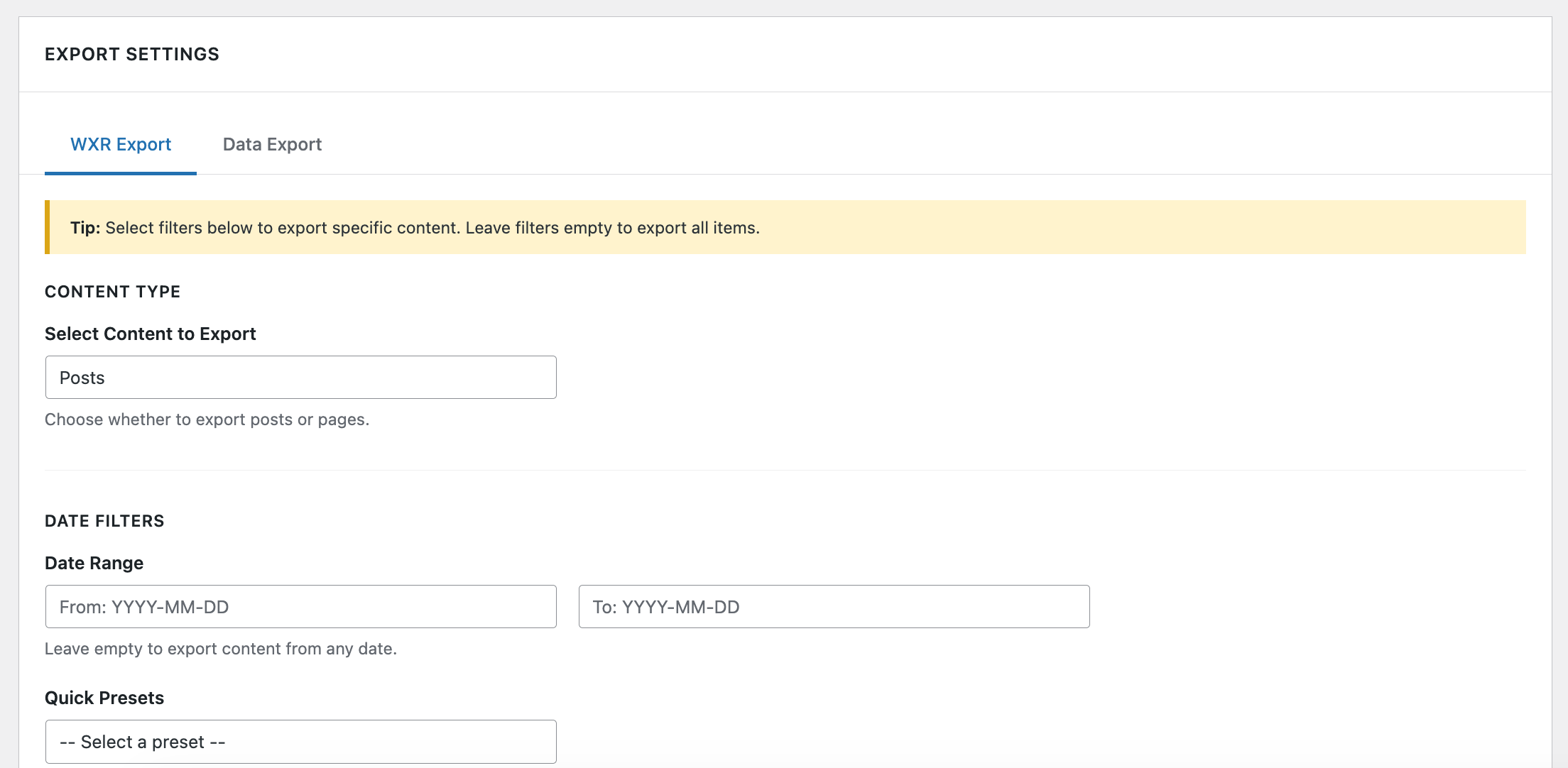
WXR Export tab with date presets, taxonomy filters, and export options.
WPGeared Better Export helps you create focused, predictable exports instead of downloading everything and sorting it out later. Filter content by type, status, date, author, category, tag, and item limit, then export posts and pages as WordPress WXR or export public content types as CSV.
New in 1.3.0: Preview Before You Export
Version 1.3.0 adds an export preview to both the WXR and Data Export tabs. Click Preview Export to review the result before starting the download.
- See the total number of items matching your filters.
- See how many items will actually be exported after applying an item limit.
- Confirm the active content type, statuses, dates, author, taxonomies, fields, and output settings.
- Inspect up to five sample items using the values prepared for the export.
- Review an estimated output size before downloading.
- Change a setting and the previous preview is cleared automatically, preventing stale results from being mistaken for the current selection.
Preview and download use the same validated filters and CSV value preparation, helping the preview accurately represent the export you are about to create. The size is an estimate based on the sample and may vary from the final file.
Highlights
- Preview matching content, selected settings, sample rows, and estimated size before exporting.
- Export straight to WXR for migrations or CSV for spreadsheets, reporting, and BI tools.
- Targeted filtering by date range, post status, taxonomy, author, post type, and limits.
- Select exactly which CSV columns to include, including relative URLs and featured images.
- Built-in quick presets (Last Month, This Year, etc.) keep repetitive workflows fast.
- Familiar WordPress-style interface so teams can adopt it without training.
Key Features
- Export Preview: Check matching and effective counts, active settings, sample rows, and estimated size before downloading
- Dual Export Formats: Export posts and pages as WXR for migration, or export public content types as CSV for analysis
- Advanced Filtering: Filter by date range, post status, categories, tags, author, content type, and item limit
- Selective Field Export: Choose from 18 CSV fields so the file contains only the data you need
- Featured Images: Include featured-image attachment data in WXR or export the image URL as a CSV field
- Quick Date Presets: Apply common WXR date ranges such as Last Month, This Month, and This Year
- Custom Filenames: Choose the downloaded CSV filename
- Browser Table: Display selected data in the browser when a downloadable CSV is not required
WXR Export
Export filtered posts or pages in WordPress WXR format for migration between WordPress sites. Before downloading, preview the matching count, selected options, sample content, and estimated size. WXR can include:
* Full post/page content
* Categories and tags
* Comments
* Custom fields
* Featured images with attachment data
* Author information
CSV Export
Export posts, pages, and public custom post types as CSV for data analysis, reporting, or external use. Preview the selected columns and sample values first. Choose from 18 fields including:
* Post ID, Title, Slug, URL
* Content and Excerpt
* Categories and Category URLs
* Tags and Tag URLs
* Author information
* Published and Modified dates
* Status and Post Type
* Comment count
* Featured Image URL
Advanced Filtering
- Date Range: Filter by specific date ranges with date pickers
- Quick Presets: Use preset ranges (Last Month, This Year, etc.)
- Post Status: Filter by Published, Draft, Pending, Scheduled, Private, or Trashed
- Categories & Tags: Multi-select dropdowns for easy selection
- Author: Filter by specific authors
- Content Limits: Set maximum number of items to export
Perfect For
- Migrating specific content between WordPress sites
- Creating backups of filtered content
- Exporting data for analysis in Excel or other tools
- Exporting content by date range or category
- Testing exports before full site migration
Why WPGeared Better Export?
- Migration specialists move only the content they need, avoiding bloated XML files.
- Content teams track editorial output with CSV datasets filtered by author or taxonomy.
- Data analysts receive clean, ready-to-query exports for Excel, Google Sheets, or BI tools.
- Agencies streamline QA by exporting smaller test batches before large moves.
Need help or have a feature request? Open a support topic on WordPress.org or visit https://wpgeared.com for priority assistance.