
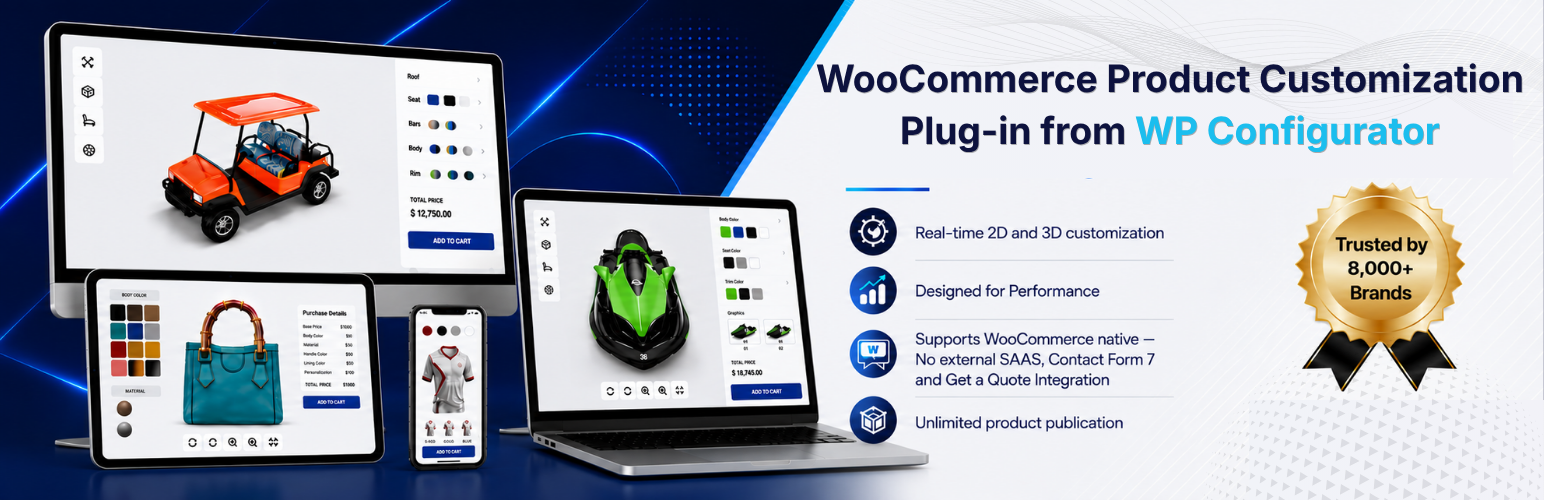

WPConfigurator 3D Product Customizer Lite
WPConfigurator 3D Product Customizer Lite is a free WordPress and WooCommerce plugin from WP Configurator that lets you create interactive 3D product configurators and product customizers. Upload a GLB 3D model, organize it into configurable layers, and let customers customize colors and materials in real time before adding their configured product directly to the WooCommerce cart.
Built for stores that want to offer interactive product customization without relying on an external SaaS platform, the plugin keeps your configurator and configuration data inside your own WordPress and WooCommerce environment.
🚀 Build an interactive 3D product configurator
GLB 3D model support: Upload a GLB 3D model once and use it in both the WordPress backend editor and the interactive frontend configurator – no format conversion required.
Real-time material and color customization: Group meshes into configurable layers and let customers change colors and materials on the interactive 3D product model in real time.
Native WooCommerce integration: Connect a 3D configurator to your WooCommerce product and let customers add their exact product configuration directly to the cart and checkout.
Visual WordPress configurator builder: Create and manage interactive 3D product configurations from a modern WordPress dashboard without relying on an external platform.
Self-hosted configuration data: Layers, materials, and mesh assignments are stored as structured JSON in WordPress post meta, keeping your 3D product configuration data inside your own database.
🔑 More features for building a 3D product customizer
Customizable frontend design: Replace or customize the frontend template to create a 3D product configurator that matches your WooCommerce store’s design and branding.
Modular configurator settings: Enable or disable individual features based on your requirements, helping you build a streamlined 3D product customization experience.
Developer-friendly hooks and filters: Extend and customize 3D configurator behavior through your WordPress theme or custom plugin.
Advanced product customization [Pro]
- Color picker [Pro]: Let customers choose custom colors from an open color palette.
- Mesh swapping [Pro]: Replace 3D mesh geometry to offer structural product variations.
- Conditional Logic [Pro]: Create rule-based product configurations by showing, hiding, enabling, or disabling options based on customer selections.
- Custom Input Fields [Pro]: Let customers enter custom information and preferences as part of their product configuration.
- Custom Text Upload [Pro]: Allow customers to add personalized text to create unique, made-to-order products.
- Custom Image Upload [Pro]: Let customers upload their own images or artwork and apply them to customizable products.
- Dynamic Range Pricing [Pro]: Automatically calculate product prices based on selected options, quantities, dimensions, or other configurable values.
- Inventory Management [Coming Soon]: Manage stock for configurable product options and automatically prevent customers from selecting unavailable combinations.
Sales and conversion tools [Pro]
- Get a Quote [Pro]: Collect quote requests for complex or made-to-order product configurations.
- Contact Form 7 integration [Pro]: Attach product configuration details to quote or inquiry submissions.
- Analytics [Coming Soon]: Track customer interactions and product configuration data to understand popular options and optimize your sales strategy.
Export and management [Pro]
- Import/export configurators [Pro]: Reuse a configurator across products and sites.
- Advanced 3D controls [Pro]: Fine-tune rendering, lighting, camera, and scene settings.
- Augmented Reality (AR) [Coming Soon]: Let customers preview their configured product in their own space using their phone or tablet.
🏪 Who Is WPConfigurator 3D Product Customizer Lite For?
WPConfigurator 3D Product Customizer Lite is ideal for WooCommerce businesses that sell customizable, configurable, or made-to-order products. Create interactive 3D product experiences for industries such as:
- Furniture Configurator: Sofas, beds, dining tables, chairs, cabinets, and other customizable furniture and interior products.
- Gadgets & Gifting: Phone cases, bags, personalized gifts, mugs, art, and other customizable products.
- Fashion & Luxury: Clothing, shoes, swimwear, bags, hats, caps, backpacks, and other customizable products for men, women, and children.
- Food & Beverage: Create interactive product experiences for configurable food, beverage, packaging, and made-to-order products.
- Printing: Art and wall décor, printed accessories, personalized products, and other custom print items.
- Sports & Fitness: Sportswear, team apparel, gym equipment, bicycles, sporting goods, and fitness products.
- Automotive: Cars, trailers, golf carts, vehicle accessories, and other configurable automotive products.
If your customers need to visualize, customize, and configure a product before purchasing, WP Configurator helps you turn your WooCommerce product page into an interactive 3D product experience.
See Interactive WPConfigurator 3D Product Customizer Examples
Explore how WPConfigurator 3D Product Customizer Lite can help WooCommerce stores create interactive and customizable product experiences:
- 3D Golf Cart Configurator – Customize colors, materials, and components and visualize your golf cart in interactive 3D before adding it to the cart.
- 3D Helmet Configurator – Let customers customize helmet colors and materials with a real-time 3D product preview.
- 3D Skateboard Configurator – Configure and visualize a customized skateboard with interactive 3D product options.
- 3D Adjustable Bed Configurator – Explore product variations, customize options, and visualize an adjustable bed in interactive 3D.
- 3D Office Chair Configurator – Customize materials, colors, and product options while viewing the changes instantly on a 3D office chair.
- 3D Bag Configurator – Customize bag colors, materials, and details with a real-time 3D product preview.
- 3D Jersey Configurator – Design a custom jersey by changing colors and materials on an interactive 3D model.
Try More Live WPConfigurator 3D Product Customizer Demos in Our Test Store
Try more live demos in our test store
💬 Trusted by Businesses Using WP Configurator
Businesses use WP Configurator to create more engaging product customization experiences and help customers better understand configurable products before ordering.
- ★★★★★ zarbikes.com – “Before using WP Configurator, I struggled to display custom products on my website, Zarbikes.com. WP Configurator Pro tool changed everything. Now, I can…” – Matt, July 7, 2025
- ★★★★★ sepra-solutions.com – “Our website’s user experience has improved dramatically thanks to WP Configurator. The site is now easier to navigate, and this has supported our business…” – Olivier, June 27, 2025
- ★★★★★ artchustudio.com – “Our website has improved significantly since we started using WP Configurator. The shopping experience is now smoother, and our customers love how easy it is to…” – Ari, May 31, 2025
- ★★★★★ cancio.es – “I needed a configurator for a client, and WP Configurator Pro was the perfect fit. It was straightforward to set up, and the client-side interface is…” – Borja, May 2, 2025
- ★★★★★ vo2sportswear – “Adding a kit designer to our website was a priority, but other options were too expensive. WP Configurator provided a cost-effective solution. It’s been fantastic for…” – Gemma, April 13, 2025
- ★★★★★ himandi.rs – “WP Configurator has made it much easier for my customers to understand my products. The clear and simple descriptions have been a big help, and it’s had a…” – Ljubo, March 19, 2025
Read more reviews on wpconfigurator.com
External services
This plugin relies on two external services. Both are operated by Plugora Tech OU (WP Configurator), the author of this plugin. Neither is contacted from the public frontend of your site.
1. Demo template assets
What it is and what it is used for: a file host holding the 3D models and texture images used by the three bundled demo templates (Office Chair, Golf Cart, Skateboard). The templates ship as JSON that references these files by URL instead of bundling them, which keeps the plugin download small. When you choose to create a configurator from a demo template, the plugin downloads the referenced GLB model and texture images and adds them to your own WordPress media library. The demo configurator is fully local afterwards and the host is never contacted for it again.
What is sent and when: nothing but the HTTP request needed to fetch each file. No site data, user data, licence key or personal information is transmitted. The requests happen only at the moment an administrator clicks to create a configurator from a demo template, never on the frontend and never on a schedule. If you never use a demo template, this service is never contacted.
Where the files come from: demos.wpconfigurator.com.
2. Documentation search
What it is and what it is used for: the public WordPress REST API of the plugin documentation site. It backs the help search box in the configurator editor toolbar, so an administrator can search the documentation without leaving the editor.
What is sent and when: the search text the administrator types into that box, sent as it is typed, and nothing else. No site data, configurator data, licence key or personal information is transmitted. The requests happen only in the WordPress admin, only while an administrator is using the help search box.
Where the requests go: docs-3d.wpconfigurator.com.
Terms and privacy
Both services are covered by the same terms and privacy policy.
Source code
The full, unminified source for the minified JavaScript and CSS bundles shipped in this plugin – the Vue 3 / TypeScript admin editor and the Alpine.js / Three.js frontend – is included in the plugin itself, under common/_dev/.
Build tools and steps: the JavaScript sources live in common/_dev/. They are built with Vite via pnpm:
- cd common/_dev
- pnpm install
- pnpm run build
That produces common/admin/assets/editor/ (admin editor bundle), common/public/assets/frontend/ (frontend bundle) and each module’s assets/ directory – every minified file shipped in this plugin. Running the three commands above on a clean checkout of common/_dev/ reproduces them.
Third-party libraries bundled with this plugin:
- Three.js – https://github.com/mrdoob/three.js (MIT)
- Alpine.js – https://github.com/alpinejs/alpine (MIT)
- Vue 3, Pinia, PrimeVue, TresJS – admin editor only (MIT)
- Dompdf – https://github.com/dompdf/dompdf (LGPL-2.1), namespaced into lib/ with php-scoper
- Emogrifier – https://github.com/MyIntervals/emogrifier (MIT), namespaced into lib/ with php-scoper