


WP-Force Images Download
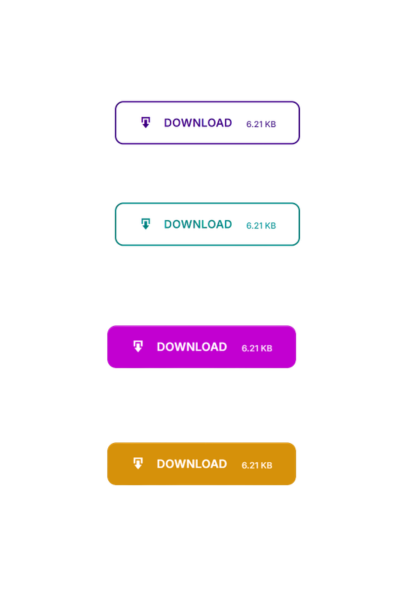
<strong>Live Button Preview</strong> — Real-time sticky preview widget that updates as you change colors and styles.
WP-Force Images Download is the most complete, lightweight, and developer-friendly image download plugin for WordPress. Designed for photographers, wallpaper sites, digital asset stores, creative agencies, and content creators — it transforms any image into a secure, one-click force download with a pixel-perfect branded button.
Whether you need a simple [wpfid] shortcode or full programmatic control with PHP template tags, this plugin covers every use case with zero performance overhead.
🚀 Why WP-Force Images Download?
Most download plugins are bloated. This one is different:
- Featherweight — Loads only one CSS file + one JS file on the frontend. No jQuery dependency for core functionality.
- SaaS-grade Admin UI — Tabbed settings page with Live Button Preview so you see exactly what visitors will see before saving.
- Future-proof — Uses
wp_check_filetype()instead of hardcoded whitelists, so WebP, AVIF, HEIC and any new format WordPress adds is automatically supported. - Accessible — Buttons are semantic
<button>elements with ARIA labels, full keyboard support, and WCAG 2.1 AA contrast compliance across all 4 styles. - Conflict-safe — All hooks, query args, nonce actions, and option keys use the
wpfid_namespace to eliminate conflicts with any other plugin.
✨ Core Features
🎨 4 Premium Button Styles
Choose from four professionally engineered CSS button styles — all powered by CSS custom properties (--wpfid-color, --wpfid-text) for effortless theming:
- Solid — Bold, filled CTA button with subtle elevation shadow.
- Outline — Transparent background with a crisp colored border. Text color adapts on hover.
- Soft / Ghost — Tinted semi-transparent background (powered by
color-mix()). Elegant and modern. - Text Only — Minimal styled link, zero background or borders. Perfect for inline usage.
🖼️ Universal Color System
Set a global button color and text color once in the settings. Override them per-post using shortcode attributes. Supports HEX (#2271b1), RGB (rgb(255,0,0)), RGBA, and natural language color names (MidnightBlue, Tomato, DodgerBlue).
👁️ AJAX Live Preview
The settings page features a real-time sticky preview widget powered by WordPress’s native wpColorPicker. Every change you make — style, color, icon, file size toggle — reflects instantly in the preview. No save reload check cycle.
⚡ AJAX Downloads (Zero Reload)
When AJAX Downloads are enabled, visitors click the button and the file downloads immediately in-page using the Fetch API + Blob URL approach. No new tab opens. No page reloads. No redirect confusion.
📊 Download Stats Dashboard
Every download is tracked using WordPress post meta. View a sortable, paginated analytics table from WPFID > Stats Dashboard in your admin. See which images are most popular, filter by date, and export data.
🤖 Auto-Attach Button
Zero coding required. Enable Auto-Attach and the download button is automatically injected before or after post content on any public post type that has a featured image. Toggle per post type (Post, Page, custom CPTs).
🔐 Email Gate
Require visitors to enter their email address before the download begins. The email is captured via AJAX (no page reload), securely saved to the database, and then the download starts automatically. Collected emails are viewable in the database or Stats page.
Note: The Email Gate uses a server-signed token cookie (HMAC via wp_hash()) to verify submissions — not a plain cookie that could be forged.
🔒 Login Gate / Require Login
Restrict downloads to logged-in users only. Unauthenticated visitors are redirected to the WordPress login page and returned to the download after successful authentication.
📐 Image Size Picker
When enabled, a dropdown appears on the download button allowing visitors to choose between registered WordPress image sizes (Thumbnail, Medium, Large, Full, or any custom size registered by your theme).
🔢 Download Counter
Optionally display the total download count directly below the button. Powered by post meta for instant reads and lightweight writes.
📁 Bulk Rename / Filename Templates
Control exactly what filename visitors receive when they download, using a powerful variable templating system:
%site_name%, %post_title%, %post_id%, %filename%, %timestamp%, %rand%, %md5%
Example: [wpfid new_name="%post_title%_%rand%"] produces My-Post-Title_48291.jpg
🌐 Modern Format Support
Powered by native wp_check_filetype(). The plugin automatically supports every image MIME type WordPress recognizes — including WebP, AVIF, HEIC, SVG, PNG, JPEG, GIF, BMP, ICO, and any future format added to WordPress Core. No configuration required.
🛡️ Enterprise-Grade Security
– All form submissions verified with WordPress nonces (dual nonce on every download)
– Email gate uses HMAC-signed cookies — immune to cookie-forgery attacks
– Rate limiting: 30 requests per minute per IP prevents download abuse
– Full input sanitization and output escaping on every field
– PHP-level MIME type verification via finfo_open() on actual file contents
– Session-aware download handler via admin-post.php + admin-ajax.php
– defined('ABSPATH') || die() guard on every file
🖼️ Watermarking (Advanced)
Automatically composite a watermark image onto downloaded photos. Supports PNG transparency. Preserves original image format (JPEG stays JPEG, PNG stays PNG).
🗜️ Gallery / ZIP Download
Use the [wpfid_gallery ids="1,2,3"] shortcode to let visitors download multiple images as a single ZIP bundle.
🧩 Gutenberg Block
A native block available in the WordPress block editor. Configure button title, color, custom link, size picker, and download count toggle — all from the Inspector sidebar.
🔌 Elementor Widget
A dedicated Elementor widget lets Elementor users insert download buttons with full control from the Elementor panel — no shortcode knowledge required.
🛠️ Usage
Basic Shortcode
Place in any Post, Page, or Widget:
[wpfid]
With Custom Label
[wpfid title=”Download HD Wallpaper”]
With Specific Image URL
[wpfid link=”https://example.com/my-image.jpg”]
With Color Overrides
[wpfid color=”#e83e8c” textcolor=”#ffffff”]
Combined Example
[wpfid title=”Get the Image” color=”MidnightBlue” textcolor=”white” new_name=”%post_title%”]
Gallery / ZIP Download
[wpfid_gallery ids=”10,20,30″ title=”Download All Images (ZIP)”]
PHP Template Tag (for theme developers)
Or use the direct function call:
📋 Shortcode Attributes Reference
Attribute
Default
Description
title
Download
Button label text
link
(featured image)
Direct URL to the image to download
color
Settings value
Button background color (HEX, RGB, or color name)
textcolor
Settings value
Button text/icon color
new_name
Settings value
Filename template for the downloaded file
class
(empty)
Additional CSS class(es) on the button wrapper
size_picker
Settings value
"true" / "false" — show image size dropdown
show_count
Settings value
"true" / "false" — show download count below button
📈 SEO, GEO & AI Optimization
Semantic HTML5 Output
Every download button is a native <button> or <a> element with descriptive title attributes and aria-label support. No div-soup, no generic onClick handlers — pure semantic markup that search engine crawlers and AI language models can interpret correctly.
Schema & Structured Data Ready
The plugin output is compatible with DigitalDocument and ImageObject schema markup. You can wrap the shortcode output in your own schema markup to signal to Google that this is a downloadable asset.
Core Web Vitals Safe
– CSS is loaded with wp_enqueue_style() with versioned cache-busting
– JavaScript is deferred (loaded in footer) and only runs on pages with the shortcode
– Zero render-blocking resources introduced
– No external font or icon CDN calls — uses WordPress Dashicons (already loaded)
– File-size display is transient-cached (6 hours) — no live HTTP request on every page view
Translation Ready (GEO / i18n)
Every user-facing string is wrapped in __(), esc_html__(), or esc_html_e() translation functions with the wp-force-images-download text domain. Compatible with WPML, Polylang, Loco Translate, and TranslatePress for multilingual and geographic market targeting.
AI / LLM Crawler Compatibility
The plugin generates standard HTML anchor elements with meaningful title and download attributes, making button intent clear to AI-powered crawlers (GPTBot, Google Bard, Applebot) without requiring additional structured data.