

WP Review Slider
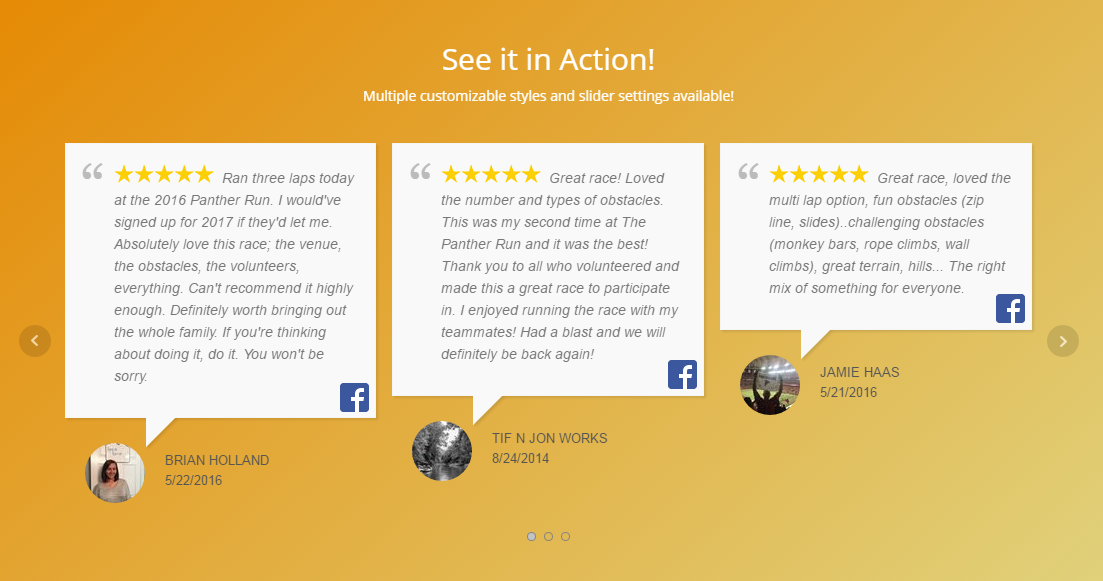
Create a beautiful review slider on your posts or pages! More styles available in Pro.
Show Facebook reviews and X (Twitter) posts on your WordPress site — in a beautiful review slider or grid.
WP Review Slider helps you turn Facebook Page reviews, Facebook recommendations, and positive X (formerly Twitter) posts into on-site testimonials and social proof. Reviews are downloaded once, stored in your WordPress database, and served from your own server for fast page loads.
This plugin uses the official Facebook API and the X API v2 — not scraping or crawling. That means a more reliable, compliant way to display customer feedback on your WordPress site.
Why use WP Review Slider?
- Display Facebook reviews and Facebook recommendations with a shortcode, widget, or template function.
- Search and download X (Twitter) posts about your business, then show them next to your Facebook reviews.
- Build an engaging review slider (or a responsive grid/list) without writing code.
- Keep reviews on your server for better performance and control.
- Create multiple review templates for different pages, posts, and sidebars.
Here’s a quick video demonstration of adding reviews in less than 2 minutes!
Facebook reviews & recommendations
Facebook switched many pages from a 1–5 star scale to Positive or Negative recommendations. WP Review Slider can save those recommendations with a rating value so you can still display them as 5-star reviews when you want.
How Facebook reviews work:
1. Connect to our Facebook app with a couple of button clicks.
2. Click Retrieve Reviews to download Facebook Page reviews and recommendations into your WordPress database.
3. Create a review template and paste the shortcode into a post, page, or widget area.
X (formerly Twitter) posts & testimonials
Search X for posts mentioning your business, download the ones you want to showcase, and display them in the same review slider / template system as your Facebook reviews.
How X (Twitter) posts work:
1. Enter your X Developer OAuth 1.0a keys (Consumer Key, Consumer Key Secret, Access Token, Access Token Secret). A Bearer Token can be used as a fallback.
2. Search with the X API v2 (recent search covers the last 7 days; full-archive search is available if your X access allows it).
3. Click the download icon next to posts you want to keep.
4. In template Filter settings, choose Review Type: Facebook, X (Twitter), or both — then pick a source and display them with your shortcode.
Note: X’s Free developer tier does not include post search. You need a paid X API plan (for example Pay Per Use) with Recent Search access. Spaces in search queries mean AND; use OR (example: Yellowhammer OR Huntsville) when you want either term.
Feature list
- Download Facebook Page reviews and recommendations; store them locally for fast loading.
- Official Facebook API connection (no illegal scraping).
- Search and download X (Twitter) posts via X API v2 (OAuth 1.0a preferred; Bearer Token fallback).
- Create a review slider — or use a responsive grid / list layout.
- Show Facebook recommendations as stars or as positive/negative recommendations.
- Mix Facebook and X (Twitter) in one template, or filter by review type and source.
- Multiple templates for posts, pages, and widget areas.
- Shortcode, PHP template function, or WordPress widget display.
- Customize stars, dates, icons (including the X logo), avatars, border radius, colors, and fonts.
- Choose reviews per row, multiple rows, newest or random order.
- Hide reviews or posts without text.
- Live template preview with Style / General / Filter / Badge tabs.
- Optional review badge beside your slider.
- Add custom CSS for advanced styling.
More free WP Review Slider plugins
- Google Reviews
- Yelp Reviews
- TripAdvisor Reviews
- Thumbtack Reviews
- WooCommerce Reviews
- Airbnb Reviews
Upgrade to Pro for more features
WP Review Slider Pro adds:
- US-based customer support via email and forum.
- Reviews from Yelp, TripAdvisor, Google, and 80+ other review sites.
- Group reviews by language, tags, post ID, or categories.
- WooCommerce product review summary slider.
- Front-end review submission form.
- Email alerts for new low reviews.
- Hide selected reviews, CSV export, and manual review entry.
- More template styles and advanced slider controls.
- Minimum rating / word-count filters and read-more for long reviews.
- Mix review types in one slider and pick reviews per template.
- Google review snippet markup for search results.
- Future feature updates included.