

Analytify – Google Analytics 4 Tracking and Reporting in WordPress
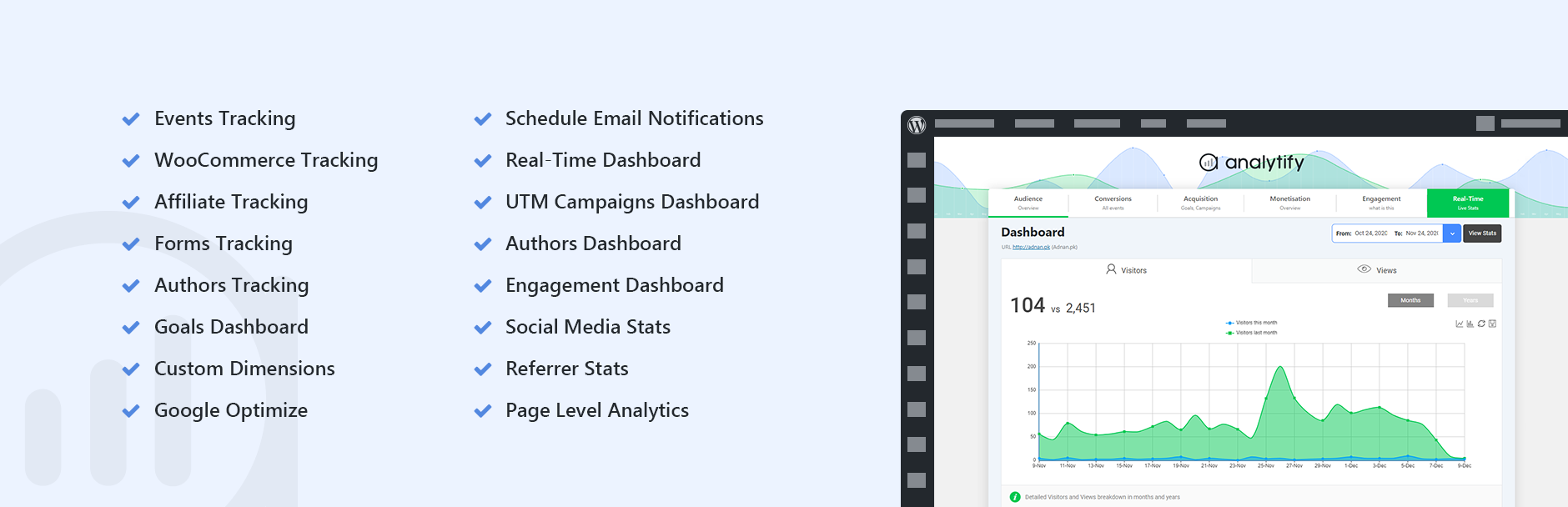
Google Analytics by Analytify - <a href="https://analytify.io/pricing?utm_source=wp-org&utm_medium=screenshots&utm_campaign=pro-upgrade&utm_content=Real+Time+Stats">Real Time Stats</a>
Homepage | Documentation | Support | Demo | Premium Version
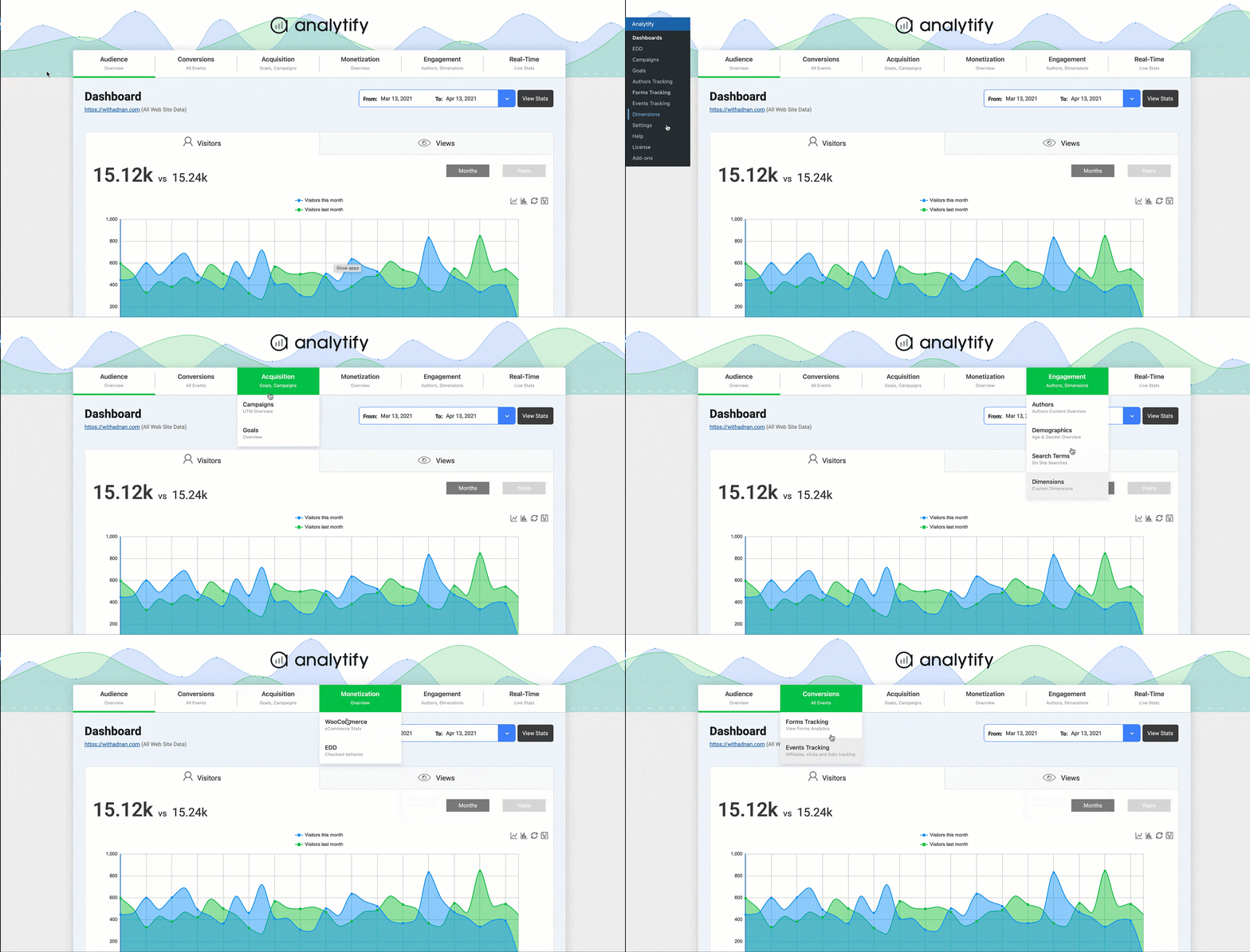
Google Analytics, without leaving WordPress
Analytify brings Google Analytics 4 into your WordPress dashboard, so you can see how your site is actually performing without ever logging into Analytics. Trusted by 20,000+ websites and an official Google Analytics Technology Partner, Analytify turns raw GA4 data into a dashboard you’ll actually want to check.
Connect your site in one click, no code and no developer required. Once connected, your stats show up on the main WordPress dashboard and, for any individual post or page, right inside the editor too, so you can see how that specific piece of content is performing without switching tabs.
What you get free
- Core stats at a glance. Visitors, page views, new vs. returning visitors, top pages, and geographic data, all in one dashboard.
- Page-level stats in the admin. See views, users, bounce rate, and average time on page for any post, right where you’re already editing it.
- Geographic breakdown. A visual map showing exactly which countries and cities send you traffic.
- Social media stats. See how much traffic your social channels are actually sending.
- SEO insight. See which posts and pages perform best, so you know what to write more of.
- System stats. Visitor breakdowns by operating system, browser, and device.
- Cleaner tracking data (new). Tell Analytify which URL query parameters to ignore, so the same page doesn’t get split into multiple entries in your reports.
- Faster admin load times (new). Core plugin JavaScript is now minified.
- Consent-ready. Native integration with CookieYes and Google Consent Mode v2, plus developer filters for any other consent plugin (see “Built for developers” below).
- Multilingual. Fully translatable and WPML-compatible, with community translations including French, Turkish, and Hungarian.
Upgrade to Pro for advanced tracking
The free version covers what most sites need to get started. Analytify Pro adds:
- Real-time reporting. The same real-time view you’d get in Google Analytics, without leaving WordPress.
- Enhanced eCommerce for WooCommerce. Track product clicks, impressions, add-to-cart events, average order value, transaction revenue, and cart abandonment, right inside WordPress.
- Enhanced eCommerce for Easy Digital Downloads. Track digital sales, transactions, and revenue, synced with Google Analytics.
- Multistep form tracking (new). Automatically detects multi-step forms and tracks impressions, step views, submissions, and abandonment rate.
- LMS & membership tracking (new). Dedicated dashboards for LearnDash and LifterLMS course performance, and for Paid Memberships Pro membership growth, renewals, and cancellations.
- Multi-platform pixel tracking (new). Manage pixels for Meta, TikTok, Microsoft, Snapchat, X, Pinterest, and LinkedIn from one settings screen.
- Campaign tracking. See which campaigns are actually driving traffic and conversions.
- Goals dashboard, events, and forms tracking. Track custom events and form submissions (Contact Form 7, Gravity Forms, WPForms, Formidable Forms, and more).
- Custom dimensions. Track the specific data points that matter to your site.
- Author-specific analytics (new). Give each author a dashboard showing stats for their own posts only.
- Automated email reports. Schedule stats to land in your inbox, or your client’s.
- Shortcodes. Simple and advanced custom stat displays for posts, pages, and widgets on the front end.
- A free bonus: the Google Analytics Dashboard Widget add-on stays free either way.
Setup
- Install and activate Analytify.
- Go to Analytify > Settings and connect your Google Analytics account with one click.
- Select your GA4 property, and your dashboard starts filling in with data.
- Optional: for your own API rate limits, add your own Google API keys under the Advanced tab, using your own project from the Google Console. Video guide or written tutorial.
Using Analytify with Google Tag Manager
Already firing custom events through Google Tag Manager? Analytify can run alongside GTM without double-counting the same events. Watch how to set it up.
Built for developers
Analytify ships with filters for consent management, so you can wire it up to any cookie consent plugin without touching core code:
analytify_consent_server_blocks_tracking, return true server-side when a visitor hasn’t consented, so Analytify won’t print gtag in the page head.analytify_consent_defer_gtag, return true to load gtag only after consent is granted in the browser.analytify_consent_ready_dom_events, the browser events that trigger deferred gtag loading (defaults toanalytifyConsentGranted).analytify_consent_deferred_js_loader_name, the global function your front end can call to load gtag right after consent (defaults toanalytifyLoadGtagAfterConsent).
When CookieYes is active, Analytify automatically outputs Google Consent Mode v2 defaults before loading gtag.js; disable this with analytify_gtag_consent_defaults_enabled if your CMP already handles it.
Analytify is also open source on GitHub, issues and pull requests are welcome.
What people are saying
“I’ve been using the Pro version for quite a while. I really love how it gives me in-depth information about each individual post. That kind of info is hard to navigate to in Google Analytics even if you’re relatively familiar with it already.”
“This is something clients really love, they want to see traffic to their site without logging into Google Analytics and working through its reporting modules. It shows the headline stats and more, for every single page.”
“Many of my clients don’t want to view analytics outside their dashboard. This plugin integrates GA beautifully within the WordPress admin panel.”
If you find Analytify useful, a rating or review helps other WordPress users find it. Questions? Ask on the support forum or through premium support.