
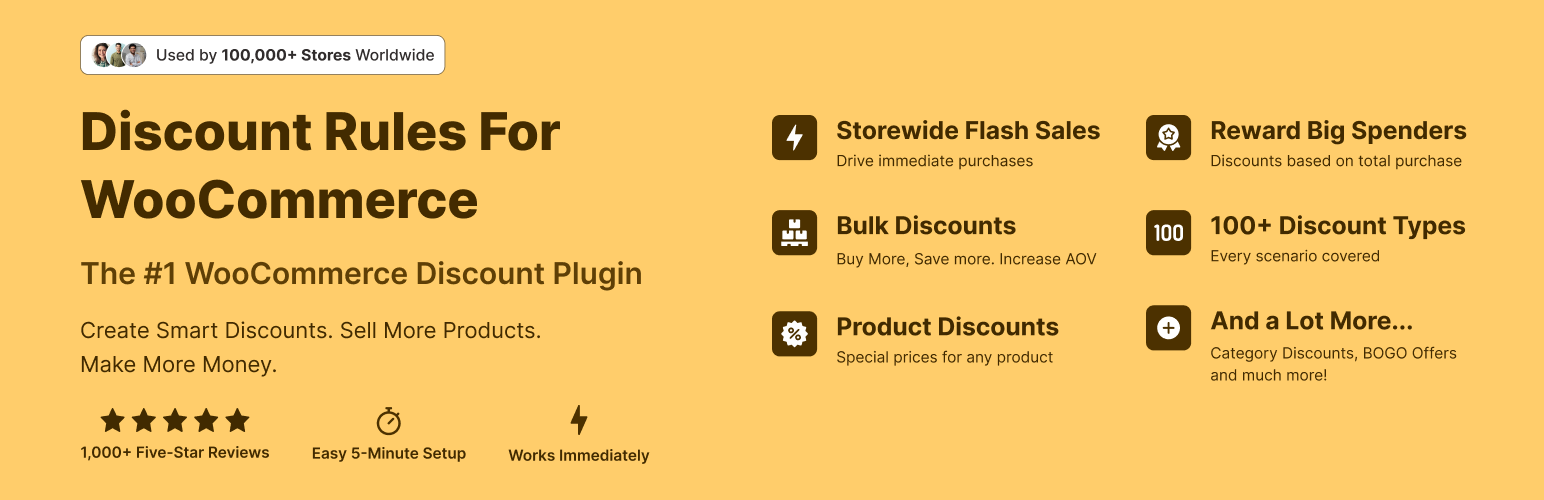

Discount Rules for WooCommerce

Price rules and Cart rules
Discount Rules for WooCommerce is a dynamic pricing and discounts plugin for WooCommerce that helps you create any type of bulk discounts, quantity discounts, product specific discounts, dynamic pricing, advanced discounts based on conditions, percentage discounts, tiered pricing discounts and more.
With the PRO version, you can create advanced discount offers such as buy one and get one free (BOGO) deals, auto-apply coupons, free shipping discounts, bundle offers, discounts based on products, categories, attributes, tags, SKUs, user roles, cart items, purchase history and much more.
The plugin offers a number of features that make it easy for customers to discover discounts and offers in your store:
- Show a bulk discount table on your product pages. This helps customers buy more in order to save more.
- Show the discounted price on product, cart & checkout pages with the original price crossed-out (with a line-through)
- Display “You saved” message on the cart & checkout pages
- Show a discount bar with your offers on the product pages
- Display a Sale badge on your shop & product pages
View Demo | Documentation with examples | Ask Questions | PRO version | Examples
DISCOUNT TYPES AND FEATURES WITH EXAMPLE SCENARIOS
Free version features
- Create percentage discounts.
- Offer a storewide sale Example: A storewide 10% discount on all products
- Create bulk discounts. Example: Use quantity breaks to offer higher discounts on bulk purchases.
- Order total based discounts (Example: Spend more than $1000, get 10% discount)
- Set product specific percentage discounts (Example: Product A gets 10%, Product B gets 20%)
- Cart based discounts using the line items (Example: Purchase 4 different products or variants and get 10% discount)
- Exclude selected products from discount rules (product pricing discounts)
- Run special offers / sale for specific periods – Example: 10% discount only on BlackFriday
- Show bulk discount table on product pages
Get the PRO version to create advanced discounts and grow sales
PRO features
All features of the free version, plus:
- Percentage discounts with advanced discount conditions.
- Fixed product discounts. Example: Get $9 discount for purchasing more than 6 items
- Category discounts – Get 25 % off on all items under Summer Collection
- Buy One Get One free offers – Buy a cap and get another cap for free
- Buy 2 and get 1 free offers – Buy 2 get 1 cheapest product free or Buy 2 and get 1 at 50% discount
- Buy one get one half off – Buy 2 get 1 at 50% off or buy one get the second product free or at 50% discount
- BOGO deals based on categories. Examples: Buy any product from Category A and get a product free from Category B. Buy Product A and Product B from Category Electronics and get a free product from category Accessories. Buy any product from Category Mobile and choose a free product from Category Hard Cases
- Volume discounts & tiered quantity discounts with conditions – Buy 6, get 10%, Buy 12, get 15%
- User role based discounts – Discounts for wholesale customers
- First order discount
- Product discounts with variant specific offers – Buy Product A with Variant X and get 10% discount
- Bundle discount – Buy 3 for $10, 6 for $20
- Conditional discounts – Buy Product A and B and get discount on Product C
- Offer one or more free products. Multiple products could be offered free using a rule
- Apply discounts for multiple items using one coupon code
- Discount for product variants
- Attributes based discounts – Buy green color T-shirts and get 10% discount
- Discount for customers with specific domains – 10% discount for all emails ending with @example.com
- Customer specific discounts – 10% discount for selected customers
- Free shipping discount
- Shipping / Delivery location based discount Example: If shipping destination is California, get 15% discount
- Purchase history based discounts Example: Customers who spent at least $100 in previous purchases get 10% discount
- Discount based on the number of orders placed earlier. Example: 10% discount for customers with 5 or more orders
- Discount based on previously purchased products. Example: Customers who previously purchased Shoes get 10% discount
- Discounts based on sum of item quantities in cart – Order more than 10 items from any category and get 15 % discount
- Discount for the cheapest item in the cart – Add 3 products to the cart and get the Cheapest Item free
- Option to offer free products only from certain category
- Exclude products on SALE from discount rules
- SALE Badge for discounted products
- Highlight savings on the cart & checkout with “You saved” label
- Use a discount banner to highlight offers on product pages
- Option to show or hide the discounted price
- Priority support
Discount Examples using PRO Features
Category Discount
The category discount feature allows you to offer discounts on all products in one or more categories. Simply choose one or more categories, set your discount offers, and the plugin will apply them automatically to every product in those categories. Here are some examples:
- Buy T-shirts from Apparel category and save 10%
- Get 30% off on Category A & Category B
- Purchase any 6 items from Category A and get a 25% discount on total cart value.
- Purchase 3 products from Category A or B or C or from all of them and get 20% discount valid from dd/mm/yyyy to dd/mm/yyyy
Bulk Discount / Quantity Discount / Tiered Pricing Discounts
Bulk Discount, also known as quantity discounts, tiered pricing discounts or volume discounts, allows you to reward customers for buying in bulk. As customers purchase more, they receive better pricing, encouraging bulk purchases. Here are some bulk discount examples:
- Buy 5 to 10 quantities, get 5% discount, 11-20 quantities, get 10% discount, 21-30, get 20% discount
- Buy 1 to 5 quantities, get $2 discount, Buy 6 or more, get $3 discount
Storewide Sale Discount
A Storewide Sale discount allows you to apply discounts on all products in your store, offering a simple yet powerful way to drive sales. Whether you’re running a seasonal sale, clearing out inventory, or rewarding loyal customers, a storewide discount makes it easy for shoppers to save on everything in your store.
- 20% discount on all products in the store on Black Friday or Christmas
- Auto apply coupon of 10% for all products
- 10% discount on all products for specific user role like Wholesale customers
Buy One Get One Free Discount Offers
BOGO is a popular discount strategy that allows you to create offers like buy one get one free, buy 2 get 1 free, buy one get one at half price, buy x and get y product free and more. Here are some examples:
- Buy one and get one free of the same product
- Buy 2 get one cheapest free
- Buy X get Y product free Eg: Buy 3 product and get a pendrive free (or with 50% discount)
- Buy Any 2 items from Category X, and get a Product free from Category B
- Buy X products and get X number of products free
- Buy 3 products from any category, get 1 free. Buy 6 products, get 2 products free….
- Buy 12 products (any or category specific), get X number of cheapest among them free
- Free products can be a few selected products, cheapest products in the entire store or from selected categories.
- Products can be offered either free (100% discount) or at a percentage discount (50%)
Spending based discounts
Boost sales by offering discounts based on the customer spend. Here are some examples:
- Spend $500 or more and get 15% discount, spend $1000, get 20% discount
- Add two to six products in cart and get flat $30 discount.
- 10% discount for all retailers (User Role specific discount)
- All orders above $500 will get 15% discount
- Free shipping for orders above $100
Bundle Discount
Encourage customers to buy multiple items together. For example, you can create deals like “Buy 3 for $10” or “Buy 6 for $20,” providing clear savings for bulk purchases.
- Create offers like Buy 3 items for $10. 4th item will be charged full price.
- Buy more, save more offers. Example: Buy 3 for $10, 6 for $20
Product Specific Discounts
- Shoes get 20% discount, T-Shirts get 5% discount
- Special Edition Shoe (A specific product) gets 15% discount for 10 days
- Buy 10 or more Mugs and get 5% off
- Buy 3 for $10, Buy 6 for $20
Fixed Product Pricing discounts
- $5 off on all products in Category A
- Set a fixed price per unit for bulk purchases (Product A cost is $20. Buy 5 to 10 quantity for $15 per unit, 11 and above for $10 each)
User Role based discounts
Useful when you have different types of customers in your store. For example, wholesale customers, retail customers
- Bulk discount based on user role for specific product or product categories. Example: Members of Wholesale customers group gets 40% discount, while Retail customers get 5% discount
Discount for Product Variants
- Get 50% off on T-shirts Small and Large Sizes only
- Buy a Small Size Tee and get a small Size shorts free
Conditional Discount Offers
- Buy Product A at full price and get 20% discount in Product B
- Buy 2 quantities of Product A, 2 quantities of Product and get 30% discount in Product C
- Buy 3 quantities of Product A and get flat $10 off in product B
- Buy a Mobile and get 20% off on headphone
Attribute specific discount offers
Useful when you want to offer discount when a product has a specific attribute. Example: 10% discount for purchase of T-Shirt with Small sizes.
Shipping Address Based Discounts
- Flat 25% discount for customers from New York
- Customers from California get 10% discount while those from Texas get 5%
Purchase history based discount
- Discount based on the total amount spent by the customer in previous orders. Example: Customers who spent $1000 get 10% on future orders.
- Discount based on the total number of orders placed by the customer – Customers who ordered 50 products get 15% on all future purchases
- Based on product purchase history (Example: Provide 10% discount to all customers who purchased Shoes earlier)
- Purchase history for a specific period (10% discount for those who spent $500 in the last 3 months)
Discount Conditions
The following conditions help you tailor your discount offers depending on certain criteria.
- Products
- Categories
- Attributes
- SKU
- Tags
- Cart Line Items & Properties
- Customers
- User Roles
- Shipping locations – ZipCode, City, State/Region, Country
- Subtotal
- Coupons
- Date & Time
- Purchase History – Last Order, First Order, Orders with X Items, Number of Orders
Need help? Reach out to us
Whether you want to double-check your setup or need help with a unique discount promo, we’re here to assist you. Feel free to reach out via the Live Chat on our website or through our support request form. We’re happy to guide you through the setup and ensure everything is running smoothly. Don’t worry—we’re here to help!
Quick Links:
External services
Flycart CDN & documentation: The CDN is used to fetch static assets including images and contentand hosted at static.flycart.net, while the documentation for the plugin is hosted at docs.flycart.org and linked at various sections in the plugin to help merchants. Terms, privacy policy
Google Charts: The library is used to display discount reports in a chart format. The service is provided by Google. Terms, privacy policy
Credits
- Dutch Translation – @mvdburg1971 – Michael van der Burg