

wizScriber – Video Scribing Banner Ads
5/5 (3 ratings) 10 active installs Updated Apr 20, 2015
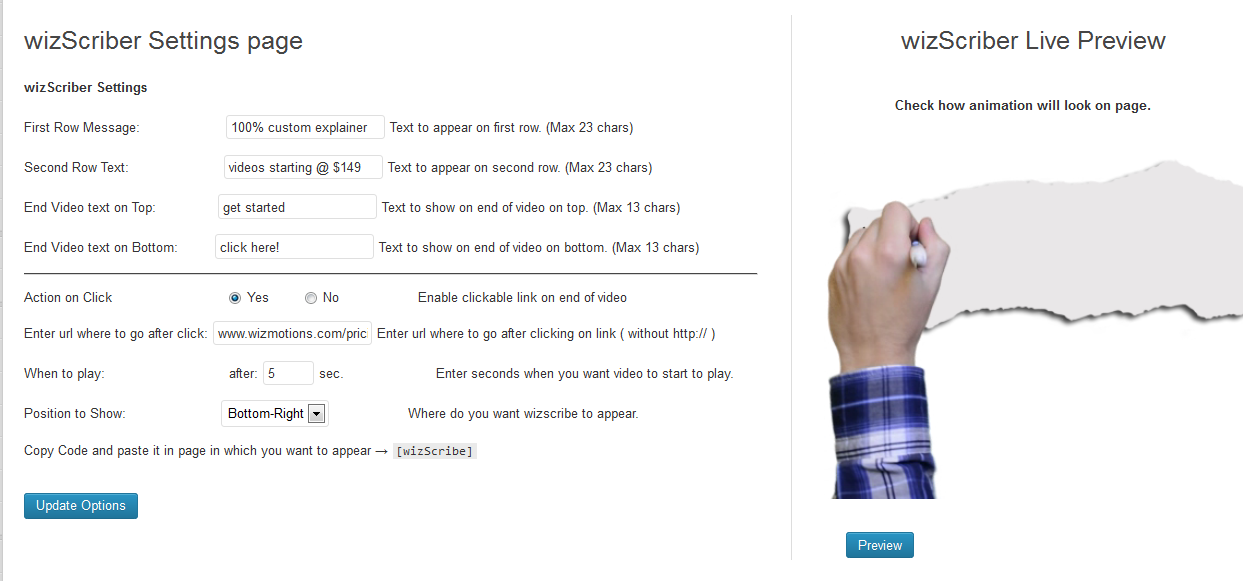
Plugin Settings with Preview
You can use it to:
- Show visitors your most important message.
- Promote product offers or discount coupons
- Ask visitor to contact you or to check out your Facebook Page.
- Gain credibility in the form of live drawings by an artist.
Demo
Check out the demo here and see what happens in 5 seconds after you load the page.
Here are just few of the amazing features:
- Add a message and make it look as if it’s a real hand drawing.
- Enable clickable link at the end of the video
- Enter seconds when you want the video start playing.
- Specify where you want wizScriber appear.
- You can add unlimited messages
- You can use it on more than one page or post
Just copy the shortcode and paste it in the pages or posts you want whiteboard ads to appear.
Learn More About wizMotions
wizMotions is a video creation service for explainer videos and animation. wizMotions is huge fan of WordPress so they created this plugin for you to use freely at no charge!