

Wholeway B2B
0/5 (0 ratings) — active installs Updated Nov 5, 2026
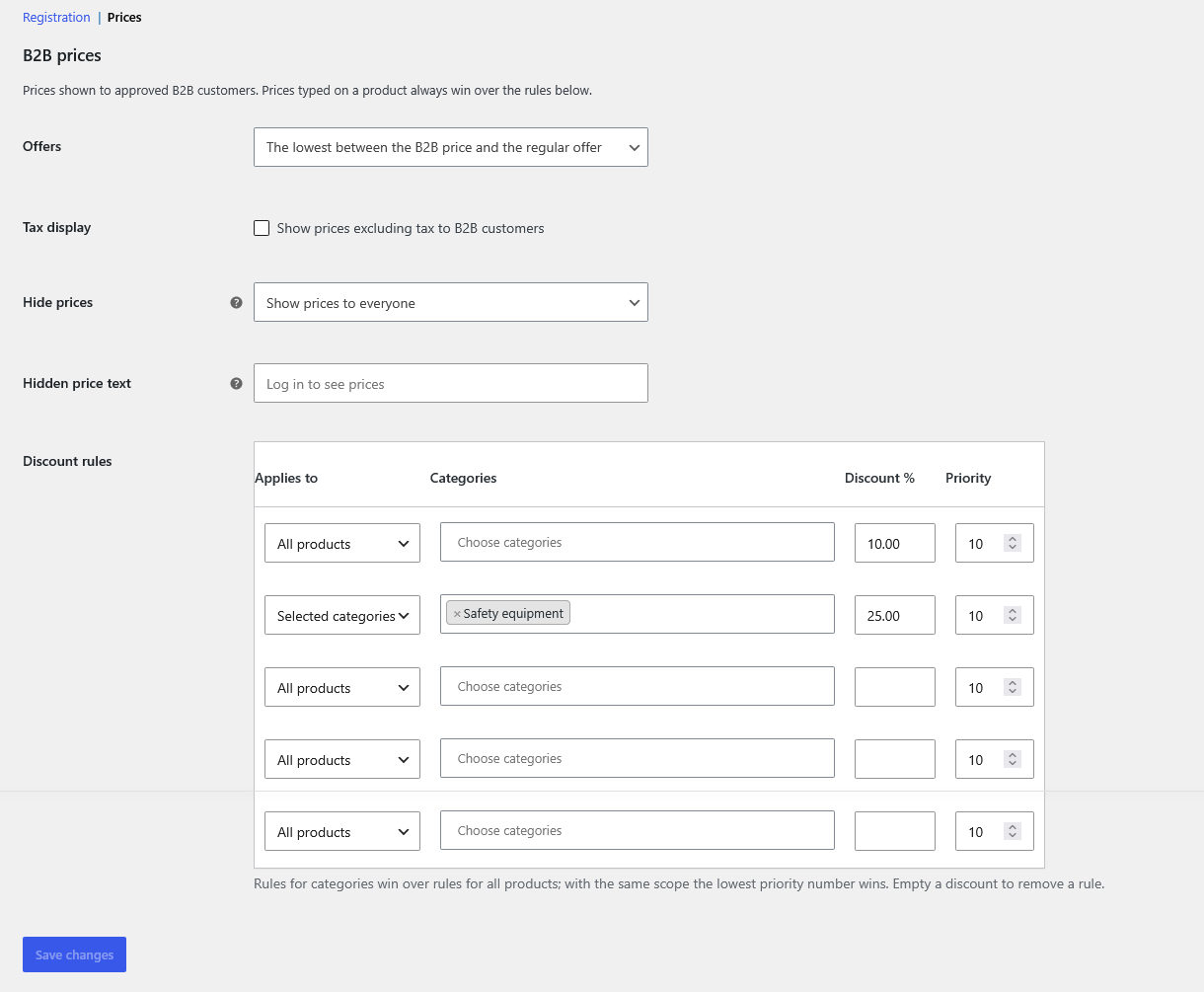
Discount rules and price options in WooCommerce > Settings > B2B > Prices.
Wholeway B2B turns a WooCommerce store into a store that can also sell to businesses.
Business registration
- Company name, VAT number, SDI code and certified email (PEC) fields on the registration form.
- Formal VAT number check, with an optional check against the European Commission VIES service.
- Optional manual approval: new business accounts wait for you to approve or reject them from Users.
B2B prices
- A B2B price and a B2B sale price on every product and variation.
- Global discount rules in percent, for all products or for selected categories, with priorities.
- Approved business customers see the B2B price next to the regular price.
- Choose what happens with products already on sale: the lowest price, or always the B2B price.
- Optionally show prices without tax to business customers.
Hidden prices
- Hide prices from visitors who are not logged in, or from everyone except approved business customers.
- While prices are hidden, ordering is blocked, including the Store API used by the cart and checkout blocks.
- Hidden prices are also removed from product data printed in the page and from structured data.
- Shop managers always see prices.
Works with High-Performance Order Storage and with the cart and checkout blocks.
External services
This plugin can validate EU VAT numbers using the European Commission VIES service
(https://ec.europa.eu/taxation_customs/vies/). The feature is disabled by default; when an administrator enables it,
the VAT number entered by a customer at registration is sent to VIES. Terms: https://ec.europa.eu/taxation_customs/vies/#/help