


Webyx for Gutenberg – Fullpage Fullscreen Scrolling Websites
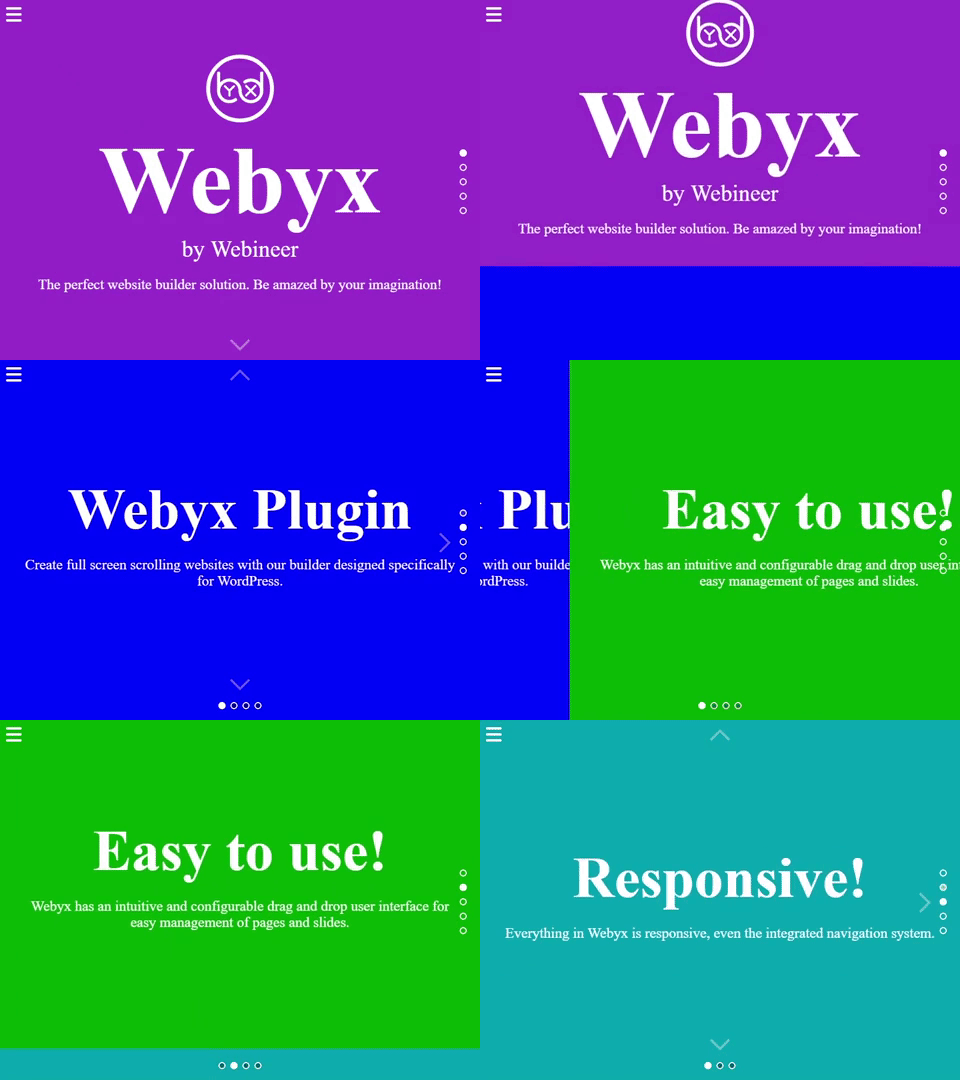
<strong>Webyx</strong> creating amazing fullscreen websites in WordPress with Gutenberg editor's modular approach
The first and most powerful plugin to create awesome fullpage fullscreen vertical and horizontal scrolling websites effortlessly on WordPress.
💡 WHAT YOU CAN DO
Webyx for Gutenberg is a plugin for WordPress that allows you to create amazing fullpage fullscreen scrollable websites quickly and easily.
If you want to see and try something made with Webyx, go to our DEMO website!
🧙 QUICK SETUP
Absolutely user friendly with a simple and clear Wizard, a ready to use Template Quick Setup and ZERO LIMITATIONS in how many Sections and Slides you can create!
💎 WEBYX PRO FOR GUTENBERG
With the PRO version you will also be able to create landing, single or multi page websites, manually shape the view appearance you want to show.
🤴 IMPORTANT NOTE: after having installed the PRO version you can convert directly from the FREE version to the PRO version.
🚀 TRY WEBYX FREE FOR ELEMENTOR
Are you also Elementor users and enthusiasts?
We have the version of Webyx explicitly built for Elementor.
Download and try the Webyx Free for Elementor version of our dedicated plugin!
🎁 FEATURES OF THE FREE VERSION
- Sections
- Slides
- Slide content position
- Panel style
- Template design
- Continuous horizontal
- Animation easings and speeds
- Navigation arrows
- Navigation bullets
- Navigation mouse wheel
- Navigation keyboard
- Fullscreen button
- Lockable horizontal swipe
- Loading splash screen
- Mobile settings
- Custom CSS
- WordPress Full Site Editing Theme compatibility
- Quick setup modal for a quicker and easier start
- Built-in responsive menu
- Responsive
- Touch support
- Clean and minimized code
- Compatible with all modern browsers
- No jQuery
- Easy to use with hundreds of configurable options
- …and much more
🏆 FEATURES OF THE PRO VERSION ONLY
- View design
- Customizable header with menu
- Anchors
- Scrolling content
- Continuous vertical
- Horizontal animation
- Horizontal scrolling
- Horizontal scrolling smooth animation and duration
- Card style
- Parallax effect
- Navigation Drag and Move (BETA)
- Indipendent animation types on X and Y axes
- Fade and toggle animations
- Normal scrolling website
- Slide height autofill
- Lockable vertical movement
- Mobile movement threshold
- Switchable foregrounds for each Slide background
- Different backgrounds for each device type
- Background audio
- Background video
- Event hooks
- Visible or hidden Slides on the fly
- Automatic updates management
- Rollback to previous versions
- …and much more
📖 QUICK USER’S GUIDE
For a more complete documentation visit our website at Webyx.
How to add the block in Gutenberg
- Create a new page or go to the page you would like to add the block.
- Enable Webyx Template page or Custom Template page.
- Find Webyx for Gutenberg block on the Gutenberg blocks and add it to the page.
IMPORTANT: you can add only one Webyx for Gutenberg block as the only root element of the page.
You should not add any other block to the page at the same level of the Webyx for Gutenberg block. - Inside the root level Webyx for Gutenberg block you must only add Section blocks that will contain exclusively Slide blocks.
IMPORTANT: remember to give different titles to Sections and Slides inside the same Section to allow a correct functioning of Navigation Bullets. - Create your layout inside every single Slide.
⚠️ IMPORTANT: Sometimes with the update of Gutenberg, WordPress or other third party plugins, Webyx for Gutenberg block might generate this error: “Webyx for Gutenberg block contains unexpected or invalid content”.
If you see this error instead of the Webyx for Gutenberg block use “attempt block recovery” button.
Do NOT use “Convert to classic block” option. We may introduce major changes that fix bugs or simply add new features which could lead to an attempt block recovery.
Check your pages after each update.
Enable Webyx template
- Click on the Page tab in the right side of Gutenberg editor.
- In pages attributes find the Template select and choose webyx.
- In Appearance > Menus create your new menu and enable in Menu Settings > Display location: Webyx Menu.
Important note: Webyx for Gutenberg template provides a responsive, scrollable, multi-level, with logo custom menu (Webyx Menu) that could be created with the WordPress Menus internal management.
Webyx For Gutenberg Plugin Settings
To customize general plugin settings just go to Settings > Webyx Plugin Settings.
- Hide WP admin top bar: hide WP admin top bar in Webyx pages preview.
- Enable Webyx menu: enable Webyx menu “Display location” in Appearance/Menus/Menu structure/Menu settings.
Languages
- English
- Italian
Documentation and Support
- For documentation visit our website at Webyx.
🔧 INSTALLATION
Minimum Requirements
- WordPress 6.9 or greater
- PHP version 7.4 or greater
- MySQL version 5.0 or greater
Installation
To install Webyx for Gutenberg is very easy:
- Install using the WordPress built-in Plugin installer, or Extract the zip file and drop the contents in the
wp-content/plugins/directory of your WordPress installation. - Activate the plugin through the ‘Plugins’ menu in WordPress.
From now on you will be able to access and use Webyx for Gutenberg!
Uninstalling
To uninstall Webyx for Gutenberg you just need to:
- Deactivate the plugin via the ‘Plugins’ menu in WordPress.
- Choose the ‘Delete plugin’ action you can find in the same menu.