
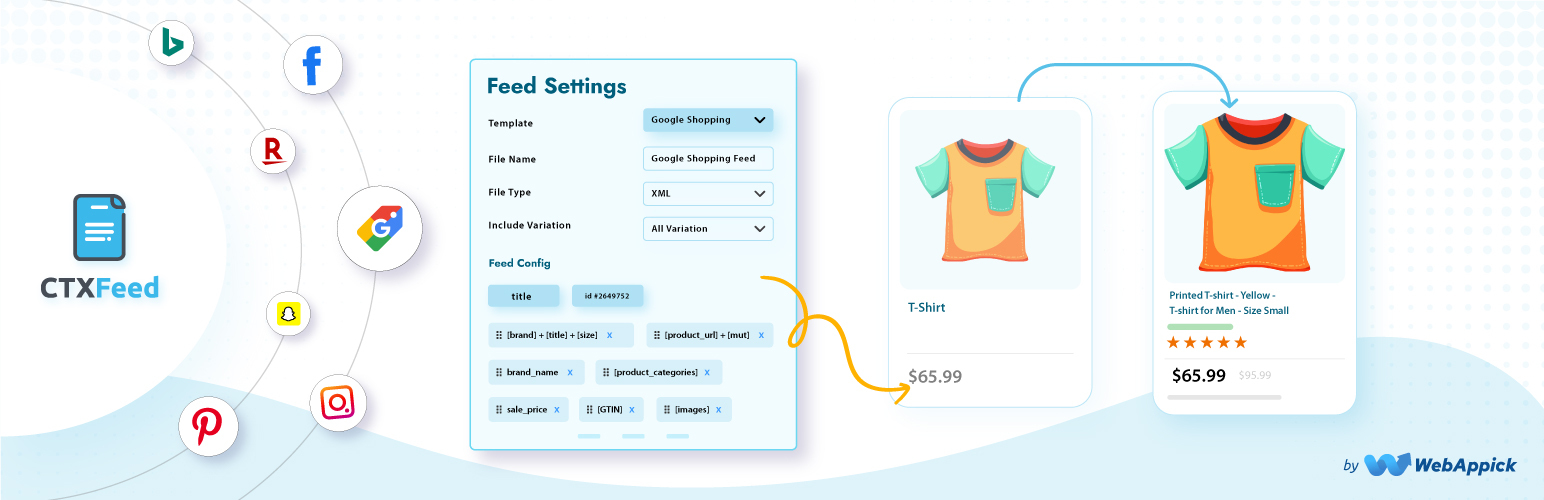
Product Feed Manager for WooCommerce – CTX Feed – Support 220+ Shopping, AI & Social Channels
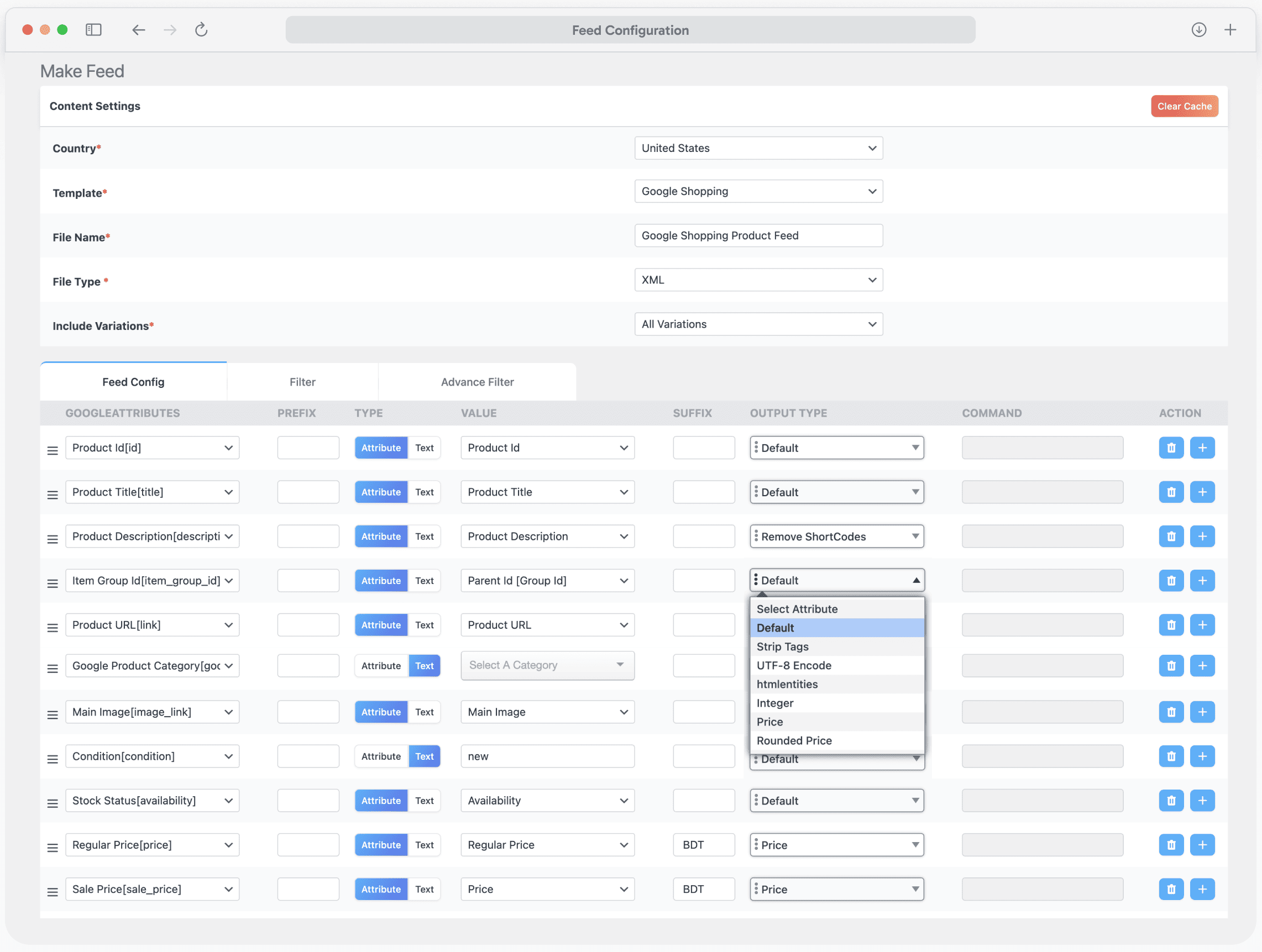
Make Feed: Generate feeds for 220+ marketplaces
🏆 The #1 WooCommerce Product Feed Manager Plugin trusted by 90,000+ online stores worldwide.
Stop losing sales to rejected product feeds. CTXFeed is the most powerful product feed plugin for WooCommerce, designed to generate optimized, error-free feeds for Google Shopping, Facebook Catalog, Instagram Shopping, TikTok Shop, Pinterest, Bing, and 220+ global marketing channels.
Whether you’re managing 100 products or 100,000+ SKUs, CTXFeed handles your entire WooCommerce product feed with zero limits. Our intelligent batch processing ensures your XML, CSV, and JSON feeds are created flawlessly without crashing your server.
2026 Google Merchant Center Compliant – Ready for the March 2026 multi-channel product ID requirements and subscription product support.
Why 90,000+ WooCommerce Stores Choose CTXFeed?
- 95 Pre-Built Templates for 220+ channels – Instant setup for Google Merchant Center, Meta (Facebook/Instagram), TikTok Shop, Amazon, eBay, Snapchat, Pinterest, and more
- 6 Export Formats – XML, CSV, TSV, XLS, TXT, JSON (more file format options than any competitor)
- Smart Category Mapping – Auto-map WooCommerce categories to Google’s official taxonomy to prevent feed errors
- Real-Time Auto-Sync – Scheduled cron updates keep your ads accurate with correct pricing and availability
- Variable Product Support – Perfectly handle complex product variations that other plugins miss
- Zero Server Crashes – Intelligent batch processing for stores with 50,000+ products
Upgrade to Pro | View Demo | Complete Documentation | Video Tutorials | Get Support
Google Shopping Feed Manager
CTXFeed is the ultimate Google Shopping feed manager for WooCommerce. Create Google Shopping feeds that get approved fast with automatic attribute mapping for all required fields:
- Product Title, Description, Link, Image Link
- Price, Sale Price, Availability, Condition
- Brand, GTIN, MPN, SKU, EAN, UPC
- Google Product Category (automatic taxonomy mapping)
- Shipping, Tax, and Custom Labels
- Color, Size, Material, Pattern, Gender, Age Group
- Local Inventory Ads support
- Google Promotions feed support
Fix “Missing Required Attribute” errors instantly with our built-in attribute mapping tool. No more Google Merchant Center rejections!
Facebook Product Feed & Instagram Shopping
Generate Facebook product feeds and Instagram Shopping catalogs compatible with Meta Commerce Manager. CTXFeed creates the perfect WooCommerce Facebook product feed for:
- Dynamic Product Ads (DPA) support
- Facebook Pixel integration ready
- Instagram Shopping checkout is compatible
- Advantage+ catalog campaigns optimized
- Facebook Marketplace listings
- All Meta required attributes are included automatically
TikTok Shop & Social Commerce Feed Manager
Reach younger shoppers with TikTok Shop integration. CTXFeed is your complete shopping feed manager for social commerce:
- TikTok Seller Center compatible feeds
- Product certification fields included
- Brand Authority attributes mapped
- Avoid “Under Review” status with optimized data
- Snapchat Product Catalog support
- Pinterest Shopping feed ready
Complete Channel & Marketplace Support
CTXFeed supports more channels than any other WP product feed manager:
Google Feeds:
- Google Shopping
- Google Local Inventory
- Google Promotions
- Google Dynamic Remarketing
- Google Local Products
- Google Manufacturer Center
- Google Express
AI Commerce:
- ChatGPT Merchant
- Perplexity’s AI-powered shopping
Shopping & Comparison Sites:
- Bing Shopping
- Yahoo Shopping
- PriceGrabber
- Shopzilla
- PriceRunner
- PriceSpy
- Kelkoo
- Idealo
- Billiger.de
- Trovaprezzi
- Skroutz
- Heureka
- Ceneo
- Beslist
- Vergelijk
Social Commerce:
- Facebook Catalog/ Meta Catalog
- Instagram Shop
- X.com Dynamic Product Ads
- Pinterest Catalog Feed
- TikTok Shop
- Snapchat Data Feed Catalog
- Reddit Dynamic Product Ads
Marketplaces:
- Amazon
- eBay
- Walmart
- Etsy
- Rakuten
- Wish
- Fruugo
- Bonanza
- Newegg
- Jet
Affiliate Networks:
- Commission Junction
- ShareASale
- Awin
- Rakuten Advertising
- AvantLink
- Pepperjam
Regional Marketplaces:
- Bol.com (Netherlands)
- Allegro (Poland)
- Fnac (France)
- Otto (Germany)
- Coolblue
- Marktplaats
…Make product feed for 220+ shopping channels
Upgrade to Pro | Complete Documentation | Video Tutorials | Get Support
Built for Large Catalogs – The Best Product Feed Tool
CTXFeed is engineered for WooCommerce stores of any size. As a professional product feed tool, it handles:
- Unlimited products per feed
- Unlimited feeds
- Batch processing prevents timeouts
- Effortless background feed generation
- No server capabilty limitation
- Works perfectly with shared hosting
- Memory-efficient processing
- Works on shared hosting
- Optimized for 200,000+ products
- Server resource management
WooCommerce Data Feed Features
CTXFeed provides comprehensive WooCommerce data feed management:
Smart Filtering:
- Include/exclude products by category
- Filter by stock status
- Filter by price range
- Filter by product type
- Custom condition filters
- Exclude specific products
- Conditional filtering to reduce ads cost
Dynamic Attributes:
- Create custom attributes on-the-fly
- Combine multiple fields
- Price manipulation (markup/markdown)
- String replacement
- Conditional logic
- Pattern-based transformations
Feed Optimization:
- Auto-remove HTML from descriptions
- Image URL optimization
- Price formatting by locale
- Availability status mapping
- Category path customization
- UTM parameter support
Complete WooCommerce Compatibility
Works with all WooCommerce product types and popular extensions:
Product Types:
- Simple Products
- Variable Products (with all variations)
- Grouped Products
- External/Affiliate Products
- WooCommerce Subscriptions (Pro Feature)
- WooCommerce Bundles (Pro Feature)
- WooCommerce Composite Products (Pro Feature)
Multi-Vendor Plugins:
- Dokan Multivendor
- WCFM Marketplace
- WC Vendors
- MultiVendorX
- WC Marketplace
Multilingual & Multi-Currency (Pro Feature):
- WPML (WordPress Multilingual)
- Polylang
- TranslatePress
- Weglot
- CURCY – Multi Currency for WooCommerce
- Aelia Currency Switcher
- WooCommerce Multi Currency
SEO & Custom Fields:
- Yoast SEO (product data)
- Rank Math SEO
- All in One SEO
- ACF (Advanced Custom Fields)
- Custom Product Tabs
- WooCommerce Custom Fields
Other Integrations (Pro Feature):
- WooCommerce Brands
- Perfect Brands for WooCommerce
- YITH WooCommerce Brands
- WooCommerce Product Add-Ons
- WooCommerce Measurement Price Calculator
2026 Google Compliance Features
CTXFeed is fully prepared for Google’s 2026 policy updates:
March 2026 Multi-Channel Product ID Requirement:
- Separate product IDs for online vs in-store items
- Local Inventory Ads compliance
- Multi-channel feed generation
- Unique identifier management
January 2026 Subscription Products:
- subscription_cost attribute support
- Billing period mapping
- Recurring price feeds
- WooCommerce Subscriptions integration
AI-Ready Semantic Data:
- Clean, structured product data
- HTML/shortcode stripping
- Google SGE optimized feeds
- Schema-compliant output
Upgrade to Pro | Complete Documentation | Video Tutorials | Get Support
CTXFeed Pro – Premium Features
Upgrade to CTXFeed Pro for advanced capabilities:
- Dynamic Attribute Creation – Create custom attributes on-the-fly
- Advanced Filtering – Include/exclude products by any condition
- Custom XML Templates – Build any complex feed structure
- FTP/SFTP Auto-Upload – Automatically push feeds to channels
- Google Content API – Direct Merchant Center integration
- Priority Support – Expert assistance with email
What Store Owners Say
“CTXFeed is the ONLY plugin that handled our 45,000 product catalog without crashing. We tried 3 other plugins before finding this gem.” – WooCommerce Store Owner
“Finally got our Google Shopping feed approved after weeks of rejections with other plugins. CTXFeed’s category mapping feature saved us!” – E-commerce Manager
“The support team is incredible. They helped us set up feeds for 12 different marketplaces in one day.” – Digital Marketing Agency
“Best WooCommerce product feed plugin we’ve used. The batch processing feature is a game-changer for large stores.” – Online Retailer
Documentation & Support
Our Other Free Plugins
- Disco – Dynamic Pricing & Discount Rules for WooCommerce
- Challan – PDF Invoice & Packing Slip for WooCommerce
External services
CTX Feed builds feeds on your own server; your products and feed files are not sent to WebAppick. The plugin contacts the services below only in the situations described. Like every WordPress HTTP request, each one also carries your site’s address in the user-agent header.
WebAppick (webappick.com), the plugin author — Terms and conditions, Privacy policy:
- CTX Feed Pro prices: the Premium page, the CTX Feed Pro card in the side panel and the “Upgrade to Pro” buttons show current prices from webappick.com’s WooCommerce Store API (https://webappick.com/wp-json/wc/store/v1/products). Requested only while an administrator has one of those CTX Feed screens open, at most once every 12 hours, and cached on your site. No data is sent.
- News widget: the “CTX Feed” widget on the WordPress Dashboard lists the latest WebAppick blog posts (https://webappick.com/wp-json/wp/v2/posts). Requested when the Dashboard is shown, at most once a day. No data is sent.
- Usage data (opt-in only): if an administrator allows it (the setup wizard, or CTX Feed Settings “Share anonymous diagnostics with CTX Feed”), the plugin sends usage data to https://track.webappick.com/api/ once a week — site name and address, the admin email addresses, the administrator’s name, the store country, WordPress, PHP and server details, the lists of active and inactive plugins, the theme, the plugin version, the server’s IP address, product, variation and category counts, and the saved feed configurations (feed settings including any FTP/SFTP host and user name; passwords are stored encrypted). Nothing is sent unless tracking is allowed, and it can be turned off in Settings at any time.
- Deactivation feedback: when you deactivate CTX Feed or CTX Feed Pro from the Plugins page and choose a reason, the feedback form sends that reason and anything you type to https://track.webappick.com/api/ with the plugin, WordPress and PHP versions; “I’d rather not say” sends nothing. Only if usage data is allowed does it also include the site name and address, the admin email, your name and email, server details, the server’s IP address, and the same product counts and saved feed configurations as the usage data (passwords removed).
- Support requests: the Contact support form, the discount claim form and the contact form in the deactivation dialog email what you enter to WebAppick ([email protected] or [email protected]) through your site’s own mailer, with your site address and admin email. Contact support also attaches the system status report and, for the feed you select, its configuration and file.
IP address lookup (icanhazip.com, operated by Cloudflare) — Terms, Privacy policy: used only while sending usage data or deactivation feedback, to read the server’s public IP address. The request itself reveals that address to the service.
Promotional notices (Bitbucket, api.bitbucket.org, operated by Atlassian) — Terms, Privacy policy: the plugin reads a small list of WebAppick offers from https://api.bitbucket.org/2.0/snippets/woofeed/RLbyop/files/woo-feed-notice.json to show dismissible admin notices. Requested on wp-admin pages at most twice a day and cached. No data is sent.
WordPress.org (api.wordpress.org, downloads.wordpress.org) — Privacy policy: the “Our plugins” page and the plugin suggestions on Plugins Add New read plugin details from the WordPress.org Plugins API; installing a suggested plugin, installing WooCommerce from the setup wizard, and installing another CTX Feed version from Version control download the plugin from downloads.wordpress.org. Only when you open those screens or click those buttons.
Google and Meta product categories — Google: Terms, Privacy policy; Meta: Terms, Privacy policy: the category lists for category mapping ship with the plugin. They are downloaded again only when you click to update them: Google’s product taxonomy from https://www.google.com/basepages/producttype/ (or a Google taxonomy URL you enter), and Meta’s from https://www.facebook.com/products/categories/. No data is sent.
Connection checks on System status — PayPal: Terms, Privacy policy; WooCommerce.com (Automattic): Terms, Privacy policy: when you open CTX Feed System status, the plugin tests whether your server can make outgoing requests, like WooCommerce’s own status report: a POST to https://www.paypal.com/cgi-bin/webscr (body cmd=_notify-validate) and a GET to https://woocommerce.com/wc-api/product-key-api?request=ping. No store data is sent.
Your own FTP/SFTP server: if you turn on FTP or SFTP upload for a feed, the feed file is uploaded to the server and account you enter, after each generation.