


Shipping Rules Builder for WooCommerce
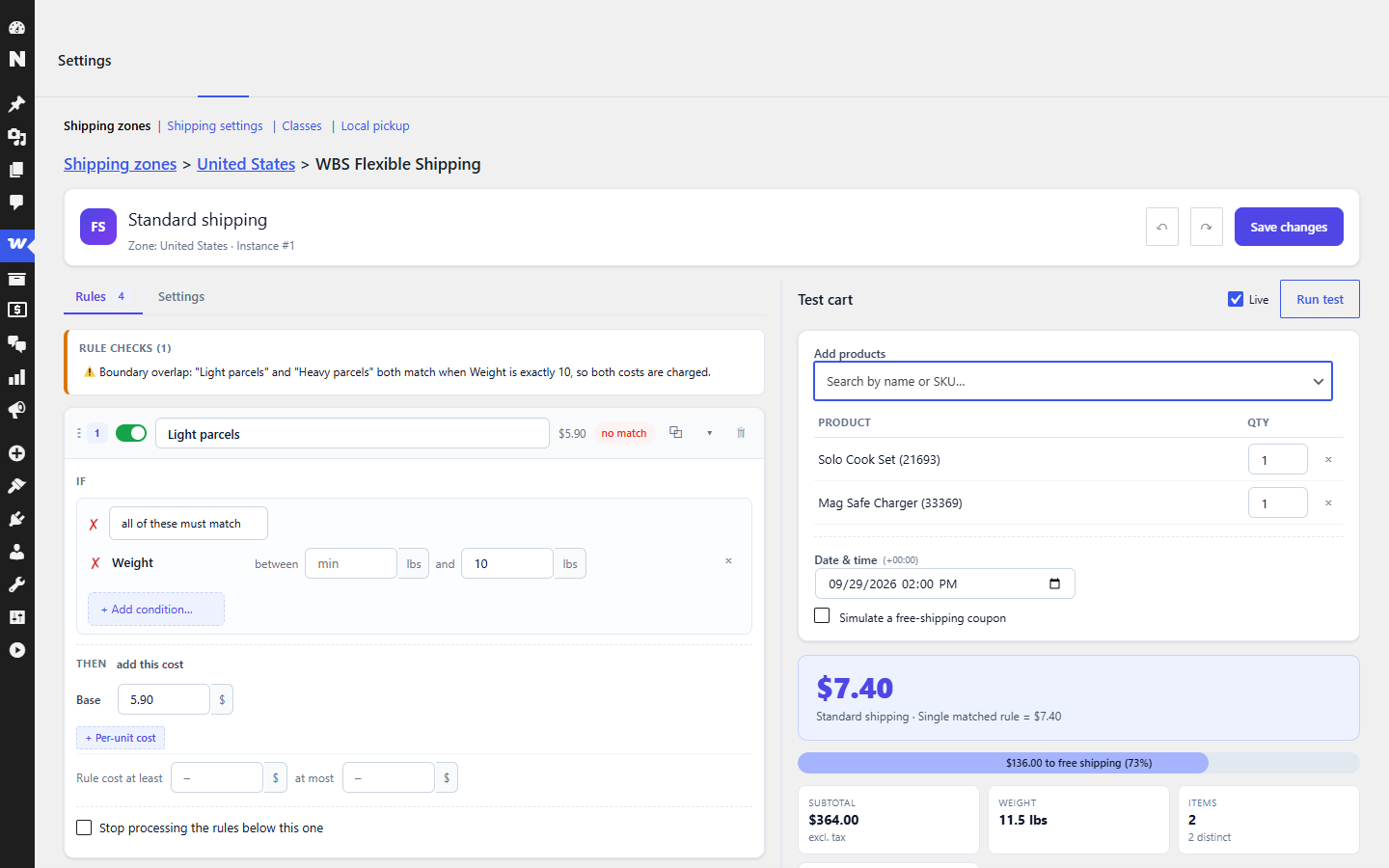
Split-screen rule editor: rules on the left, a live test cart on the right with the resulting shipping cost and free-shipping progress.
Build shipping rates from rules, and test them before they go live. The settings page is split in two: the rule builder on the left, a test cart on the right that re-evaluates your unsaved rules on every keystroke and shows exactly which condition passed or failed and how the cost was built.
Conditions
- Cart subtotal (incl./excl. tax, before/after coupons), weight, item quantity, distinct products
- Shipping class – cart includes any / only contains / includes none
- Day of week
Rules
- Any number of rules; conditions combine with all / any
- Cost = base + any number of per-unit costs (per N kg / items / currency, optionally only above a threshold, rounded up / down / exact), with a per-rule minimum and maximum
- Enable/disable, duplicate, drag to reorder, “stop after this rule matches”
- Undo / redo (Ctrl+Z), 9 rule templates in a searchable gallery, import / export as JSON
- Rule checks: unreachable rules, inverted ranges, empty selections, gaps and overlaps between range rules
Free shipping
- Free from a subtotal threshold, honour free-shipping coupons, custom label when free, optionally hide the other methods
- “Add X more for free shipping” progress bar (or text) on the classic and block cart / checkout, updating live
Testing & debugging
- Test cart with real products (search by name or SKU), quantities and date & time
- Verdict, cart figures, per-condition pass/fail trace, full cost arithmetic, MATCH / NO MATCH badges on the rule cards
- Storefront debug trace for shop managers only (classic and block)
Pro add-on
Pro is a separate add-on plugin. It adds 24 more conditions (postcode, city, state, products, categories, attributes, customers, payment method, coupon codes, dates, sizes), item-scoped figures, alternative (OR) condition groups, tier tables, formulas and percentage costs, rule actions (withdraw the method, rename it, delivery estimates, customer notices, hide other methods), lowest / highest / first-match combining, method minimum / maximum, saved test scenarios, load-a-real-order, a zone view, revisions, copy to zone and 26 more templates.
Everything you build in the free plugin keeps working when you add Pro. If Pro is deactivated later, rules that depend on it are kept unchanged and skipped (never silently altered) until it is active again.
For developers
The plugin is extensible without touching its files:
- PHP filters:
wbsfs_conditions,wbsfs_sanitize_condition,wbsfs_sanitize_rule,wbsfs_sanitize_cost,wbsfs_rule_cost,wbsfs_rule_effects,wbsfs_engine_matched,wbsfs_engine_combine,wbsfs_engine_final,wbsfs_form_fields,wbsfs_lint,wbsfs_extras_html,wbsfs_admin_data,wbsfs_preview_result, and more. A condition definition may carry its ownevaluatecallback. - JavaScript:
wp.hooksfilters and actions namedwbsfs.*, plus helpers onwindow.WBSFS_API. Add-on scripts depend on thewbsfs-adminhandle; the editor boots on DOM ready, after they registered.