

Custom Add to Cart labels for WooCommerce
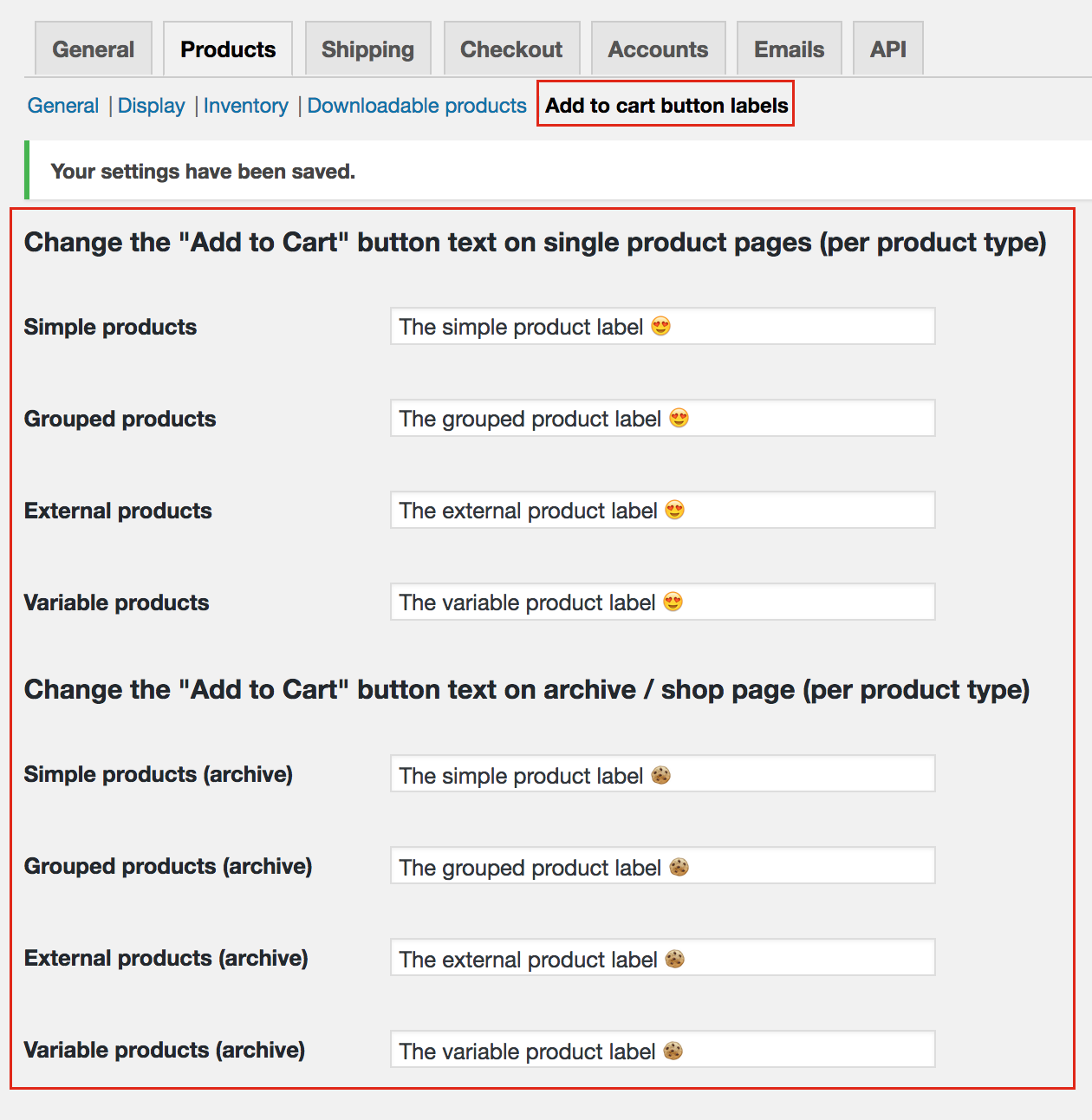
Settings page — WooCommerce > Settings > Products > Change "add to cart" labels
Tired of the boring default “Add to Cart” button? Want to say “Buy Now”, “Book Today”, “Subscribe”, or “Get Started” instead?
Custom Add to Cart labels for WooCommerce lets you change button text for every product type on single product pages and archive/shop pages. One simple settings page, zero coding, full control.
What you can customize
Single product pages:
* Simple products “Buy Now”, “Order Now”
* Variable products “Select Options”, “Choose Your Size”
* Grouped products “View Products”, “Choose Items”
* External/Affiliate products “Shop Now”, “Visit Store”
* Bookable products (WooCommerce Bookings) “Book Now”, “Reserve”
* Subscription products “Subscribe Now”, “Join”
* Variable Subscription products “Choose Plan”
Archive / Shop pages:
* Simple products
* Variable products
* Grouped products
* External/Affiliate products
* Bookable products
* Subscription products
* Variable Subscription products
Features
- ✅ Separate labels for single product & archive pages — different text for each context
- ✅ Works with WooCommerce 3.0+ through 10.x — fully backward compatible
- ✅ HPOS compatible — works with WooCommerce High-Performance Order Storage
- ✅ Tested up to WordPress 7.0
- ✅ Tested up to WooCommerce 10.8.1
- ✅ All product types supported — Simple, Variable, Grouped, External, Bookable, Subscription, Variable Subscription
- ✅ Unicode, emoji & special characters — 🚀 🔥 💥
- ✅ Graceful fallback — unsupported product types use WooCommerce defaults
- ✅ Lightweight — minimal footprint, no page bloat
- ✅ No coding required — configure from WooCommerce settings
- ✅ Conflict-free — prefixed filter callbacks avoid plugin clashes
Perfect for
- 🏪 eCommerce stores wanting unique CTAs per product type
- 📅 Booking sites that need “Book Now” instead of “Add to Cart”
- 📦 Subscription businesses wanting “Subscribe” buttons
- 🌍 Multilingual stores — easily adapt button text per language
- 🎯 Conversion-focused shops optimizing their call-to-action
- 🔧 Agencies managing multiple client stores with different brand needs
What makes this plugin different?
Unlike complex alternatives, this plugin does one thing well — change add-to-cart button text. No bloat, no page builders, no confusing UI. Just clean settings, instant results, and lightweight code that won’t slow your store.
Developer Hooks
The plugin works with WooCommerce’s standard add-to-cart text filters:
woocommerce_product_single_add_to_cart_text — For single product pages
woocommerce_product_add_to_cart_text — For archive/shop pages
Our callbacks use unique prefixed names (wccatcl_product_single_add_to_cart_text and wccatcl_product_loop_add_to_cart_text) to avoid conflicts with other plugins.
To override programmatically, use a higher priority (lower number):
add_filter( 'woocommerce_product_single_add_to_cart_text', 'my_custom_function', 5, 2 );