


Product Category Showcase for WooCommerce
WooCommerce category showcase
Product Category Showcase for WooCommerce is a powerful plugin that allows you to display your product categories in a beautiful and engaging way. Whether you run a fashion store, electronics shop, or any other type of online business, this plugin helps you highlight your categories to boost sales and improve user experience.
Video Demo
Instead of hiding product categories in a dropdown or sidebar, this plugin puts them front and center with a stylish display that’s easy to customize and fully responsive.
Perfect for:
- Clothing boutiques with seasonal collections.
- Gourmet food stores with multiple departments.
- Digital download shops with different file types.
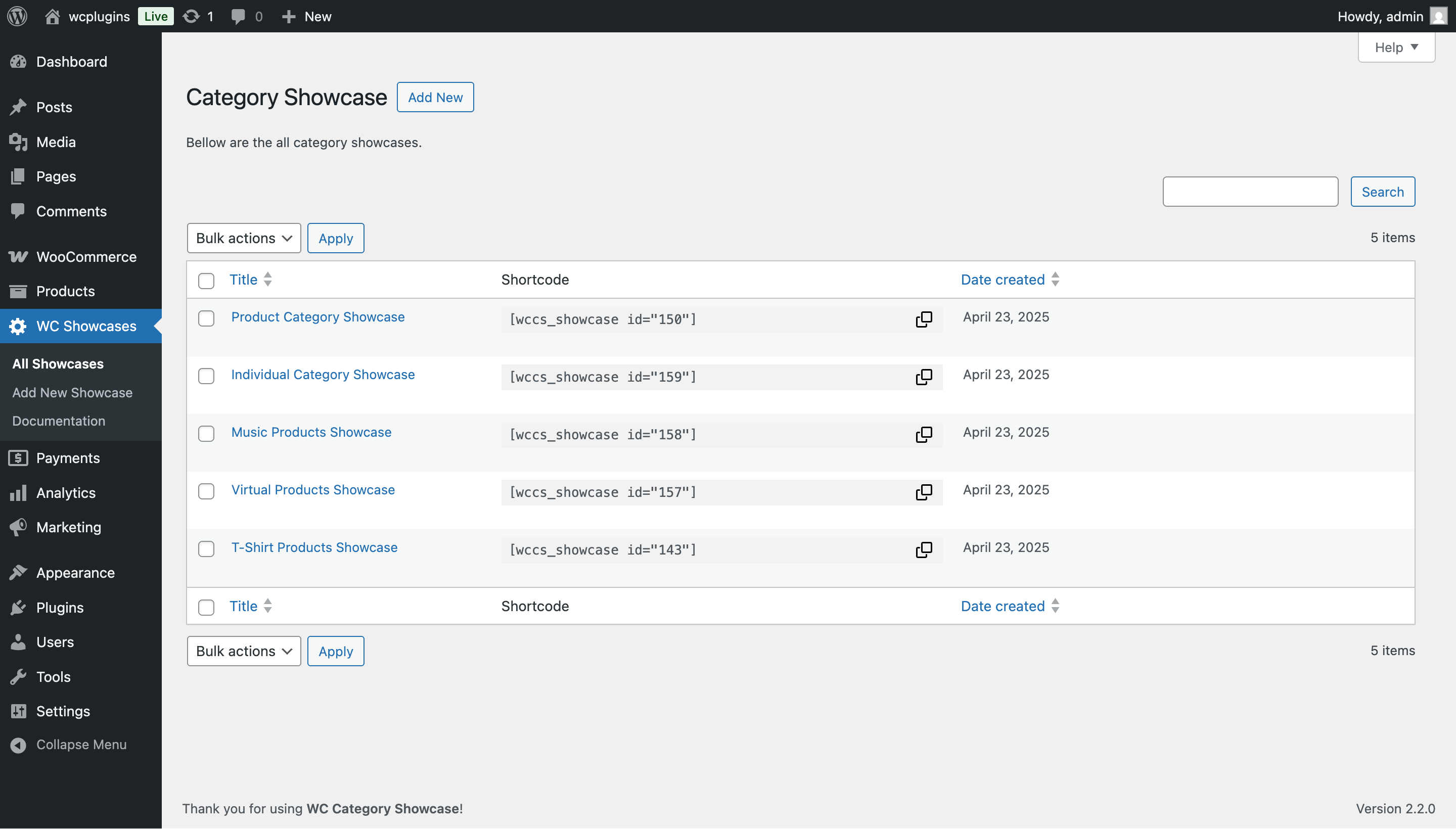
With this plugin, you can create eye-catching category showcases without writing code. Simply choose a layout (Slider, Block, or Grid), pick your categories, and drop the generated shortcode anywhere on your site.
Key benefits:
- Encourage browsing with modern category displays.
- Highlight featured or high-margin categories to increase sales.
- Provide a seamless shopping experience across desktop and mobile.
- Save time with a simple, shortcode-based setup.
🎯 Free Features
- Multi-Layout Displays – Choose Slider, Block, or Grid layouts for flexible presentation.
- Featured & Additional Categories – Highlight main categories and add up to 6 supporting ones.
- Unlimited Slider Categories – Add as many categories as you want to your carousel.
- Responsive & Mobile Friendly – Works beautifully across all devices.
- Shortcode Support – Insert showcases anywhere using [wccs_showcase id=”123″].
- Category Filtering & Sorting – Display all or selected categories, sort by name/date/ID.
- Customizable Card Styling – Adjust colors, spacing, border radius, and content placement.
- Content Toggles – Show or hide category images, titles, descriptions, and product counts.
- Image & Icon Settings – Use rectangle, rounded, or circle images with hover effects.
- Theme Compatibility – Works with most WooCommerce themes without extra setup.
🚀 Pro Features
- Advanced Layout Templates – More styling options for sliders, grids, and blocks.
- Ticker & Autoplay Options – Create news-style scrolling carousels with speed controls.
- Google Fonts & Typography – Full font customization for headings and category titles.
- Customizable Buttons & Hover Effects – Add “Shop Now” buttons with custom styles.
- Unlimited Category Sliders – Create multiple showcases across different pages.
- Priority Support & Updates – Premium assistance and regular feature updates.
🛠️ How It Works
- Install & Activate – Find “Product Category Showcase for WooCommerce” in your dashboard or upload manually.
- Create a Showcase – Go to WC Showcases Add New, choose a layout (Slider, Block, Grid).
- Select Categories – Pick featured categories or let the plugin pull all automatically.
- Customize Styling – Control colors, hover effects, product counts, fonts, and more.
- Insert Shortcode – After hitting Publish, copy the generated shortcode and paste it into any page or post.
- Test & Iterate – Adjust layouts and settings until your showcase looks perfect.
- No coding required – everything is managed inside your WordPress dashboard.
💡 Use Cases
- Fashion Boutique – Showcase seasonal collections in an autoplay slider.
- Electronics Marketplace – Organize dozens of departments with a clean grid layout.
- Lifestyle Blogger – Add a block-style showcase for a small shop section.
- Wholesale Supplier – Display product quantities and encourage quick ordering.
You may also like our other plugins
Product Category Slider for WooCommerce | Product Variation Swatches for WooCommerce | WC Min Max Quantities
Contribute
This may have bugs and a lack of many features. If you want to contribute to this project, you are more than welcome. For reporting any bugs or feature requests, open an issue on Github.