
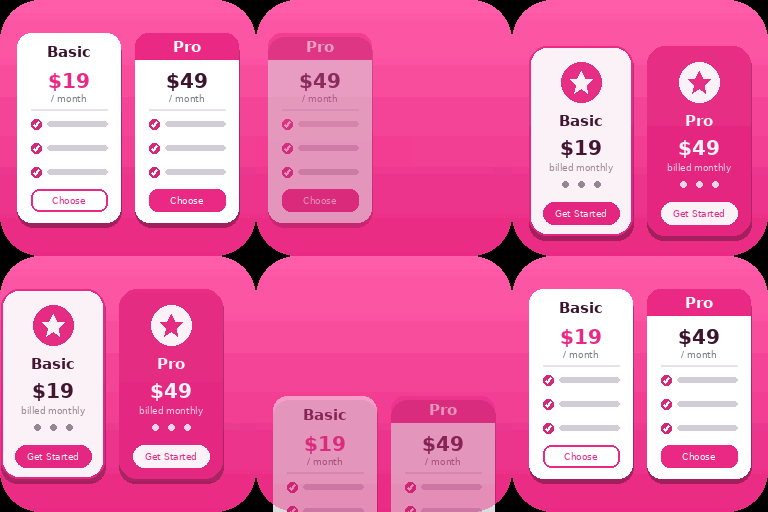
WBD Pricing Tables – Gutenberg Pricing Table & Comparison Block
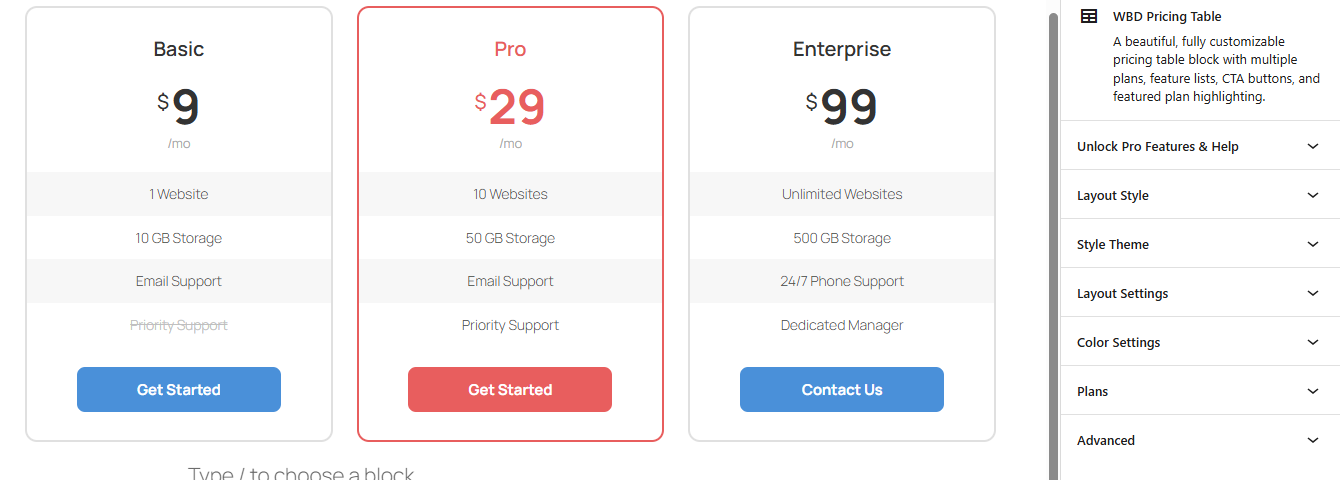
Pricing table with three plans in the editor.
WBD Pricing Tables is a WordPress pricing table plugin that helps you create professional pricing sections directly in the Gutenberg Block Editor. Display pricing plans, highlight recommended options, list included features, and add call-to-action buttons without writing code.
Use this Gutenberg pricing table block to present software pricing, SaaS plans, agency packages, service tiers, subscription options, and product pricing on your WordPress website.
Live Demos | Pricing | Support
Whether you’re building SaaS pricing pages, product comparison tables, or service plans — this Gutenberg pricing table block gives you full control without any coding. Lightweight, fast, and fully responsive — works with every WordPress theme.
🚀 Perfect for freelancers, agencies, SaaS, startups, and WooCommerce websites.The plugin provides dedicated Pricing Table functionality and a Comparison Pricing Table block for presenting plans, products, or features in an easy-to-understand format.
Create pricing tables with:
- Pricing plan names, prices, currency symbols, and billing periods.
- Descriptions and feature lists for each plan.
- Call-to-action buttons with custom text and links.
- Featured or recommended plan styling.
- Customizable colors and available layout settings.
- Responsive pricing layouts for different screen sizes.
The plugin also includes a Comparison Pricing Table block for presenting differences between plans, products, services, or features.
✅ Free Features
Free Templates – Add up to 3 pricing plans displayed side by side in a responsive grid.
Customizable Plan Details — Set plan name, price, currency symbol, billing period, and description for each plan.
Feature Lists — Add unlimited features per plan with optional checkmark or cross icons to indicate included/excluded features.
Call-to-Action Buttons — Customize button text and URL for each plan with option to open links in a new tab.
Featured/Recommended Plan — Highlight a plan as “recommended” with a badge and visual emphasis.
Color Customization — Choose header background color, header text color, button color, button text color, and featured plan accent color.
Layout Options — Choose between 1 to 4 columns layout.
Responsive Design — Plans stack gracefully on smaller screens.
Live Preview — See all changes in real time within the editor.
⚡ Pro Version Features
If you need even more features, styling options, or premium support, you can upgrade to the Pro version:
Five Premium Templates
Comparison pricing table block
Advanced Styling & Layout Controls
Priority Support — Dedicated help within 24 hours
Pricing Table and Comparison Blocks
A pricing table presents the price and details of each plan. A comparison table organizes differences between multiple options so visitors can evaluate features more easily.
Depending on your available features, use WBD Pricing Tables to present:
- Software plans and their included features.
- Monthly or annual service packages.
- Agency packages and deliverables.
- Subscription options.
- Product features and specifications.
- Different service levels.
Use descriptive plan names, consistent feature labels, and clear calls to action to make the information easier to understand.
Why Choose This Pricing Table Block Plugin?
- Built specifically for Gutenberg (Block Editor)
- Lightweight and fast loading (better SEO performance)
- Fully responsive pricing table design
- No shortcode required – 100% block-based
- Clean UI inspired by modern SaaS pricing tables
Use Cases
WBD Pricing Tables can be used for:
- SaaS pricing pages
- Software pricing plans
- Service packages
- Agency pricing
- Subscription plans
- Product pricing
- Product comparison tables
- Feature comparison sections
- WooCommerce product-related pricing sections
- Digital product websites
Comparison Pricing Table Block
Use the Comparison Pricing Table block to organize differences between products, plans, services, or features. A comparison table is useful when visitors need to evaluate several options before choosing one.
For example, you can compare:
- Software plans and their included features.
- Service packages and deliverables.
- Subscription options.
- Product features.
- Agency service tiers.
Use clear labels and consistent feature descriptions to make comparisons easier to understand.
Responsive Pricing Layouts
Pricing tables are designed to work across different screen sizes.
Use responsive pricing sections for:
- SaaS websites
- Agency websites
- Service businesses
- Product websites
- Subscription websites
- WooCommerce websites
- Digital product websites
Lightweight and Performance-Conscious
WBD Pricing Tables focuses on pricing presentation and comparison functionality within Gutenberg.
A focused block-based workflow can help avoid introducing an additional page builder solely to create pricing tables. However, actual page speed depends on your hosting, theme, other plugins, assets, and page content.
For best results, use appropriately sized images elsewhere on the page, avoid unnecessary effects, and test your published page with a performance testing tool.
Accessibility
Help visitors understand your pricing options by using:
- Clear plan names and pricing information.
- Descriptive call-to-action labels.
- Readable text and sufficient color contrast.
- Consistent feature descriptions.
- Layouts that remain usable at different screen sizes.
Review your published page with your active theme to check text readability, keyboard usability, link clarity, and responsive behavior.
SEO-Friendly Pricing Sections
WBD Pricing Tables helps you create structured and readable pricing sections using the WordPress Block Editor.
The plugin focuses on:
Clean frontend markup.
Responsive layouts.
Lightweight implementation.
Accessible interactive elements where applicable.
Mobile-friendly pricing sections.
Clear pricing and feature presentation.
The plugin does not replace an SEO plugin. Search engine rankings depend on your overall website content, technical SEO, performance, competition, backlinks, and other factors.
Development
The uncompiled source code for this plugin is fully open-source and publicly accessible.
- Source Code Repository: https://github.com/wpbranddigital/wbd-pricing-table
- Source Folder: The human-readable and modifiable source files are included in the
/srcdirectory of the plugin.
Build tools and environment:
– Node.js & npm
– webpack
– @wordpress/scripts
To regenerate the compiled files from source:
1. Clone the repository or navigate to the plugin directory.
2. Run npm install to install dependencies.
3. Run npm run build to compile the production assets into the /build directory.
4. Run npm run start to start the development watcher.