


Walkercorp Sentinelle – Security, Firewall & Hide Login
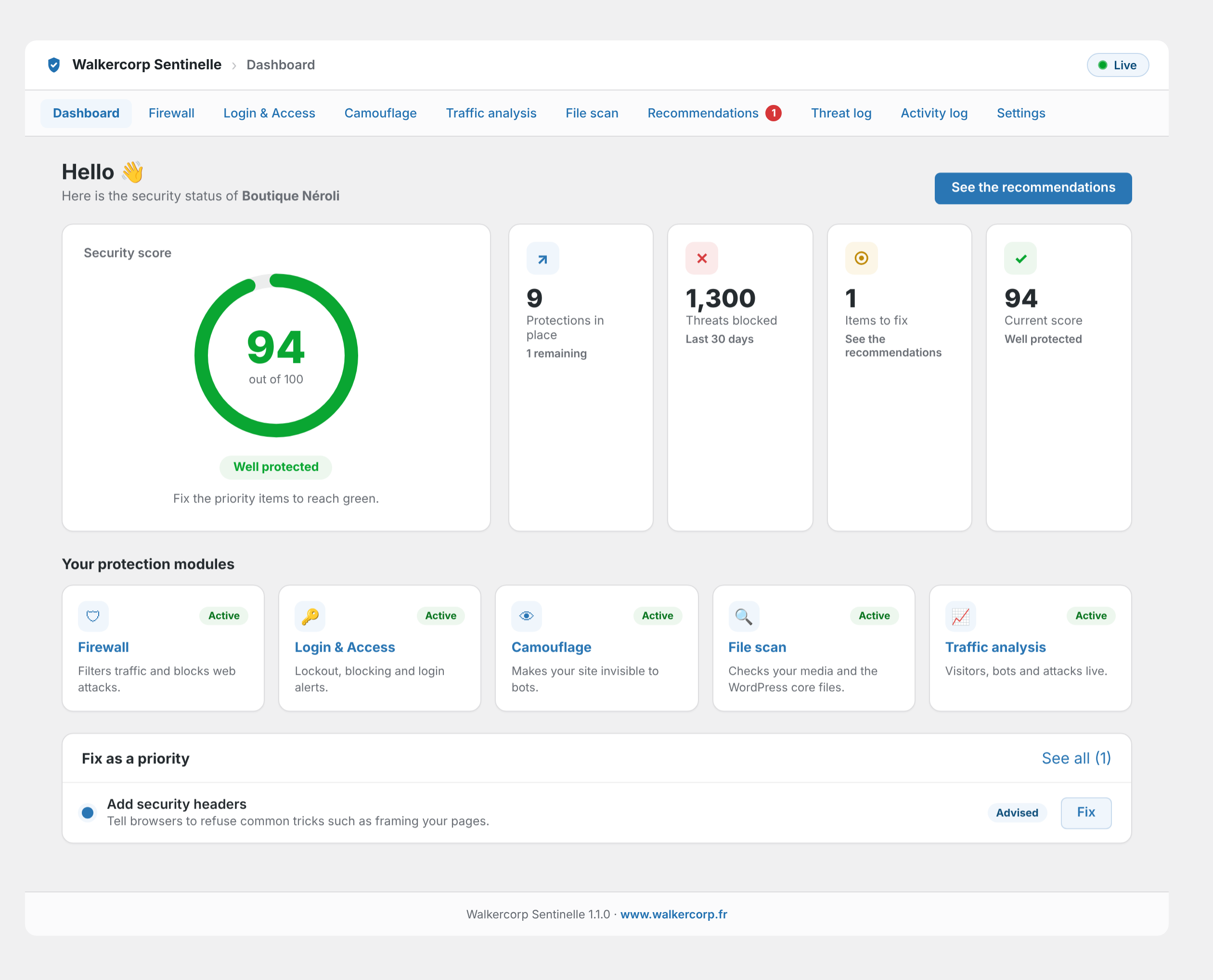
Dashboard: your security score, based on real checks, and your protection modules at a glance.
Walkercorp Sentinelle is a free, lightweight WordPress security plugin for site owners who are not developers. It brings together what usually takes several plugins: a firewall, a custom login URL to hide wp-login.php, an activity log (audit log) of what your team does, limits on login attempts against brute force attacks, and a malware scan of your uploads. Every protection is explained in plain language, the plugin works on its own with no account, and every indicator it shows is checked on your site.
Hide login: change the login URL
Move your login page from wp-login.php to an address only you know (for example yoursite.com/private-access-x7k2p). Bots that hammer wp-login.php and /wp-admin get your theme’s “page not found” error instead, which stops most brute force attacks before they start.
- The new address is shown on screen and sent to you by email, so you cannot lose it.
- Password reset, registration, logout and WooCommerce My Account keep working.
- Password-protected pages keep working.
- A safety line for wp-config.php restores wp-login.php if you ever need it.
Activity log: who did what, and when
A clear audit log of user activity, stored only in your own database:
- Logins, logouts, failed logins on real accounts and password resets.
- Users created or deleted, role changes, email and password changes, application passwords.
- Plugins and themes installed, updated, activated, deactivated or deleted, and WordPress updates.
- Content published, moved to the trash, restored or deleted (posts, pages, products).
- Important settings: site address, admin email, “Anyone can register”, default role, search engine visibility.
- WooCommerce: orders trashed or deleted, refunds, changes to payment settings.
Filter by type, user or keyword, show sensitive changes only, and export to CSV. You choose how long events are kept (30 days by default). An email alert warns you at once when a new administrator appears or when the default role is set to Administrator.
Firewall and bot protection
Basic filtering of known attack patterns (SQL injection, XSS, directory traversal) in addresses, forms and API requests, rate limiting per address and per network, blocking of vulnerability scanners and aggressive crawlers (Baidu, Bytespider, SEO and AI bots), anti-crawl protection for shop filter URLs, automatic banning of scanners, IP allow and deny lists (IPv4 and IPv6), and XML-RPC protection. On Apache or LiteSpeed, rules can also be written into the .htaccess file to block before PHP runs; ready-to-copy rules are provided for Nginx and Cloudflare.
Login security: limit login attempts
Limits login attempts per address and per account, refuses attempts on common usernames that do not exist, hides login error details, alerts you when a team member logs in from a new IP address, and can shorten sessions.
Malware scan and file integrity
Checks the uploads folder for hidden PHP code and dangerous server configuration files, and compares WordPress core files with the official checksums. Files created by known plugins (such as Linguise translation cache) are recognized, and you can mark a file or a plugin folder as safe in one click.
Everything else
- Security score and recommendations: each point is a real check (PHP security patches, pending updates, HTTPS, obvious administrator usernames, debug mode, active protections), with step-by-step instructions and a one-click “Enable” button when the plugin can fix it.
- PHP vulnerability check: warns you on the dashboard, in Site Health and by email when your server’s PHP version is exposed to a critical, actively exploited flaw (such as PHP2Shell, CVE-2026-109618 and CVE-2026-109619), and gives you a ready-to-send message for your host.
- Camouflage: hides the WordPress version (without breaking cache refresh), adds security headers, blocks user enumeration, disables the file editor, and can hide the REST API from visitors while keeping forms and checkout working.
- Admin toolbar shortcut: a shield in the top toolbar shows your security status at a glance (green, orange or red), with urgent items and quick links. Visible to administrators only, and can be hidden in Settings.
- Email notifications without the noise: an alert only when you need to act (suspicious files, urgent PHP update, new administrator), and a weekly report that shows what was attempted in the most serious blocked attacks. Per-attack emails can be turned on if you want them.
- Traffic analysis, threat log and a security summary widget on the dashboard.
- Available in 24 languages.
Anti-lockout safeguards: your team (accounts that can write content) is never filtered, the address of an administrator who just logged in is never banned automatically for 24 hours, and the plugin refuses to block your own IP address.
External services
The file scan’s “WordPress core integrity” check (enabled by default, can be turned off on the File scan page) calls the official WordPress.org checksums API (api.wordpress.org/core/checksums) through WordPress’s own get_core_checksums() function. It sends only your WordPress version and language, when a scan runs (nightly or on demand). See the WordPress.org privacy policy.
No other external service is contacted. The small “?” link next to an IP address in Traffic analysis opens a public IP information page (infobyip.com) in a new tab, only when you click it.
Privacy
For the security log and traffic analysis, the plugin stores the IP address, browser identifier, requested page and, when provided by your host or CDN, the country of visitors and blocked requests, locally in your own database, as well as the last 20 IP addresses used to log in to each account. When the activity log is on, the actions of logged-in users are recorded with their username and IP address. This data stays on your site and is never sent to any third party. The live view keeps the latest 500 visits, the threat log keeps 60 days at most and the activity log keeps events for the period you choose (30 days by default). A suggested text is added to Settings, Privacy. Enable the data-erase option before deleting the plugin to remove all its tables, settings and temporary data.