


Voidek Employee Portal
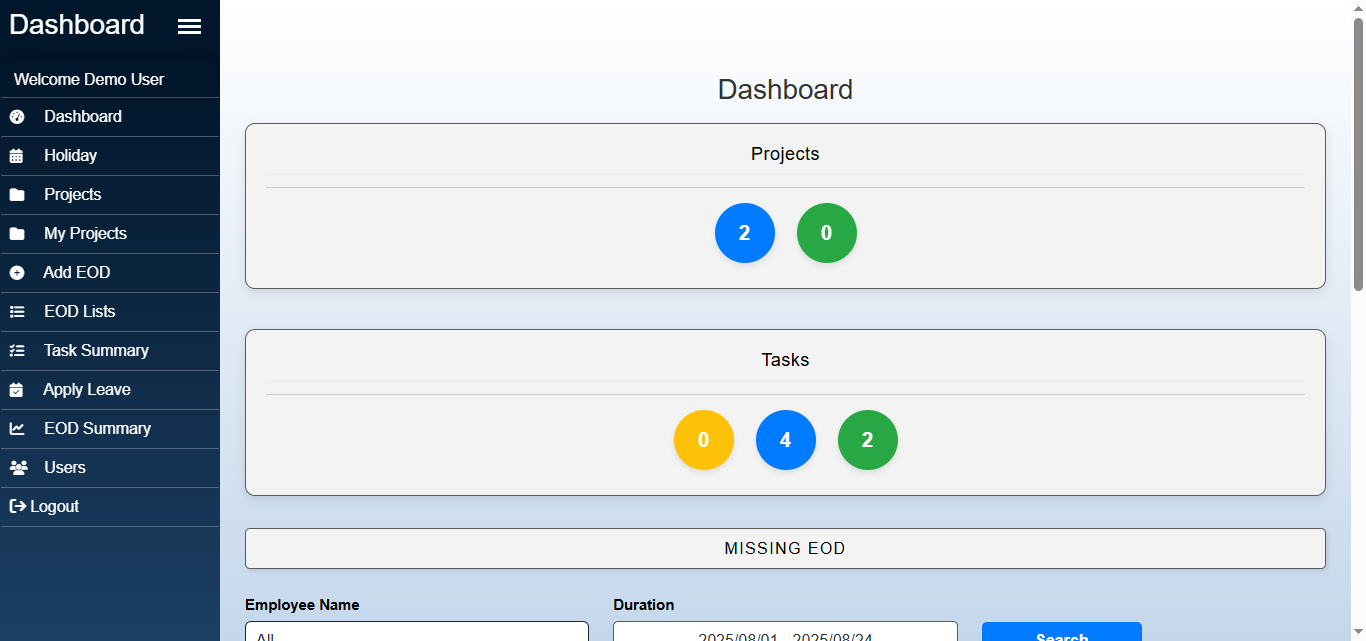
Dashboard Overview
Voidek Employee Portal is a powerful and customizable plugin designed to give employees a full-featured interface in the frontend of your WordPress site. Ideal for internal portals or company intranets, this plugin supports task tracking, EOD (End of Day) reports, and leave applications — all from a user-friendly frontend interface.
Features include:
- Frontend Dashboard for employees
- Role-based access: Admins see backend, users see frontend
- Task assignment and tracking
- EOD reporting with filters and summaries
- Leave applications and approval tracking
- Fully AJAX-powered, responsive interface
- Secure role-based redirection and access
Roles and Permissions
Admin
– Full access to backend
– Can create Manager and Employee users
– Can manage all projects, tasks, EODs, and leaves
– Does not use the frontend dashboard
Manager
– Accesses the frontend dashboard
– Can add Employee users from the frontend
– Can create, edit, and assign projects
– Can assign and track tasks
– Can view and approve team EOD reports
– Can view calendar events, team leave data, anniversaries, and birthdays
– Cannot access the backend admin area
Employee
– Accesses the frontend dashboard
– Can manage their own tasks
– Can submit daily EOD reports
– Can apply for and view leave requests
– Can view assigned projects, tasks, and leaves
– Cannot add other users
– Cannot create new projects
Common to All Roles (Admin, Manager, Employee)
– Can create and work on Tasks
– Can submit EODs (End of Day reports) for each task
– Can view Task Summary
– Can view EOD List and EOD Summary
– Can apply for and view Leave Requests
Source Code
This plugin bundles the following third-party libraries (all MIT licensed):
- Bootstrap 5 (CSS/JS)
- DataTables & Buttons Extension
- SweetAlert2
- Date Range Picker
- jQuery UI + Timepicker Addon
- Font Awesome
- JSZip
All files are included unmodified in the /assets/ folder.
Original sources and licenses are available on their respective official repositories/CDNs.