

Visigate – Conditional Content & Visibility Rules

The visual rule builder: AND/OR condition groups with a plain-English summary and a ready-to-use shortcode.
Visigate lets you decide who sees which content on your WordPress site, and when. Build a rule once, then apply it to any block, any Elementor element, or any content wrapped in a shortcode.
Rules run on your server before the page is sent. Hidden blocks are never rendered, so their content isn’t sitting in the page source, and Visigate loads no CSS or JavaScript on the front end.
What you can do with it
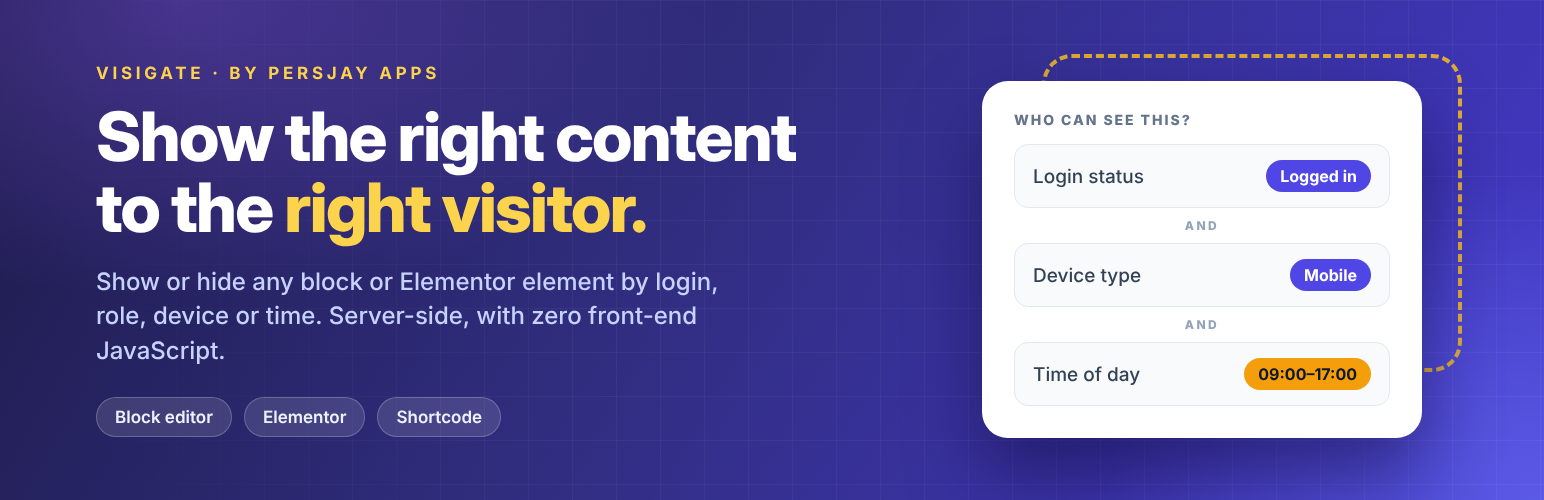
- Show an offer only to logged-in customers on mobile
- Run a promotion on weekends or between two dates
- Display a phone number or chat prompt during business hours
- Welcome members whose accounts are less than 7 days old
- Hide a sign-up prompt from people who are already logged in
- Show a private note or download link to selected user accounts
- Display a promotion only on a chosen post type, or only on archive pages
Key features
- Visual rule builder: combine conditions without code. Conditions in a group must all match (AND), and any matching group is enough (OR).
- Plain-English summaries: every rule set describes itself, so you can check its logic at a glance.
- Reusable rule sets: build a rule once and use it across your site. Edit it in one place and every use updates.
- Duplicate rule sets: use Duplicate in the Rule Sets list to copy the visibility rules into a new draft that you can edit independently.
- Block editor support: add a Visibility Rules panel to every block, using a saved rule set or custom rules for that block.
- Elementor support: apply a saved rule set or build custom rules for classic widgets and containers, plus atomic widgets and layouts.
- Shortcode and PHP helper: use rules with other page builders, in classic content, or in theme templates.
- Menu item visibility: use a saved rule set or custom conditions on any classic menu item, such as hiding “Log in” from logged-in users. Navigation block links use the normal Visibility Rules panel.
- Where used: see every page, pattern, template, menu item, widget and Elementor element that uses a rule set, and get a warning before you trash one that is in use.
- View as: preview any page as a logged-out visitor, another role or another device from the admin bar, without logging out.
- Admin preview: reveal hidden content on the live page, faded and outlined in red, to check your rules.
- Cache safety: pages using specific user, device, URL parameter, cookie, referrer, or time rules can be flagged automatically so page cache plugins skip them.
Included conditions
- User: login status, user role, specific users, user capability, account age
- Visitor: device type (desktop, tablet, mobile), URL parameter, cookie, referrer
- Page location: categories and tags (including descendants), specific pages or posts, post type, and page view (singular or archive)
- Time: day of week, time of day, date range
Documentation
For step-by-step guides with screenshots, see the Visigate documentation. It covers rule sets, every condition, the block editor, Elementor, shortcodes, caching and troubleshooting.
Shortcode
Use a saved rule set. Its ID appears in the Shortcode column under Visigate Rule Sets:
[visigate set="12"]Content goes here[/visigate]
Or set the conditions directly. All of them must match:
[visigate logged_in="yes" roles="customer" device="mobile"]Content goes here[/visigate]
Attributes:
set: the ID of a saved rule setlogged_in:yesornoroles: one or more role slugs, separated by commasdevice:desktop,tabletormobile, separated by commashide: set toyesto hide the content when the direct conditions match
For developers
Check a rule set in a theme template:
if ( visigate_visible( 12 ) ) {
    // Show your content.
}
PHP filters: visigate_conditions, visigate_check_condition, visigate_condition_options, visigate_rest_search, visigate_device, visigate_missing_set_visible, visigate_is_pro, visigate_upgrade_url, visigate_hidden_block_output, visigate_hidden_shortcode_output, visigate_brand_name, visigate_base_capability, visigate_user_can_manage, visigate_js_data.
JavaScript filters: visigate.builder.extras, visigate.panel.extras.
Visigate Pro
Visigate is fully usable on its own. Visigate Pro is an optional paid add-on that adds more conditions, including country, ACF/post-meta, user meta and advanced WooCommerce rules, plus fallback content and agency tools. URL parameter, cookie and referrer rules are included in the free plugin.