

VideoWhisper Site Manager for ChatGPT, Claude, Codex

Claude updating WP site pages.
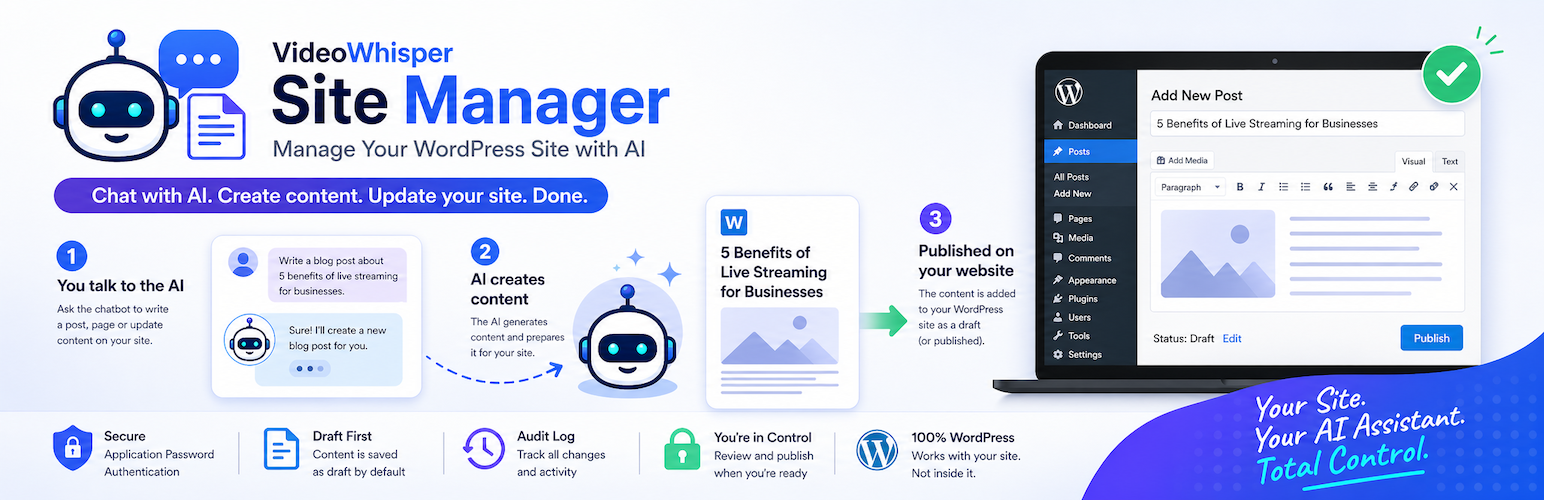
VideoWhisper Site Manager lets you manage WordPress posts and pages through external AI assistants such as ChatGPT (Custom GPT + Actions), Claude (MCP: web, desktop, mobile, CLI), and Codex (MCP) using own account, not API keys.
It exposes authenticated WordPress endpoints and setup guidance while you keep using your own AI account and subscription.
It provides:
- A secure REST layer for content operations (list, read, create, update, revert, reset)
- An MCP (Model Context Protocol) endpoint for Claude.ai, Claude Desktop, Claude CLI, Claude mobile apps, and Codex MCP clients
- A generated OpenAPI schema URL for GPT Actions import
- Guided onboarding with copy/paste values for ChatGPT Builder, Claude connector setup, and Codex MCP setup
- Turnkey OAuth onboarding for shared GPT / shared MCP workflows through a compatible Relay & OAuth Server
- WordPress Application Password onboarding for direct site-owned integrations
- Frontend user connection shortcode support for connected account workflows
- Safety controls: HTTPS enforcement, draft-first behavior, publish gating, read/write rate limiting, write quotas, IP allowlists, audit logs
- Extension points through WordPress hooks for custom authentication, tools, settings, content types, and admin UI additions
The plugin does not call OpenAI, Anthropic, or any AI provider directly. Your WordPress site exposes authenticated endpoints and setup guidance. You connect it to ChatGPT, Claude, or Codex yourself with your own account and subscription.
Ideal for
- Site owners who want to draft, edit, or review WordPress content by chat
- Teams using a dedicated WordPress user (recommended: Editor) for AI-assisted publishing workflows
- Mobile workflows: configure on desktop, use the GPT or Claude connector on phone/tablet
- Developer workflows where Codex can use MCP tools to inspect and update WordPress content
Supported Authentication
The onboarding flow recommends using one authentication option for clarity, but development and migration setups can enable more than one.
- Turnkey OAuth – recommended for most sites. Users connect through a compatible Relay & OAuth Server and can operate one or more connected sites from the same shared GPT or MCP connector.
- Application Passwords – direct WordPress authentication over HTTPS using WordPress core Application Passwords. Best for admin-owned custom GPT/MCP setups where credentials are managed by the site operator.
- Extension-provided authentication – developers can add custom OAuth, token validation, alternate connector metadata, or other authentication flows with the hooks listed below.
Connecting ChatGPT
- Install and activate VideoWhisper Site Manager.
- Open VideoWhisper Site Manager > Onboarding.
- Create (or link) a dedicated WordPress user (recommended role: Editor).
- Choose Turnkey OAuth for a shared GPT workflow, or create an Application Password from the onboarding page for a direct site-owned GPT.
- In ChatGPT Builder (desktop), create a Custom GPT and import the plugin OpenAPI schema URL.
- Use the provided copy/paste values for Configure, Actions, authentication, and privacy policy fields.
- Test on desktop, then use the same GPT on mobile.
Connecting Claude (MCP)
The free plugin includes an MCP endpoint at /wp-json/videowhisper-site-manager/v1/mcp.
Claude.ai (web):
- Go to
claude.ai/customize/connectors. - Click the + button in the Connectors sidebar Add custom connector.
- Set a name and paste the MCP endpoint URL.
- Authorize via Turnkey OAuth when connected to a compatible Relay & OAuth Server, or use an Application Password for direct setup.
- The connector also works in the Claude mobile apps (iOS and Android) and desktop once authorized.
Claude CLI:
claude mcp add –transport http “YourSiteName” “https://yoursite.com/wp-json/videowhisper-site-manager/v1/mcp”
Automatic OAuth authorization requires a compatible Relay & OAuth Server. Without that connection, use WordPress Application Passwords over HTTPS.
Connecting Codex (MCP)
The onboarding flow includes Codex setup values for both direct and Turnkey MCP architectures. Codex can connect to the same Streamable HTTP MCP endpoint at /wp-json/videowhisper-site-manager/v1/mcp.
- Open VideoWhisper Site Manager > Onboarding and enable Codex in the AI Tools selection step.
- Choose Turnkey OAuth for shared relay access, or Application Passwords for direct site-owned MCP access.
- Copy the generated Codex
config.tomlblock or OAuth login command from the Codex onboarding tab. - Restart or reload Codex MCP settings, then use
/mcpin Codex to confirm the WordPress MCP server is active.
Features
- MCP endpoint for Claude.ai, Claude Desktop, Claude CLI, Claude mobile apps, and Codex — implements MCP Streamable HTTP transport (protocol 2025-03-26)
- ChatGPT / GPT Actions integration via generated OpenAPI schema URL (
/wp-json/videowhisper-site-manager/v1/openapi) - Dynamic agent guide at
/wp-json/videowhisper-site-manager/v1/agent-guidewith Markdown by default and JSON via?format=json; MCP also exposes guide resources for MCP-aware clients - Shared AI action registry keeps MCP tools and OpenAPI schemas aligned for ChatGPT, Claude, and Codex integrations; extra OpenAPI actions are grouped by module with an
actionsubaction field to stay under GPT operation limits - GPT Actions onboarding aligned with current auth UI, including Application Password and Turnkey OAuth setup paths
- One-click Application Password creation for the dedicated operator user (plaintext shown once, not stored long-term)
- Guided onboarding with copyable values for:
- GPT Name, Description, Instructions, Conversation Starters
- MCP endpoint URL, Claude connector setup instructions (Claude.ai, Desktop, CLI), and Codex MCP configuration snippets
- Action authentication values, Schema URL, Privacy Policy URL
curlexamples and credential samples
- Authentication options:
Turnkey OAuthfor shared GPT / shared MCP workflows through a compatible Relay & OAuth ServerApplication Passwordsfor direct site-owned admin integrations- hook-based extension points for additional authentication methods
- REST endpoints for listing, reading, creating, and updating WordPress posts/pages
- Context endpoint for site and content context used by MCP tools
- Content revert/reset helpers backed by revision snapshots
dry_runsupport for safer create/update previews before writing- Draft-first workflow and optional publish permission (
Allow publish) - HTTPS enforcement for plugin endpoints by default (with dev-only HTTP override setting)
- Per-user rate limiting with separate defaults for read traffic (10/minute), write actions (5/minute), and hourly write quotas (30/hour)
- FansPaysite support for frontend shortcode styling and dark/light mode when the FansPaysite theme is active
- IP allowlists for Application Password and Turnkey OAuth traffic
- External OAuth URL hardening (HTTPS-only with external-host validation)
- Configurable short cache TTL for external bearer-token validation (default: 10s)
- Categories and tags support
- Generic SEO metadata fields (plugin-owned keys)
- Audit logging endpoint for administrators
- Settings endpoint for administrators
- Public protected resource metadata for OAuth-aware clients
- Provider Terms of Use and Privacy Policy links when supplied by connected services
- User connection shortcode (
[vwsm_user_connect]) for account-based connection flows - Admin notices and onboarding reminders for incomplete setup
- Recommended GPT/Claude/Codex capabilities guidance
Current AI Actions and Tools
The shared registry exposes the same capabilities to ChatGPT Actions, Claude MCP, and Codex MCP when settings and user permissions allow them. OpenAPI may group extra actions by module; MCP lists the individual tool names.
Core tools: get_site_context, list_content, get_content, get_logs, create_content, update_content.
Conditional core tools: revert_action, reset_action when log state tools are enabled.
Plugin integration tools: get_site_context includes brief permission-aware available_integrations metadata, while plugins_list lists compatible plugins, agent instructions, whitelisted option documentation, and plugin-specific tools visible to the authenticated user. Other plugins can register free or paid add-on tools with vwsm_ai_plugin_integrations; Site Manager exposes registered tools automatically through MCP, the dynamic agent guide, and grouped OpenAPI /actions/{module} paths.
Agent documentation: /wp-json/videowhisper-site-manager/v1/agent-guide, /wp-json/videowhisper-site-manager/v1/agent-guide?surface=mcp, /wp-json/videowhisper-site-manager/v1/agent-guide?surface=actions, and /wp-json/videowhisper-site-manager/v1/agent-guide?format=json.
Extension Hooks
Developers can extend this plugin without editing core files. Common hooks include:
- Settings and admin UI:
vwsm_settings_defaults,vwsm_settings_normalized,vwsm_admin_settings_save,vwsm_rest_settings_payload,vwsm_settings_tab_label,vwsm_settings_form_publishing_rows,vwsm_settings_form_security_rows,vwsm_settings_form_rate_limits_rows,vwsm_settings_form_logs_revisions_rows,vwsm_settings_form_turnkey_oauth_rows,vwsm_settings_form_authentication_rows,vwsm_settings_form_application_passwords_rows,vwsm_settings_form_content_rows,vwsm_settings_form_admin_rows,vwsm_settings_form_attachments_rows,vwsm_settings_form_fomantic_rows,vwsm_settings_form_after_core_rows,vwsm_auth_methods_section. - Authentication and OAuth metadata:
vwsm_oauth_server_url,vwsm_authorization_server_url,vwsm_rest_401_headers,vwsm_external_oauth_onboarding_urls,vwsm_onboarding_oauth_tab_content,vwsm_handle_external_register_gpt. - OpenAPI, MCP, and tools:
vwsm_ai_actions,vwsm_ai_plugin_integrations,vwsm_ai_plugin_option_integrations,vwsm_ai_plugin_action_dispatch,vwsm_ai_action_native_openapi_tools,vwsm_mcp_server_name,vwsm_mcp_extra_tools,vwsm_mcp_dispatch_tool,vwsm_mcp_site_context,vwsm_openapi_components,vwsm_openapi_document,vwsm_write_rate_limit_mcp_tools. - Content and sanitization:
vwsm_allowed_content_types,vwsm_revision_limit,vwsm_revision_gradient,vwsm_supported_extra_allowed_html_tags,vwsm_allow_extra_allowed_html_tags. - User connection workflows:
vwsm_user_connect_handle_post,vwsm_user_connect_after_sections,vwsm_user_connect_tools_data,vwsm_user_connect_gpt_url. - Operator and environment behavior:
vwsm_default_operator_username,vwsm_use_current_user_mode.
Disclaimer
This plugin provides infrastructure for operating a WordPress site with external AI chatbots and agents. The site owner is solely responsible for the actions enabled through this functionality, including content created or changed by AI tools, credentials and access tokens, backups, privacy compliance, and any publishing or policy consequences.
AI-generated content can be inaccurate, defamatory, plagiarized, non-compliant, or otherwise unsuitable for publication. Review AI output and tool activity before publishing. Keep publishing disabled unless you fully understand and accept the risk.
Use HTTPS, protect Application Passwords and OAuth credentials, restrict access where possible, monitor logs, and maintain independent backups. Use at your own risk.
Privacy
This plugin stores the following data on your WordPress site:
- Plugin settings in WordPress options (for example: publish, rate limit, HTTPS, IP allowlist, authentication, and provider URL settings)
- Audit log entries in a custom database table (
*_vwsm_audit_logs) - Optional dedicated operator user ID reference in WordPress options (when using onboarding helper)
- Short-lived transient for one-time Application Password display after creation (plaintext is not stored long-term)
- Short-lived transient cache for external bearer-token validation, when Turnkey OAuth is used
- Optional connected service account tokens, site keys, server URLs, and provider policy links used for remote account and Turnkey OAuth workflows
Audit logs may include (depending on settings):
- Authenticated WordPress user ID
- Request route and method
- Sanitized request/response summaries
- Timestamp and IP address
This plugin does not send data to third-party AI services by itself.
This plugin does not include telemetry/analytics tracking by default.
Site owners are responsible for:
- Securing the site with HTTPS
- Managing WordPress users and Application Passwords
- Configuring GPT sharing safely (recommended: Only Me)
- Reviewing the privacy implications of any external AI service connected to the site’s API
External services
This plugin can optionally connect to external services only when an administrator chooses a workflow that uses them, mainly as relay for multi site management. The default external services listed below are provided for free registration-based onboarding and multi site relay functionality. They do not require payment to use with the free plugin. Site administrators can also configure another compatible third-party Relay & OAuth Server URL or add custom services through the documented WordPress hooks.
Promptaur Relay & OAuth Server
Default service URL: https://server.promptaur.com
This service is used for optional multi-site relay routing (manage multiple sites from same session), shared Turnkey OAuth, shared GPT/shared MCP onboarding, and bearer-token validation on this type of setup. It makes setup simpler by allowing users to connect through one shared OAuth login and, when enabled by the service, use pre-existing shared GPT or MCP connector configuration instead of creating their own.
Data sent to this service:
- When registering a site: the WordPress site URL, site name, and optional account or server registration token entered/configured by the administrator.
- When registering a GPT/OAuth client: the site key, site secret, client name, and GPT callback URL supplied in onboarding.
- When validating OAuth bearer tokens: the bearer access token plus the site’s registered site key and site secret. The plugin caches validation briefly according to the configured token cache TTL.
- When loading Turnkey configuration, status, disconnect, or user connection data: the site key, site secret, and the specific account/site/user connection values needed for that request.
Terms of Use: https://server.promptaur.com/terms-of-use/
Privacy Policy: https://server.promptaur.com/privacy-policy/
VideoWhisper Remote Connect
Default service URL: https://consult.videowhisper.com
This optional onboarding service is used by the VideoWhisper Remote Connect wizard to register or log in a contact, import connection settings, and simplify account/site setup for multi-site relay server. It is a free registration-based service used to improve onboarding; it is not required for direct Application Password setup.
Data sent to this service from the onboarding page:
- The client plugin identifier, WordPress site URL, and normalized site domain.
- Registration/login details entered by the administrator, such as name, email address, PIN/confirmation code, website/domain, and form fields returned by the service configuration.
- Remote account tokens returned by the service when the administrator chooses to import settings or push the current site URL/account state.
Terms of Use: https://consult.videowhisper.com/terms-of-use/
Privacy Policy: https://consult.videowhisper.com/privacy-policy/