


Video Gallery Block – showcase your videos in a filterable gallery
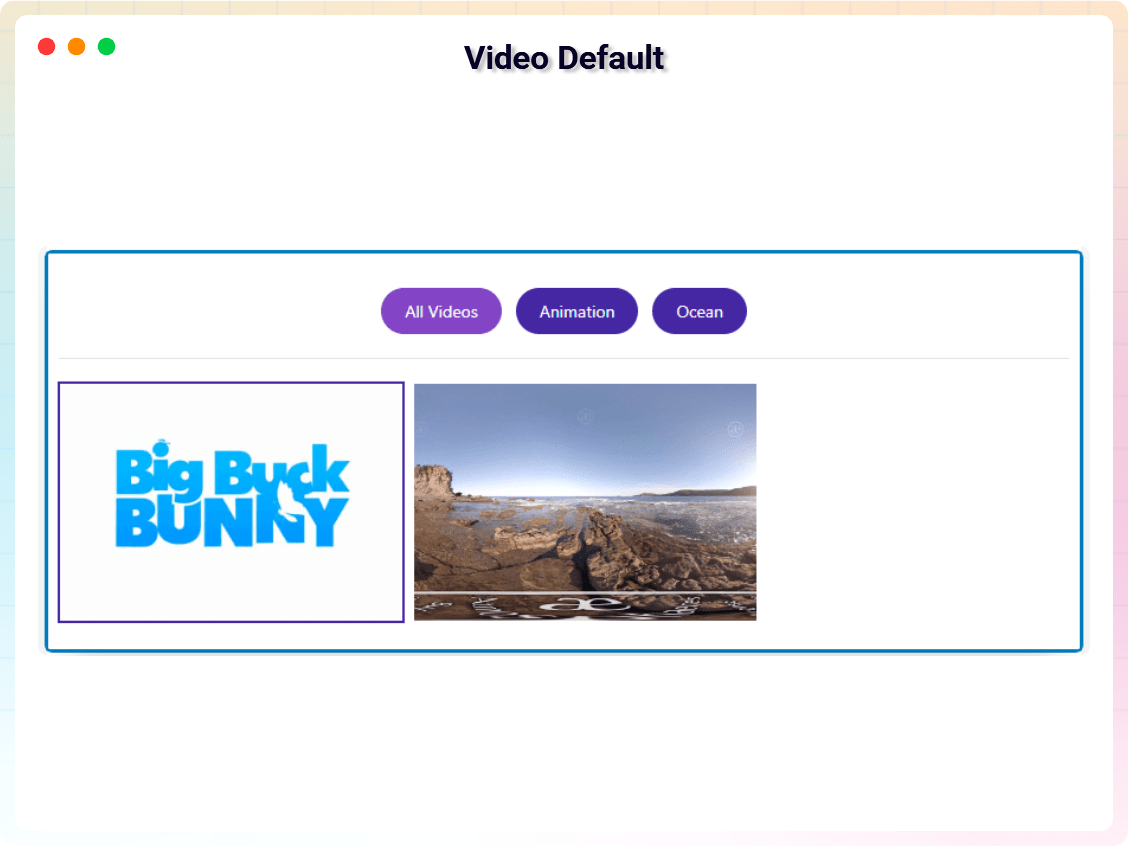
Responsive Video Gallery Layout
Turn scattered YouTube and Vimeo videos into a beautiful, filterable gallery your visitors can browse and play in a lightbox – no code required.
Video Gallery Block | Pricing | Support | Demo
Why Video Gallery Block?
Video Gallery Block is a lightweight WordPress video gallery plugin that lets you create responsive video galleries, YouTube galleries, Vimeo galleries, and video collections directly inside the Gutenberg block editor.
Organize videos into albums, let visitors filter by category, and play everything in an elegant lightbox popup. Thumbnails are generated automatically (or upload your own poster images), captions keep every video labeled, and scripts load only when the block is used so your site stays fast.
The Pro version adds self-hosted HTML5 and Wistia sources plus advanced layouts like sliders, carousels, masonry grids, and playlist galleries – ideal for video portfolios, product galleries, training libraries, and course videos.
Free Features
- Responsive Video Gallery Block: Clean grid layouts that automatically adapt to desktop, tablet, and mobile screens.
- Album & Filter System: Organize videos into albums and let visitors filter by category.
- Responsive Column Layouts: Set different column numbers for desktop, tablet, and mobile.
- Multiple Video Sources: Add videos from YouTube and Vimeo (Wistia & self-hosted HTML5 supported in Pro).
- Custom Styling Controls: Adjust spacing, padding, borders, backgrounds, and shadows from the block settings.
- Automatic or Custom Thumbnails: Auto-generate thumbnails or upload custom poster images.
- Video Captions: Add captions or titles to each video in the gallery.
- Lightbox Video Popup: Play videos in an elegant popup lightbox.
- Bulk Import: Paste a list of video links, one per line, and the gallery fills itself in — titles and posters come from YouTube and Vimeo automatically, with no API key to set up.
- Thumbnail Shape: Lay tiles out as 16:9, 4:3, 1:1 or 9:16 for vertical Shorts and Reels, instead of a fixed pixel height.
- Video SEO Markup (free): Every video is described to Google and AI search with Schema.org
VideoObjectJSON-LD, so your gallery can appear as a video result. Comparable plugins sell this as a premium add-on. - Ready-Made Section Patterns: Five fully configured patterns in the inserter — Video gallery with album filters, Course video library, Product demo showcase, Customer video stories, and Portfolio showreel wall — so you start from a finished layout, not a blank block.
- Show / Hide Filter Bar: A dedicated toggle to show or hide the album filter buttons.
- Cached Thumbnails: YouTube and Vimeo thumbnails are downloaded into your Media Library once and served from your own site after that — no third-party request on every page view, and no more thumbnails that go missing when a provider reshuffles its sizes.
- Load More Pagination: Set how many videos show at first; a Load More button reveals the rest, so a large gallery doesn’t overwhelm the page on first paint.
- YouTube Shorts Filter: Show every video, hide Shorts, or show only Shorts — detected from the link itself, no API key needed.
- Play Icon on Thumbnails: A play icon over every tile, so it reads as a video before anyone hovers or clicks — color, size, and the hover zoom are all customizable, or turn it off entirely.
- Item Border & Shadow: Round the corners and add a drop shadow to each thumbnail tile, independent of the gallery container’s own border and shadow.
- Server-Side Rendered: The gallery is built on the server, so search engines and visitors see it instantly — even on sites that delay JavaScript (WP Rocket, LiteSpeed, Perfmatters).
- Optimized Script Loading: Scripts load only when the block is used, keeping your site fast.
- Translation Ready: Fully compatible with multilingual websites.
- Sort Order: Show videos in the order you added them, or automatically sort by Newest First / Oldest First — no need to re-order videos by hand after a Bulk Import.
- Row Alignment: Control how a leftover row (one that doesn’t fill every column) lines up — left, center, or right — instead of it always being stretched or left stranded on one side.
- Per-Device Column & Row Gap: Set the spacing between tiles separately for desktop, tablet, and mobile, the same way column counts already work per device.
- Facebook Video Support: Add Facebook videos to the gallery alongside YouTube and Vimeo, using Facebook’s public embed — no app or API key required.
- GDPR Consent-Gated Embeds: Optionally require a visitor’s consent before any YouTube, Vimeo, or Facebook player loads, so the gallery doesn’t set third-party cookies until someone agrees to watch.
- Google Analytics 4 Video Tracking: Send a
video_startevent (with title, provider, and URL) towindow.dataLayerwhenever a visitor plays a video — works with GA4 or Google Tag Manager already on the site, nothing extra to configure.
Pro Version
Video Gallery Block Pro extends the plugin with additional Gutenberg video blocks and advanced gallery layouts.
Pro features include:
- 31 Premium Video Blocks: Video Slider, Carousel, Playlist Gallery, Masonry Video Grid, Lightbox Video Gallery, Parallax Row Video Gallery, Slider Autoplay Video, Video Testimonial Section, Video Podcast Episodes, Video Stories, Video Shorts Reel, Video Showcase Wall, Video Curriculum Accordion, Video Hotspot Scene, Video Tabs Gallery, Video Scrollytelling Showcase, Video Timeline Gallery, Video Bento Grid, Video Comparison Gallery, Video Justified Gallery, Video Expanding Panels, Video Wall with Floating Player (PiP), Video Swipe Deck, Video Marquee Wall, Video Flip Cards Gallery, Video Map Gallery, Video Property Tour Gallery, Video Workout Planner, Video Wedding Story Gallery, Video Menu Showcase, and Video Feature Tour.
- Masonry & Mixed Ratio Layouts: Dynamic masonry galleries and mixed aspect ratio grids.
- Video Sliders & Carousels: Interactive sliders with autoplay and navigation controls.
- Playlist Video Gallery: Organized playlists with navigation and sequential playback.
- Parallax Video Sections: Background video sections with parallax scrolling effects.
- Advanced Typography & Overlays: Customize titles, captions, and overlay effects per video.
- Custom Navigation & Player Controls: Control slider navigation, autoplay, and player interactions.
- WooCommerce Video Product Carousel: Show product videos in carousel layouts for WooCommerce stores.
- Priority Support: Faster assistance and updates.
Try the Video Gallery Block – Unlock all premium features now!
How to Use
- Open any page or post in the WordPress block editor (Gutenberg).
- Click the + (Add Block) button and search for Video Gallery Block, then insert it.
- Add video URLs from YouTube or Vimeo in the block settings panel.
- Create albums for filtering, adjust columns and layout, and customize styling; enable or disable filter buttons.
- Preview the page on different devices, then publish.
Using Premium Blocks: The Pro blocks (Video Slider, Parallax Row and the rest) come with the Pro plugin — install and activate it and they appear in the inserter alongside the free block. To see what they do first, use the Check Pro Version button in the block toolbar, or browse the live demos.
Live Demo | Get Video Gallery Block PRO
Use Cases
- Video Portfolios: Present your creative work in filterable galleries.
- Product Video Galleries: Showcase demos and product videos, including WooCommerce carousels (Pro).
- YouTube & Vimeo Collections: Curate channel content into organized albums.
- Training Libraries & Courses: Group lessons into albums, playlists, and curriculum accordions (Pro).
- Blog Video Galleries: Collect your embedded videos in one browsable place.
Feedback
- Did you like this plugin? Dislike it? Do you have a feature request? Please share your feedback with us
Check Out The Parent Plugin of This Plugin-
B Blocks – A blocks collection and page building tool for Gutenberg.
Related Plugins
Other plugins by our team:
Html5 Video Player – Display videos as single and playlist in multiple skins.
PDF Poster – Display/Embed PDF files with different styles.
Html5 Audio Player – Listen audios with awesome visuals.
StreamCast – Customizable radio player with different skins.
3D Viewer – Embed 3D models and 3D products with interaction.
Advanced Post Block – Show posts and custom posts in different layouts.
Source Code
The non-minified source code for this plugin is available on our public repository:
GitHub Repository
Third-Party Libraries
This plugin uses the following third-party libraries:
- plyr – MIT License (bundled at
public/js/plyr.js, powers the video player UI).
bpl-tools
- Source / GitHub: https://github.com/bPlugins/bpl-tools
- License: GPL-2.0-or-later – https://www.gnu.org/licenses/gpl-2.0.html
- Purpose: Shared utility library providing admin dashboard components and common Gutenberg editor controls.
- External Services: The library may connect to bPlugins, WordPress.org, and Freemius services for product data and checkout functionality. See full details: https://github.com/bPlugins/bpl-tools#external-requests–why-they-are-made
As the external service functionality is handled by bpl-tools as a third-party library, the following services are utilized:
bPlugins API
- Service URL: https://api.bplugins.com
- Purpose: The plugin’s admin dashboard fetches product comparison data and pricing information to display relevant upgrade options and feature details.
- Data Sent: Only the plugin slug is transmitted; no personal or site data is collected.
- Terms of Service: https://bplugins.com/terms-of-service/
- Privacy Policy: https://bplugins.com/privacy-policy/
WordPress.org Plugins API
- Service URL: https://api.wordpress.org/plugins/info/1.2/
- Purpose: The admin dashboard queries the official WordPress.org Plugins API to retrieve and display a curated list of other plugins by the same author (“Our Plugins” section).
- Data Sent: Plugin slugs and author name; no personal or site data is collected.
- Terms of Service: https://wordpress.org/about/tos/
- Privacy Policy: https://wordpress.org/about/privacy/
Freemius API
- Service URL: https://api.freemius.com
- Purpose: Handles license activation, premium feature verification, update checks, and opt-in telemetry for both free and pro versions.
- Data Sent: Site URL, admin email, license keys, and version numbers.
- Terms of Service: https://freemius.com/terms/
- Privacy Policy: https://freemius.com/privacy/
Build Process
This plugin uses a build process to generate the production assets (JS/CSS) located in the build/ directory. The human-readable source code is available in the src/ directory.
To build the plugin from source:
1. Clone the repository: https://github.com/bPlugins/video-gallery-block-free
2. Install dependencies: npm install
3. Run the build command: npm run build
Build Tools Used: Webpack, Babel, PostCSS, Gulp.