
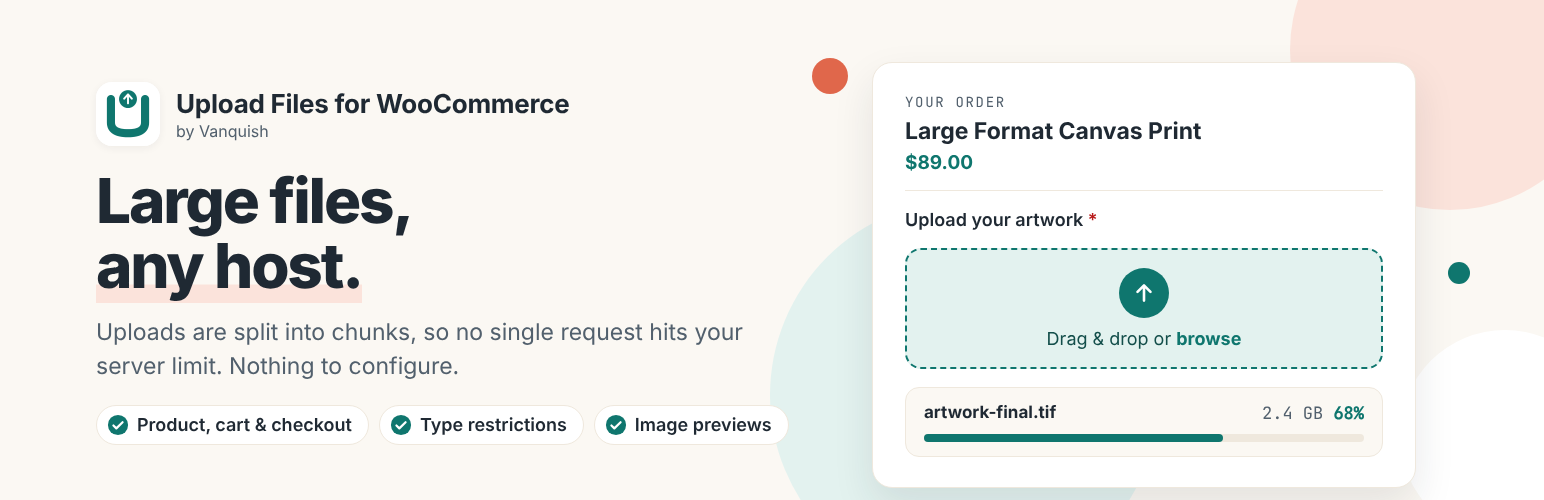

Vanquish Upload Files for WooCommerce
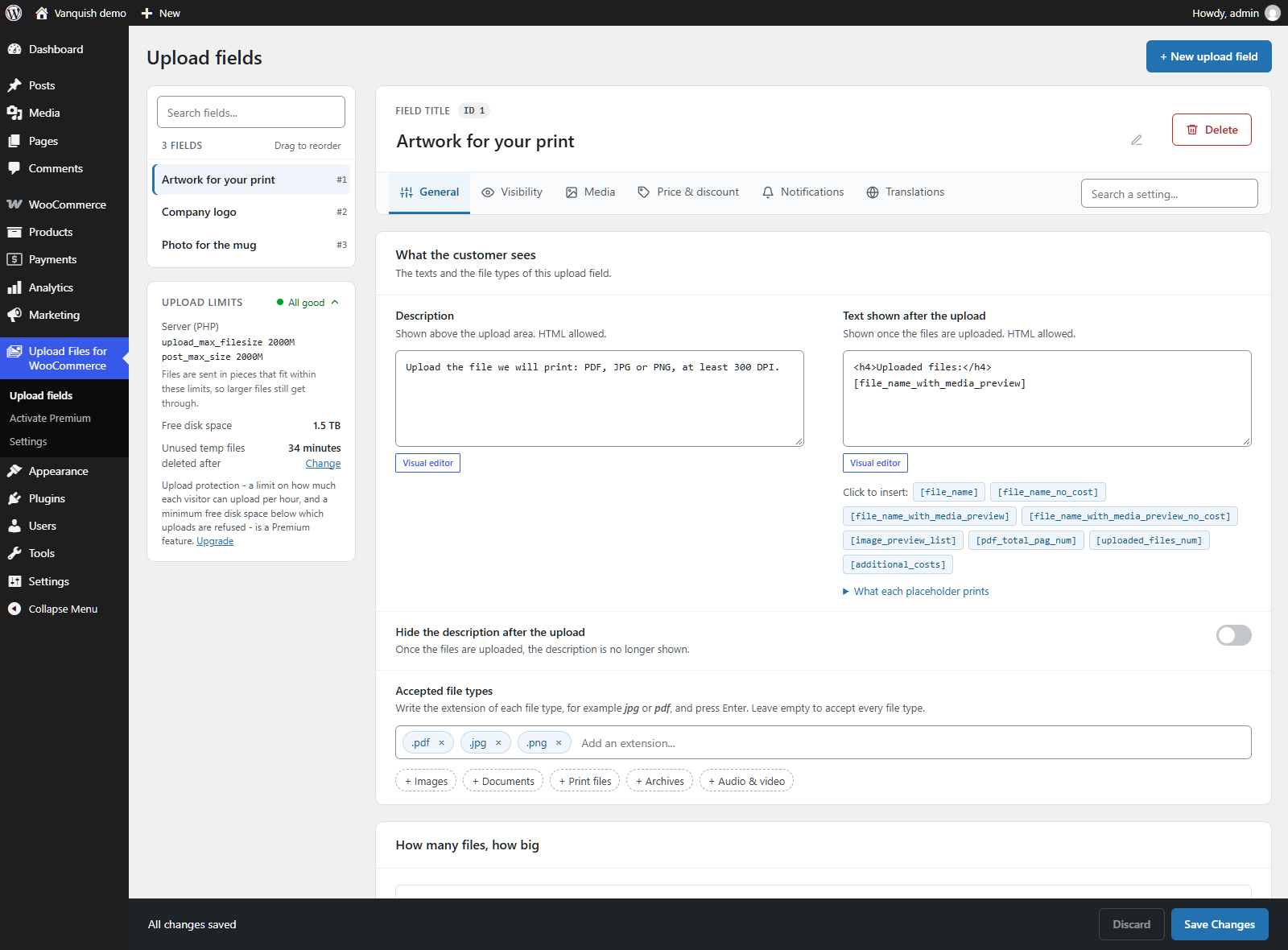
The Upload fields page - create and arrange your upload fields.
Vanquish Upload Files for WooCommerce lets you collect files from your customers — logos, artwork, documents, photos — exactly where you need them: on the product page, in the cart, during checkout, or on the order details page.
Whether you run a print shop, a personalization service, or any store that sells custom products, this plugin makes it effortless for customers to provide the files you need to fulfill their orders, with a clean upload experience and a real-time progress bar.
Large files are handled properly. Every upload is split into chunks and reassembled on the server, so a single request never runs into the size limit your host or CDN enforces — the usual cause of an upload that dies at 90% with no explanation.
Why store owners choose it
- Receive uploads bound to each order — no more chasing files over email.
- Show upload fields exactly where they make sense: product, cart, checkout, order pages.
- Make uploads required so customers can’t order without providing their files.
- Restrict by file type, size and image dimensions.
- Get notified by email the moment a customer uploads a file.
- Fully translatable — upload field texts get a box per language, with or without WPML.
- Handle large files on any host — uploads are split into chunks, so no single request runs into your server’s or your CDN’s size limit.
What’s included for free
- Multiple upload fields per product
- Single file per upload field
- Display on product, cart, checkout and order pages (classic and block-based cart & checkout)
- Individual products — add the same product multiple times with distinct uploads
- Require an upload before add-to-cart or checkout
- File type, size and dimension restrictions
- Accept extra file types for uploads – EPS, AI, CDR and other print formats WordPress refuses by default
- Email notifications for the shop, and the uploaded files in the order emails – one row per file, with a thumbnail and a download link
- Upload progress bar, file delete, and a tile for every uploaded file – its preview or a label of its type – in the upload area, under the cart items and in a summary box
- Light or dark colour scheme for the upload boxes, and your own colours for the upload buttons, to match your theme
- Chunked uploads for large files — with automatic retry on a failed chunk
- Translatable button texts, and a box per language for every upload field text
- Send a proof of an uploaded file with Vanquish Attach Me (its Premium): a button on each file of the order, and the state of the proof next to the file, for you and for your customer
Premium features
The Premium version, distributed separately, adds:
- Multiple files per upload field — let customers attach several files to a single field, and download all the files of a field as one zip when they are kept on your server
- Image crop editor with rotation and aspect-ratio control
- Low print resolution warning — tell customers when a photo has too few pixels for the size it will be printed at
- iPhone photos (HEIC) converted to JPEG in the customer’s browser, so they can be previewed, cropped and checked like any photo
- Compress images – store uploaded photos as lighter JPEG files, compressed and resized to a longest side, to save disk space
- Extra costs & discounts per uploaded file — fixed or percentage
- Per-second (audio/video), per-file-size and per-PDF-page surcharges
- Set the product price based on the number of uploaded files
- Cloud storage: Dropbox, Amazon S3 and Google Drive
- File name pattern – rename uploaded files with the order number, SKU, product name and more
- Upload protection – a per-visitor upload limit and a minimum free disk space, so nobody can fill your server through the upload fields
- Clean up old uploads – delete the files of old orders by age and order status, on request or automatically every night
- Approve / reject uploaded files with customer feedback
- Visibility rules by product, category, tag, brand, user role, order status, payment gateway, shipping method and time
- Show the upload fields from the last order on the My Account dashboard
- Advanced shortcodes to place upload forms anywhere
- Priority support and updates
Screenshots, plans and answers on the plugin’s page: vanquishplugins.com/plugins/upload-files.
External services
This plugin connects to the following third-party services.
Freemius — Used to deliver plugin updates, manage the optional Premium license, and (only if you opt in) collect anonymous usage data to help improve the plugin. Your site URL and basic environment information are sent to Freemius when you activate the plugin, check for updates, or activate/deactivate a license. Provided by Freemius, Inc.
Terms of Service: https://freemius.com/terms/
Privacy Policy: https://freemius.com/privacy/
Cloud storage (Premium only) — The free version stores uploaded files on your own server and uses no external storage. If you enable a cloud storage destination in the Premium version, the files your customers upload are sent to the storage account you configure, and only at the moment an order is created (when the customer reaches the order-received/thank-you page, or uploads files on the thank-you or order details page). Files are never sent before an order exists. Available providers and their policies:
- Dropbox — Terms: https://www.dropbox.com/terms — Privacy: https://www.dropbox.com/privacy
- Amazon S3 (AWS) — Service Terms: https://aws.amazon.com/service-terms/ — Privacy: https://aws.amazon.com/privacy/
- Google Drive — Google APIs Terms: https://developers.google.com/terms — Privacy: https://policies.google.com/privacy
More WooCommerce plugins by Vanquish
- Vanquish Shipping Tracking for WooCommerce – tracking numbers on orders and emails, with 1,600+ carriers and their logos, a direct tracking link and a Track button. No account needed.
- Vanquish Multiple Addresses for WooCommerce – give customers an address book: save multiple billing and shipping addresses and pick one at checkout.
- Vanquish Attach Me – Order & Product Attachments for WooCommerce – attach files to orders and products, show them to the customer and send them with the order emails.
- Vanquish Request a Quote for WooCommerce – a quote list, a request form, quotes you price as orders, and online payment once the quote is accepted. With Upload Files Premium, the files customers upload go with their quote.
- Vanquish Order Approval for WooCommerce – review every order before it goes ahead, and let the customer pay before or after you approve it.