


UltraCache – Cache and Speed Optimization
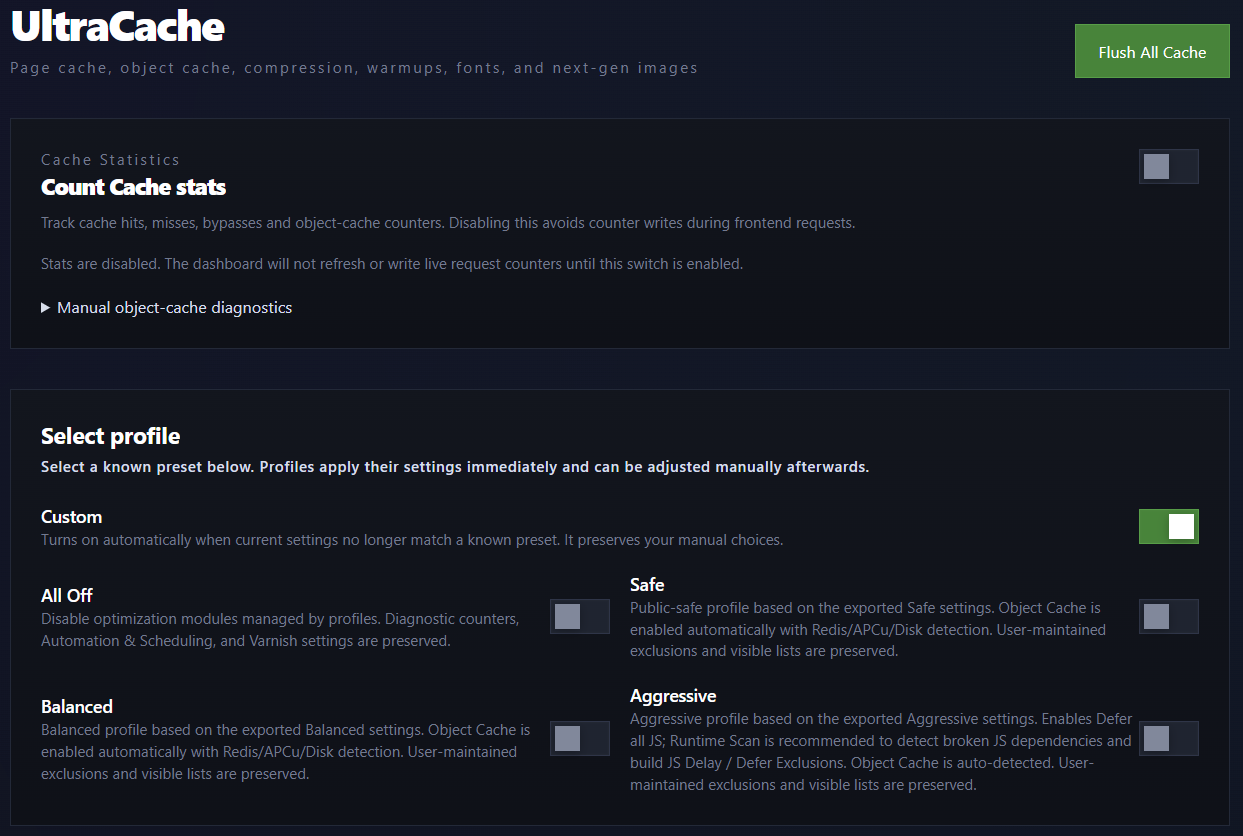
UltraCache dashboard overview.
UltraCache is a WordPress performance plugin for site owners who want fast public page delivery.
It provides WordPress page caching, Redis/APCu/SQLite object caching, AVIF/WebP media tools, CSS/font optimization, smart JavaScript error fixing, warm-up, major Varnish support, image conversion and diagnostics from one dashboard.
Main features
- HTML page cache for eligible anonymous public requests, with Apache Static HTML Delivery on compatible servers.
- Object-cache drop-in with Redis, APCu, SQLite, and Disk backends plus a runtime-only fallback.
- Media Rewrite for AVIF/WebP URLs using a primary output format, fallback format, and shared image compression level.
- Batch media conversion, generation on upload, background generation of missing variants, and opt-in regeneration of existing optimized images.
- Media Library Replacement for promoting verified AVIF/WebP rewrite files into WordPress attachment originals and generated sizes, with Prepare-discovered grouped blocker decisions, metadata, database-reference, and Theme CSS updates.
- Dashboard image conversion comparison tests for reviewing original, WebP, and AVIF output before larger media operations.
- Google Fonts localization and self-hosted font CSS optimization.
- Delayed icon-font loading.
- CSS bundling with visible exclusions and bundle summaries.
- LCP priority with exact manual CSS selectors or timed frontend discovery.
- Lazy image loading, CLS image dimensions.
- Smart JavaScript Error Fixer with browser runtime scans and pasted console-error analysis.
- Scheduled and manual warm-up for the homepage, menu URLs, selected URLs, and full-site queues.
- Varnish and Litespeed pre warm, purge helpers, deterministic HTML-only BAN or entire-host PURGE scope selection.
- Dashboard diagnostics for page cache, object cache, media, CSS, storage, OPcache/APCu, Varnish, and STORE profiles.
Object cache
Recommended backend order:
- Redis
- APCu
- SQLite for persistent local storage on single-server sites
Media Rewrite and image conversion
Media Rewrite changes frontend image URLs to AVIF/WebP variants when those files exist and match the selected output policy. The Image Output Format selects the primary format, the Fallback Format controls the secondary compatible output, and the shared Image compression level is used by AVIF/WebP media optimization, upload generation, and Media Library Replacement.
WebP is the default output for fresh installations. AVIF generation and delivery are enabled only after UltraCache successfully encodes, decodes, and validates both its bundled opaque JPEG and transparent RGBA test images.
Actual media files are generated by batch conversion, generation on upload, or the missing-media queue. Normal frontend requests stay lookup-only and do not encode images. The dashboard also provides a sample conversion comparison and an opt-in Regen. existing control for recompressing already optimized media with the current quality setting.
Media Library Replacement
Media Library Replacement can promote verified UltraCache-generated AVIF/WebP rewrite files into the WordPress Media Library by replacing existing JPG/PNG attachment originals and registered intermediate sizes. Prepare discovers and freezes conversion blockers and destination collisions; Decide Blockers applies one persisted decision per blocker group before Apply is enabled. The workflow then updates attachment metadata and can replace matched media references in current-install WordPress database tables and active parent/child theme CSS files.
CSS, JavaScript, and fonts
UltraCache includes CSS bundling, async CSS controls, JavaScript defer/delay tools, Google Fonts localization, self-hosted font CSS optimization, optional delayed icon-font loading, and an advanced runtime font CSS rewrite switch.
The Smart JavaScript Error Fixer can scan a selected frontend URL for browser runtime errors or analyze console errors pasted by an administrator.
Warm-up and diagnostics
Warm-up tools can build cache for the homepage, menu URLs, selected URLs, or full-site queues.
WP-CLI
UltraCache includes WP-CLI commands for status, purge, warm-up, object-cache flush, media queue work, CSS diagnostics, Google Fonts rebuilds, Varnish helpers, settings, stats, cleanup, and STORE profiles.
Examples:
wp ultracache status --format=jsonwp ultracache purge --allwp ultracache warm_frontpage_html_csswp ultracache media status --media-format=both --format=jsonwp ultracache flush_object_cache
External services
UltraCache does not require an external SaaS account and does not send visitor data to an UltraCache-owned service.
Google Fonts
When Local Google Fonts Optimization is enabled by an administrator, UltraCache may request CSS and font files from Google Fonts in order to build local copies in ultracache/google-fonts/ below the active WordPress uploads directory.
This may contact:
fonts.googleapis.comfonts.gstatic.com
Data sent: the server makes HTTP requests for the configured Google Fonts CSS/font files.
Service provider: Google LLC
Terms: https://policies.google.com/terms
Privacy: https://policies.google.com/privacy
Google Fonts privacy FAQ: https://developers.google.com/fonts/faq/privacy
Optional support and donation links
The dashboard includes optional support/donation links shown only to administrators. If an administrator opens a PayPal link, PayPal receives the normal browser request for that visit.
Service provider: PayPal
Terms: https://www.paypal.com/us/legalhub/paypal/useragreement-full
Privacy: https://www.paypal.com/us/legalhub/paypal/privacy-full
Privacy
UltraCache stores cache files, generated assets, settings, queue records, and diagnostics locally on the WordPress installation.