

Ultimate Security – Vulnerability Scanner, 2FA, and Login Protection

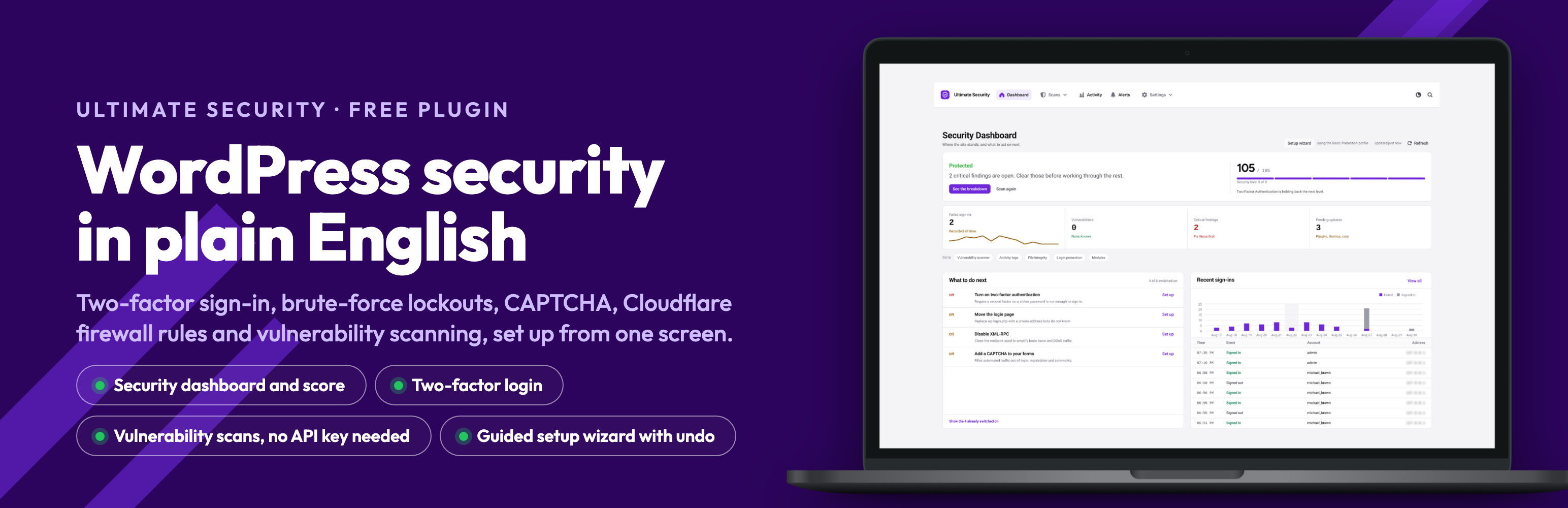
The dashboard gives a plain verdict, a security level out of 5, the next fixes in order, and recent sign-ins. Nothing to decode.
Ultimate Security handles the traffic that actually reaches a WordPress site: automated login attempts, brute-force runs, comment and form spam, and probes at well-known paths. It covers two-factor authentication, login lockouts, CAPTCHA, a movable login URL, session controls, vulnerability scanning, and Cloudflare edge rules — set up from one admin screen, without editing files or writing firewall rules by hand.
There is no usage tracking and nothing phones home. The plugin contacts an outside service only when you switch on a feature that needs one, and each is listed under External Services below. Features that belong to the Pro add-on are labelled as such.
Setup wizard
The first run is a five-step wizard. You answer a few questions about the site, it runs a quick scan, and you pick one of seven starting templates: basic, moderate, strict, agency, blog, membership, or WooCommerce. Before it changes anything it shows you a full diff, and you can undo everything it did later without losing edits you made yourself. It also gives you an emergency access link — keep it somewhere safe, and you can switch the plugin off from a browser if you ever lock yourself out.
Two-factor authentication
- Email one-time codes, no app required, for any user.
- Authenticator apps (TOTP and HOTP) with QR enrolment — Google Authenticator, Authy, Microsoft Authenticator and similar.
- Per-role configuration: pick which roles use email codes and which use an app.
- Rate limiting on code entry, with a configurable attempt limit and lockout.
- Optional 2FA event logging.
- Covers the WordPress, WooCommerce and Ultimate Member login forms, with a separate setting for XML-RPC.
Login access control
- Move
wp-login.phpto a secret URL so bots can’t find it, with a configurable post-login redirect. - Show your own consent or policy text on the login form.
Password policies
- Require a minimum length, mixed case, numbers and special characters, or start from a preset.
- Expiry with advance warning, a grace period, and email notification.
- Password history, so old passwords can’t be reused.
- Force a password change on first login.
- Reject compromised passwords, checked against the Have I Been Pwned range API by k-anonymity — the password itself never leaves the site.
- Optionally turn off self-service password reset and point people at your own process instead.
Brute-force protection
- Limit failed logins and lock offenders out automatically.
- Progressive lockouts, so repeat offenders wait longer each time.
- Configurable retry-reset window, plus a permanent block list.
- A recovery link an administrator can generate for a locked-out user, valid for 15 minutes. For the sole administrator, the emergency deactivation link from the wizard is the way back in.
- Trusted proxies: list your CDN or load balancer so lockouts and logs see real visitor addresses. Cloudflare is recognised automatically, and Site Health tells you when this is needed.
Session management
- Limit concurrent logins per user; block the new login or end the oldest session.
- Idle timeout for inactive sessions.
- HttpOnly, Secure and SameSite flags on auth cookies.
- Optionally bind a session to its IP and/or browser to catch hijacking.
CAPTCHA and spam
- Google reCAPTCHA v2 and v3, with a v3 score threshold, IP and user-agent allowlists, a bypass for logged-in users, and a verification log.
- Cloudflare Turnstile, with theme, size, language and appearance options, deferred loading, custom failure messages, and its own log.
- Both cover the WordPress login, registration, lost-password and comment forms, and the WooCommerce login, registration, lost-password and checkout forms.
- No-conflict mode and provider priority keep two CAPTCHAs off the same form.
- Validate your site and secret keys from the settings page before going live.
- If the provider is unreachable, forms keep working.
Vulnerability scanning
- Scans WordPress core, plugins and themes for known vulnerabilities.
- No API key needed — it uses the keyless WPVulnerability database by default.
- Add a WPScan or Patchstack key for more coverage, with automatic failover between providers.
- Scheduled scans and email alerts, filtered by severity.
- Flags plugins that haven’t been updated in a long time.
- Scan history, run-to-run comparison, and an ignore list for findings you’ve accepted.
- Results show up in Site Health, the dashboard widget, the plugins list, and menu counters.
Cloudflare WAF rules
Connect your own Cloudflare account and manage edge rules from wp-admin.
- Let verified search, monitoring, backup, SEO and social crawlers through.
- Block aggressive crawlers and sensitive WordPress paths.
- Block data-center hosts and TOR exit nodes.
- Challenge large cloud providers and specific countries.
- Challenge VPN traffic and requests to
wp-login.php. - Virtual patches that block requests exploiting known core CVEs at the edge until you can update.
- Preview the generated expressions before deploying, review the live rules on your zone, and read request, threat and bandwidth analytics.
Security keys (salts)
- Rotate the keys and salts in
wp-config.phpon demand or on a schedule — daily, weekly, monthly, quarterly, or twice a year. - Advance notice before a scheduled rotation, so the forced re-login isn’t a surprise.
- Quiet hours, plus pause and skip-next controls.
- Rotation history, with the option to restore a previous set.
Update manager
- Set auto-update policy for core, plugins and themes. Per-plugin and per-theme overrides and the update history are part of Pro.
- Update windows, allowed days, and freeze periods for when you don’t want changes.
- Delay updates by a set number of days to let others hit the bugs first.
- Optional maintenance mode during updates, and detection of version-controlled installs.
- Email notifications and a daily digest.
Monitoring, security score and logs
- A security score with a per-check breakdown of what’s pulling it down.
- Activity log for logins, logouts, lockouts, and 2FA and password events, with a retention period you set.
- Session log for session events and anomalies.
- A “who’s online” view of currently active users.
- Core file-integrity check against the official WordPress.org checksums.
- Site Health entries covering plugin, server, database, filesystem, theme and WordPress diagnostics.
- A dashboard widget summarising failed logins, issues found, outdated plugins and the current score.
Test mode
Run your rules without blocking anyone and review a log of what would have been blocked before you enforce it. Choose which roles it applies to (or leave the list empty for every role), keep admins excluded, and an admin-bar marker plus a dashboard notice remind you it’s on. Login limits for visitors who are not signed in are always enforced, even in Test Mode, and Test Mode switches itself off after seven days so a forgotten test cannot leave protections off.
Tools, migration and backup
- Import from Wordfence Login Security — preview what comes across, run it, and roll it back if you change your mind.
- Export and import settings as JSON for staging-to-production moves or recovery.
- Reset all settings to defaults, and clear the plugin cache.
- Diagnostics for REST API, cron (with a manual run trigger), and server status.
- An emergency deactivation URL that switches the plugin off if you’re locked out.
Works with what you already run
Ultimate Security detects and adapts to WooCommerce, Ultimate Member, common page builders, form plugins, caching plugins and SEO plugins, and warns you when another security plugin is already doing the same job.
WP-CLI
wp ultimate-security template list
wp ultimate-security template apply <template> [--dry-run]
wp ultimate-security template undo
wp ultimate-security export [--file=<path>]
wp ultimate-security import <file> [--dry-run]
wp ultimate-security status
wp ultimate-security unlock <user> | --ip=<address> | --all
wp ultimate-security 2fa disable <user>
wp ultimate-security captcha off
wp ultimate-security login-url reset
Learn more
- Website — features and articles.
- Documentation — setup guides, troubleshooting and how-tos.
- YouTube — walkthroughs and tutorials.
External Services
This plugin connects to the following third-party services, and only when you use the related feature:
The free plugin never contacts an AI provider. The AI scanner settings you may see are for Ultimate Security Pro; if you install Pro and enable that scanner, it sends file excerpts to the AI provider you configure there.
Google reCAPTCHA
- When: reCAPTCHA protection is enabled. The reCAPTCHA script is then loaded in your visitors’ browsers on the protected forms.
- Data sent: the visitor’s reCAPTCHA response token, your site secret key, and the visitor’s IP address for verification.
- Endpoints: https://www.google.com/recaptcha/api.js (browser script, with a preconnect to https://www.gstatic.com) and https://www.google.com/recaptcha/api/siteverify (server-side verification).
- Terms: https://policies.google.com/terms — Privacy: https://policies.google.com/privacy
Cloudflare Turnstile
- When: Cloudflare Turnstile protection is enabled. The Turnstile script is then loaded in your visitors’ browsers on the protected forms.
- Data sent: the visitor’s Turnstile response token, your site secret key, and the visitor’s IP address for verification.
- Endpoints: https://challenges.cloudflare.com/turnstile/v0/api.js (browser script) and https://challenges.cloudflare.com/turnstile/v0/siteverify (server-side verification).
- Terms: https://www.cloudflare.com/website-terms/ — Privacy: https://www.cloudflare.com/privacypolicy/
WPVulnerability
- When: the Vulnerability Scanner runs. This is the default vulnerability database and requires no API key.
- Data sent: your WordPress version and the slugs of your installed plugins and themes.
- Endpoint: https://www.wpvulnerability.net/
- Privacy: https://www.wpvulnerability.net/
WPScan
- When: the Vulnerability Scanner runs and you have configured a WPScan API key.
- Data sent: your WPScan API key, your WordPress version, and the slugs of your installed plugins and themes.
- Endpoint: https://wpscan.com/api/v3/
- Terms: https://wpscan.com/terms-of-service/ — Privacy: https://wpscan.com/privacy-policy/
Patchstack
- When: the Vulnerability Scanner runs and you have configured a Patchstack API key.
- Data sent: your Patchstack API key, your WordPress version, and the slugs of your installed plugins and themes.
- Endpoint: https://patchstack.com/database/api/v2/
- Terms: https://patchstack.com/terms-of-service/ — Privacy: https://patchstack.com/privacy-policy/
WordPress.org Plugin and Theme Information API
- When: the Vulnerability Scanner checks whether an extension has been abandoned, and when the Update Manager gathers update information.
- Data sent: the slugs of your installed plugins and themes (no user data).
- Endpoints: https://api.wordpress.org/plugins/info/1.2/ and https://api.wordpress.org/themes/info/1.2/
- Privacy: https://wordpress.org/about/privacy/
WordPress.org Core Version Check
- When: the Update Manager checks for available WordPress core updates.
- Data sent: a standard WordPress core version-check request (no user data).
- Endpoint: https://api.wordpress.org/core/version-check/1.7/
- Privacy: https://wordpress.org/about/privacy/
WordPress.org Core Checksums
- When: you run the WordPress core file-integrity check.
- Data sent: your WordPress version and locale, in order to retrieve the official file checksums for comparison.
- Endpoint: https://api.wordpress.org/core/checksums/1.0/
- Privacy: https://wordpress.org/about/privacy/
WordPress.org Secret-Key (Salt) API
- When: you rotate WordPress security keys and salts, on demand or on a schedule.
- Data sent: a request for randomly generated salt strings (no site or user data).
- Endpoint: https://api.wordpress.org/secret-key/1.1/salt/
- Privacy: https://wordpress.org/about/privacy/
Cloudflare API
- When: you connect Cloudflare or preview, deploy, remove or analyse WAF rules.
- Data sent: your Cloudflare credentials or API token, the selected zone and rule data, and the API requests needed for verification, deployment and analytics.
- Endpoint: https://api.cloudflare.com/client/v4/
- Terms: https://www.cloudflare.com/website-terms/ — Privacy: https://www.cloudflare.com/privacypolicy/
Have I Been Pwned (Pwned Passwords)
- When: the “refuse compromised passwords” password-policy option is enabled and a password is set or changed.
- Data sent: the first 5 characters of the SHA-1 hash of the password (a k-anonymity range query). The password itself is never sent.
- Endpoint: https://api.pwnedpasswords.com/range/
- Privacy: https://haveibeenpwned.com/Privacy
Feedback and support email
- When: only when an administrator explicitly submits contact, migration, or deactivation feedback. Choosing “Skip & Deactivate” sends nothing.
- Data sent: the submitted message or deactivation reason and optional notes. Contact and migration requests also include diagnostic details shown with the form, such as the site URL, WordPress/PHP versions, active theme and plugin count, administrator profile, IP address, user agent, and referrer.
- Destination: [email protected], delivered through the site’s configured WordPress email service.
- Privacy: https://www.wpultimatesecurity.com/privacy-policy/