


Ultimate Post Kit – Elementor Post Grid, Post Carousel, Post Slider & Blog Layout Widgets
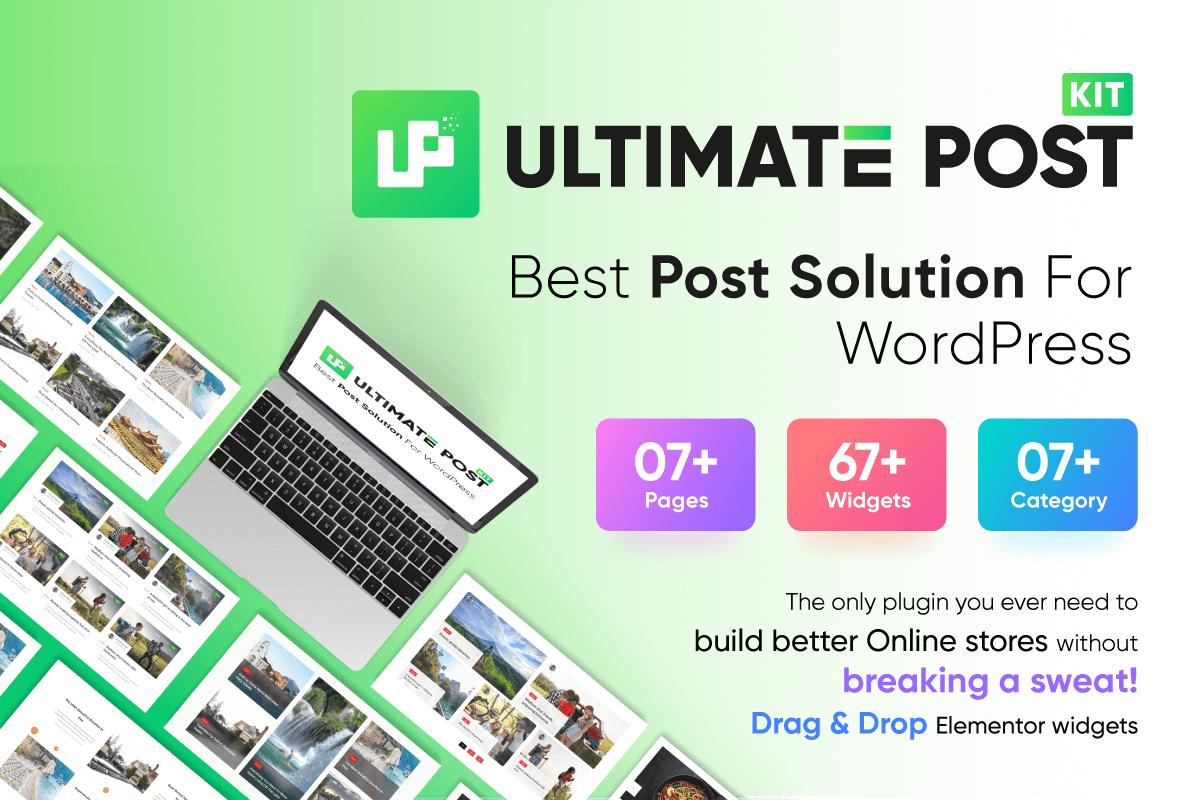
Ultimate Post Kit introduction
Ultimate Post Kit is a WordPress post layout plugin and Elementor blog addon for bloggers, publishers, marketers and content creators. Use this blog post addon to display WordPress posts in grids, lists, carousels, sliders, timelines, tabs, accordions, categories and supporting blog sections without writing custom code.
As an Elementor blog post plugin and Elementor post layout plugin, Ultimate Post Kit provides multiple ways to organize post content. Choose an Elementor blog post widget for one section or combine several Elementor post widgets into a complete blog layout.
Available query controls let you select posts, categories or authors. Ultimate Post Kit also supports RTL and multiple languages. Free and Pro availability is identified in the widget sections below.
Elementor Post Widgets and Blog Layout Features
- Elementor post grid widgets: Arrange posts in rows and columns with dedicated grid layouts.
- Elementor post list widgets: Create compact or detailed vertical post lists.
- Elementor post carousel widgets: Display posts in horizontally scrollable layouts.
- Elementor post slider widgets: Present posts with the navigation, animation or autoplay controls available in each slider.
- Dynamic post layouts: Use the Pro Dynamic Content, Dynamic Grid, Dynamic Carousel, Dynamic Tabs and Dynamic Accordion widgets for their supported content sources.
- Template Builder elements: Combine Post Title, Post Content, Post Info and Post Featured Image elements.
- Remote slider controls: Position arrows, fractions, pagination or thumbnail navigation separately from supported sliders.
- Blog layout templates: Review ready templates for food, magazine, news, gaming and archive-page use cases.
Blog Post Carousel, Blog Post Slider, Picture Carousel and Carousel Slider
Ultimate Post Kit includes blog post carousel and blog post slider layouts for presenting WordPress posts in Elementor. For a picture carousel based on featured images, choose an image-focused post carousel such as Hazel Carousel or Amox Carousel. For a carousel slider built from queried content, review Dynamic Carousel and its available controls.
Blog Layout Plugin, Blog Layout Addon, Widget and Template Options
Ultimate Post Kit can be used as a blog layout plugin or blog layout addon for Elementor. Configure one blog layout widget independently or combine post grids, post lists, post carousels, post sliders, categories, author information, recent comments, news tickers and template elements into a larger blog layout template.
For an Elementor archive template, archive page layout or Elementor single post template, combine the Template Builder’s Post Title, Post Content, Post Info and Post Featured Image elements. Review the Archive Page demo for an example.
Useful Links 👇
Live Demo | Documentation | Video Tutorials | Upgrade to Pro | Support
Introducing Ultimate Post Kit for Elementor
Core Post Widgets for Elementor
Post Grid, Post List, Post Carousel and Post Slider
- Post Grid – A Pro post grid widget listed in the current Ultimate Post Kit catalogue.
- Post List – A Free Elementor post list widget for displaying posts in a vertical list layout.
- Post Carousel – A Free post carousel widget for horizontally scrollable post layouts.
- Post Slider – A Pro post slider widget for slider-based post presentations.
Additional Core Post Layouts
- Post Grid Tab – A Pro widget that combines a post grid with tab-based navigation.
- Post Block – A Free block-style post layout.
- Post Block Modern – A Free alternative block-style post layout.
- Post Card – A Pro card-style post layout.
- Post Timeline – A Pro timeline-style post layout.
- Post Gallery – A Pro gallery-style post layout.
Free Widgets for Elementor
Elementor Post Grid Layouts
- Alex Grid – A modern post grid with a glass-style presentation.
- Alice Grid – A compact post grid layout.
- Alter Grid – A detailed grid for blog, magazine, news or gaming content.
- Amox Grid – A post grid with configurable hover effects.
- Elite Grid – A grid layout that emphasizes author and post information.
- Gratis Grid – A minimal post grid presentation.
- Hazel Grid – An image-focused post grid.
- Maple Grid – A grid that can display tags, categories and post types.
- Ramble Grid – A grid that reveals additional post details on hover.
Elementor Post List Widgets
- Buzz List – A list layout with numbered entries and cover-image behavior.
- Exotic List – A post list with image triggers and prominent titles.
- Fanel List – A compact layout for displaying post information.
- Featured List – A list layout for presenting featured posts.
- Harold List – A structured post-navigation list.
- Scott List – A numbered post list with basic post details.
- Tiny List – A small post-navigation layout.
Elementor Post Carousel Widgets
- Alex Carousel – An image-centered post carousel.
- Alice Carousel – A carousel that displays post titles and metadata.
- Alter Carousel – A configurable post carousel layout.
- Amox Carousel – A multi-slide post carousel.
- Buzz List Carousel – A carousel that combines list-based navigation with post previews.
- Category Carousel – A carousel for displaying selected post categories.
- Elite Carousel – A post carousel with author and post information.
- Harold List Carousel – A list-based carousel with slider navigation.
- Hazel Carousel – An image-focused post carousel and picture carousel option.
- Maple Carousel – A carousel layout with post summaries.
- Ramble Carousel – A horizontally scrolling post carousel.
Elementor Post Slider Widgets
- Camux Slider – A full-width image or video slider presentation.
- Carbon Slider – A slider that places captions over visual content.
- Crystal Slider – A post slider with transition and animation controls.
- Noxe Slider – A parallax-style post slider.
- Paradox Slider – A post slider with layered content.
- Pholox Slider – A video-capable slider with autoplay and manual navigation.
- Skide Slider – A visual post slider with prominent typography.
- Snog Slider – A creative post slider layout.
Elementor Post Timeline Widget
- Oras Timeline – A timeline widget for arranging posts or events chronologically.
Supporting Elementor Blog Widgets
- Author – Display profile images, biographies and author details.
- Banner – Display an image-and-text banner.
- News Ticker – Display recent updates in a compact scrolling format.
- Newsletter – Display a configurable subscription form.
- Post Accordion – Organize post summaries in expandable sections.
- Post Category – Display category-based blog navigation.
- Reading Progress Bar – Indicate progress through the current page.
- Recent Comments – Display recent WordPress comments.
- Social Share – Display social-sharing buttons for post content.
- Social Count – Static – Display manually configured social counts.
- Tag Cloud – Display WordPress post tags.
Free Extensions
- Animations – Add the animation options available to supported widgets.
Free Features
- Live Copy or Paste – Copy and paste supported designs using the documented workflow.
- Duplicator – Duplicate supported content using the documented workflow.
Elementor Pro Widgets
Elementor Post Grid Layouts
- Kalon Grid – A flexible post grid layout.
- Pixina Grid – An image-led post grid.
- Wixer Grid – A post grid with animation and hover options.
Elementor Post List Widgets
- Classic List – A traditional post list presentation.
- Candy List – A post list with colored visual accents.
- Welsh List – A text-and-icon list layout.
Post Gallery
- Featured Gallery – A gallery layout for featured post content.
Elementor Post Carousel Widgets
- Eldora Carousel – A post carousel with layered content transitions.
- Gratis Carousel – A minimal carousel layout.
- Kalon Carousel – A post carousel with hover options.
- Pixina Carousel – An image-led post carousel.
- Wixer Carousel – A post carousel with animation options.
Elementor Post Slider Widgets
- Atlas Slider – A post slider with content transitions.
- Berlin Slider – A full-screen visual slider layout.
- Foxico Slider – A slider that emphasizes content hierarchy and imagery.
- Hansel Slider – A post slider with animation and hover behavior.
- Iconic Slider – A slider with icon and overlay-text options.
- Optick Slider – A slider with autoplay controls.
- Sline Slider – A video-gallery slider with a typography-focused layout.
Elementor Post Tabs
- Forbes Tabs – Organize post content in a tabbed layout.
- Holux Tabs – An alternative tabbed post layout.
Elementor Post Timeline Widgets
- Grove Timeline – Display content in a timeline.
- Snap Timeline – Display posts in a timeline with transition options.
- Soft Timeline – Display posts in a timeline with animation options.
- Checkerboard – Combine timeline and grid presentation patterns.
Additional Pro Widgets
- Post Calendar – Organize posts in a calendar layout.
- Reading Progress Circle – Display reading progress as a circular indicator.
- Social Link – Display social-profile links.
- Stone Hover – Apply a framed hover presentation to supported content.
- Instagram Gallery – Display supported Instagram content in a gallery.
Dynamic Post Grid, Carousel, Tabs and Content
- Dynamic Content – Display supported posts, pages or custom-query content.
- Dynamic Grid – Display supported posts, products or custom content in a grid.
- Dynamic Carousel – Display supported posts, images or custom content in a carousel slider.
- Dynamic Tabs – Organize supported queried content in tabs.
- Dynamic Accordion – Organize supported content in expandable panels.
Remote Carousel and Slider Controls
- Remote Arrows – Place previous and next controls separately from a supported slider.
- Remote Fraction – Add separate fraction-based slider navigation.
- Remote Pagination – Add separate pagination to a supported layout.
- Remote Thumbs – Connect thumbnail navigation to a supported slider.
Pro Extensions
- MultiColor Item – Apply multiple configured colors to supported items.
Ready Blog Layout Templates
Ultimate Post Kit’s official website presents ready blog layout template examples for food blogs, magazines, news sites, gaming sites and archives. These examples show how several post grid, post list, post carousel, post slider and supporting widgets can be combined on one page.
Food Blog Layout Templates
- SnackNest – A food-blog landing page example.
- TastyTales – An additional food-blog layout example.
Magazine and News Blog Layout Templates
- TrendDesk – A news-focused blog layout template.
- FreshMag – A magazine and news layout example.
- FlipPage – A news-portal layout example.
- Today News – A multi-section news layout example.
Gaming Blog Layout Templates
- NextLevel – A gaming website layout example.
- Gamegeek – A gaming-community layout example.
- Blaze – An additional gaming-page layout example.
Archive Page Layout
- Archive Page – An archive page layout that demonstrates a chronological post presentation.
Blog Layout Template Builder
The Template Builder supplies four Pro post elements that can be combined in blog layout templates, archive displays and single-post presentations:
- Post Title – Display a post title and configure its available style controls.
- Post Content – Display post content within a template layout.
- Post Info – Display information such as the author, date and categories.
- Post Featured Image – Display the post’s featured image with the available style controls.
Blog Layout Template Shortcode
Create a shortcode for a template made with Ultimate Post Kit widgets from the Template Builder menu. The shortcode can be used in Gutenberg, Divi, Oxygen, Beaver Builder and other environments that render WordPress shortcodes.
How to Choose an Elementor Post Layout
- Choose an Elementor post grid when several posts should appear together in rows or columns.
- Choose an Elementor post list for compact vertical navigation.
- Choose an Elementor post carousel for horizontally scrollable posts.
- Choose an Elementor post slider when one slide should receive more visual emphasis at a time.
- Choose a picture carousel such as Hazel Carousel when featured images are central to the layout.
- Choose the Template Builder when composing an archive page layout or single-post presentation.
Review the linked demos to confirm each layout, its controls and its current Free or Pro availability.
Purchase Ultimate Post Kit Pro
Common Issues and Solutions
Elementor Editor Fails to Load
An Elementor loading issue can involve the site’s PHP memory configuration or a plugin or theme conflict. Review the Elementor loading troubleshooting guide before changing the site’s configuration.
Need Help?
For product assistance, use Ultimate Post Kit support and include the affected widget, WordPress version, Elementor version and steps required to reproduce the issue.
Have an idea for a post grid, post carousel, post slider, blog layout widget or another feature? Submit it through the BdThemes feature-request page.