


Turbo Addons Elementor
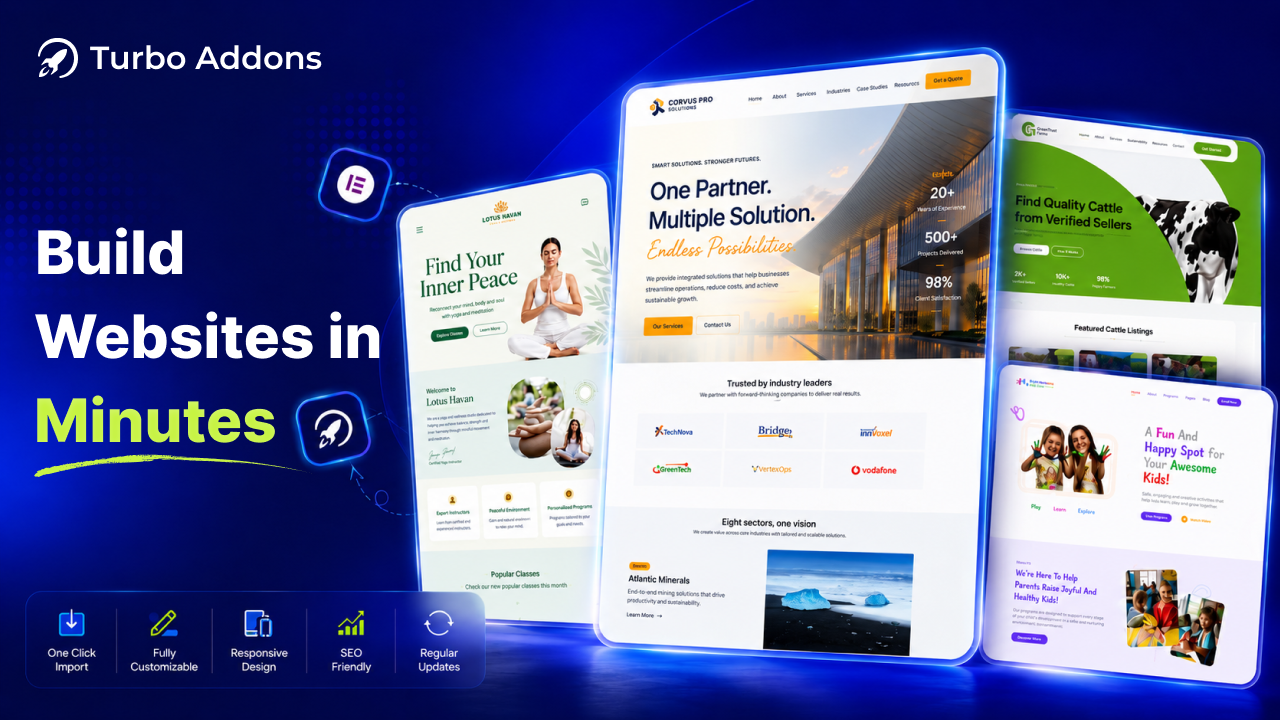
Turbo Addons is your all-in-one toolkit for elementor page builder featuring powerful widgets, WooCommerce, and 200+ ready templates. Build fast, responsive, and professional WordPress websites with ease.
TURBO ADDONS ELEMENTOR HAS 90+ ADVANCED FREE AND PRO ELEMENTOR WIDGETS WITH 200+ READY TEMPLATES, BLOCK, SECTIONS, ELEMENTS & BEST WOOCOMMERCE WIDGETS FOR ELEMENTOR.
Why Choose Turbo Addons for Elementor?
Turbo Addons is your all-in-one free elementor addons to build stunning, fast, and fully responsive WordPress websites without coding.
- 90+ powerful free and pro widgets
- WooCommerce-ready: product grids, categories, cart buttons, product all details
- 200+ ready-made templates and 100+ ready block/sections
- Full design control with Elementors interface
- Lightweight and performance-optimized
- Compatible with both free and Pro Elementor
- Elementor Pro-style dynamic content (text, image & URL tags) — free forever
Whether you’re a designer, developer, or business owner Turbo Addons gives you everything you need to build better websites, all in one place.
Dynamic Content (Text, Image & URL) — An Elementor Pro Feature, Now Free
Stop paying for Elementor Pro just to use dynamic tags. Turbo Addons brings the full dynamic-tags experience to the free Elementor editor with 47+ native dynamic tags (35+ core tags + WooCommerce).
- Dynamic Text — Post Title, Post Excerpt, Post Date, Post Time, Post Categories, Post Tags, Author Name, Author Bio, Archive Title, Site Name, Site Tagline, Admin Email, Current Year, Current Date/Time, Current User Name/Email, and more.
- Dynamic Images — Site Logo, Featured Image, Author Avatar, and Current User Avatar.
- Dynamic URLs — Home, Site, Current Page, Post, Author, Login, Logout, Register, Admin, plus WooCommerce Product, Shop, Cart, Checkout, My Account, Orders, Downloads, and Add to Cart URLs.
- WooCommerce — Product Image and every key store URL, ready for your shop.
Insert a dynamic tag into any compatible text, image, or link field and the content updates automatically — personalized, always-fresh pages without writing a single line of code.
Our Latest Templates
Key Features of Turbo Addons for Elementor
Turbo Addons includes 90+ (more are coming) highly customizable widgets for Elementor, each designed to enhance the functionality of your website:
50 FREE ADVANCED WIDGETS:
- Advanced Accordion Create responsive FAQ and collapsible content sections in Elementor with text, images, and shortcodes.
- Preview Card Showcase products, portfolios, or features with stylish interactive preview cards for Elementor.
- Info Box Highlight key information with modern icon boxes, titles, and descriptions in Elementor.
- Icon Button Add customizable call-to-action buttons with icons and hover effects in Elementor.
- Social Bar Display social media icons and profile links beautifully on your Elementor website.
- Dual Header Design creative dual-style headings and titles with advanced typography options.
- Text Animation Add animated text effects and engaging headlines to Elementor pages.
- Image Floating Effect Create eye-catching floating image animations for modern Elementor designs.
- Image Overlay Effect Add stylish hover overlays and interactive effects to Elementor images.
- Advance Accordion Organize FAQs, templates, and content sections with advanced accordion layouts.
- Business Hour Display business opening hours and schedules in a clean responsive layout.
- Top Bar Add announcement bars, contact info, or promotional messages at the top of your site.
- Team Slider Showcase team members in a responsive slider with social links and details.
- Image Carousel Display images, galleries, and showcases with a responsive Elementor carousel.
- Review Star Add star ratings and customer reviews to build trust and social proof.
- Count Down Timer Create urgency with animated countdown timers for sales and events.
- Pricing Table Build responsive pricing tables and subscription plans with Elementor.
- Advanced Heading Create stylish headings with advanced typography and dual text styles.
- Popular Post Display trending and popular blog posts automatically in Elementor.
- Section Divider Separate Elementor sections with creative shape dividers and layouts.
- Food Menu Create attractive restaurant and cafe food menus with Elementor.
- Single Testimonial Showcase customer testimonials and reviews in a professional layout.
- Data Table Create responsive and sortable tables to display structured content easily.
- Photo Stack Display layered image stacks with creative hover animations in Elementor.
- Image Icon Card Combine images, icons, text, and buttons in stylish Elementor cards.
- Banking Card Showcase virtual banking and payment cards with modern card layouts.
- Google Map Embed responsive Google Maps with markers and customization options.
- Advanced Search Add smart search functionality with filters and instant search results.
- Image Compare Compare before and after images with an interactive slider effect.
- Event Calendar Display events and schedules in a responsive Elementor calendar layout.
- Scroll To Top Improve user experience with a smooth scroll-to-top button.
- Scroll Navigation Create one-page scroll navigation menus with anchor links in Elementor.
- Navigation Menu – Build responsive and customizable navigation menus for Elementor websites.
- Cookie Consent – Add GDPR-ready cookie consent banners with full customization options.
- Contact Form 7 – Style and customize Contact Form 7 forms easily inside Elementor.
- Logo Carousel – Showcase client and brand logos in a responsive carousel slider.
- Counter – Display animated counters for statistics, achievements, and milestones.
- News Ticker – Show scrolling news headlines and announcements with ticker animations.
- Audio Player – Add customizable audio players with playback and volume controls in Elementor.
- Accordion Slider – Create interactive accordion sliders with expandable image and content panels.
- Modal Popup – Display popups for promotions, forms, videos, and announcements in Elementor.
- Metro Grid – Showcase posts and portfolios in stylish metro-style grid layouts.
40+ Pro Widgets:
- Testimonial Slider : Showcase customer testimonials in responsive sliders with modern customizable layouts.
- 3D Carousel Create interactive 3D carousels for images, content, and showcases in Elementor.
- 3D Flip Box Add stylish 3D flip animations to content boxes with hover effects in Elementor.
- Timeline Build responsive timelines, roadmaps, and milestone sections with Elementor.
- Progress Milestones Display project progress and milestones with animated progress indicators.
- Review Archive Showcase customer reviews in responsive grid and list layouts for Elementor.
- Post List Display blog posts and custom content in filterable responsive card layouts.
- Icon List Create stylish icon lists with flexible layouts and custom Elementor styling.
- Image Vertical Scrolling Add smooth vertical scrolling image galleries and banners to Elementor pages.
- Category Post Counter Display category-wise post counts dynamically for blogs and WooCommerce sites.
- Advanced Featured Card Highlight features and services with animated responsive card designs.
- Hero Slider Design full-width hero sliders with images, text, buttons, and animations.
- Tour Guide Create interactive website tours with tooltips and guided walkthroughs.
- PDF Flip Book Turn PDFs and documents into realistic interactive flipbooks in Elementor.
- Text Gradient Create eye-catching gradient text effects with advanced typography controls.
- Live Visitor Counter Show real-time visitor counts to increase trust and engagement.
- CSV Data Table Convert CSV files into responsive and dynamic HTML data tables easily.
- Advanced Post Filter Filter blog posts dynamically by categories and subcategories in Elementor.
- Off Canvas Add sliding off-canvas menus, sidebars, and hidden content panels.
- Advanced Search Pro Add AJAX-powered live search with filters and instant search results.
- Image Hotspot Create interactive images with clickable hotspots, tooltips, and links.
- WhatsApp Chat Add a floating WhatsApp chat button for instant customer communication.
- Post Like Counter Let users like or dislike posts with live vote counter updates.
- Woo Products Card Showcase WooCommerce products in stylish responsive card layouts.
- WOO Product Pagination Add AJAX pagination for smooth WooCommerce product navigation.
- WOO Category Display WooCommerce categories with images, titles, and product counts.
- WOO Mini Cart Add a floating WooCommerce mini cart with quick checkout access.
- WOO Product Short Description Display WooCommerce product short descriptions with custom styles.
- WOO Product Price Showcase WooCommerce product prices with advanced styling options.
- WOO Product Meta Display WooCommerce product tags, SKU, and category information beautifully.
- WOO Product Related Show related WooCommerce products to increase upsells and engagement.
- WOO Product Breadcrumb Add SEO-friendly WooCommerce breadcrumbs for better product navigation.
- WOO Product Rating Display WooCommerce product ratings and review counts with star icons.
- WOO Product Stock Show real-time WooCommerce product stock and availability status.
- WOO Product Navigation Add previous and next navigation between WooCommerce products easily.
- WOO Product Tabs Display WooCommerce product tabs with fully customizable Elementor styles.
- WOO Product Image Showcase WooCommerce product images with zoom and lightbox effects.
- WOO Product Button Add customizable WooCommerce buy now and product action buttons.
- WOO Product Cart Display WooCommerce add-to-cart buttons with quantity and icon controls.
Extensions (More Coming Soon):
- Turbo Tooltip Extension New! Add tooltips to any Elementor widget instantly. Just activate the extension from the Turbo Addons dashboard no shortcode or coding needed. Once enabled, a Tooltip control panel appears in every Elementor widget for easy setup.
How to Use Turbo Addons for Elementor
-
Add a Widget:
- Open any post or page in the Elementor editor.
- In the Elementor widget panel, locate the Turbo Addons category.
- Drag and drop the desired widget to your section.
-
Customize Widget Settings:
- Click on the widget to open its customization panel.
- Adjust design, layout, and functionality options as needed.
-
Publish or Update:
- After making the desired changes, click
PublishorUpdateto save.
- After making the desired changes, click
License
Turbo Addons for Elementor is licensed under the GNU General Public License v2 or later.