

translit it!
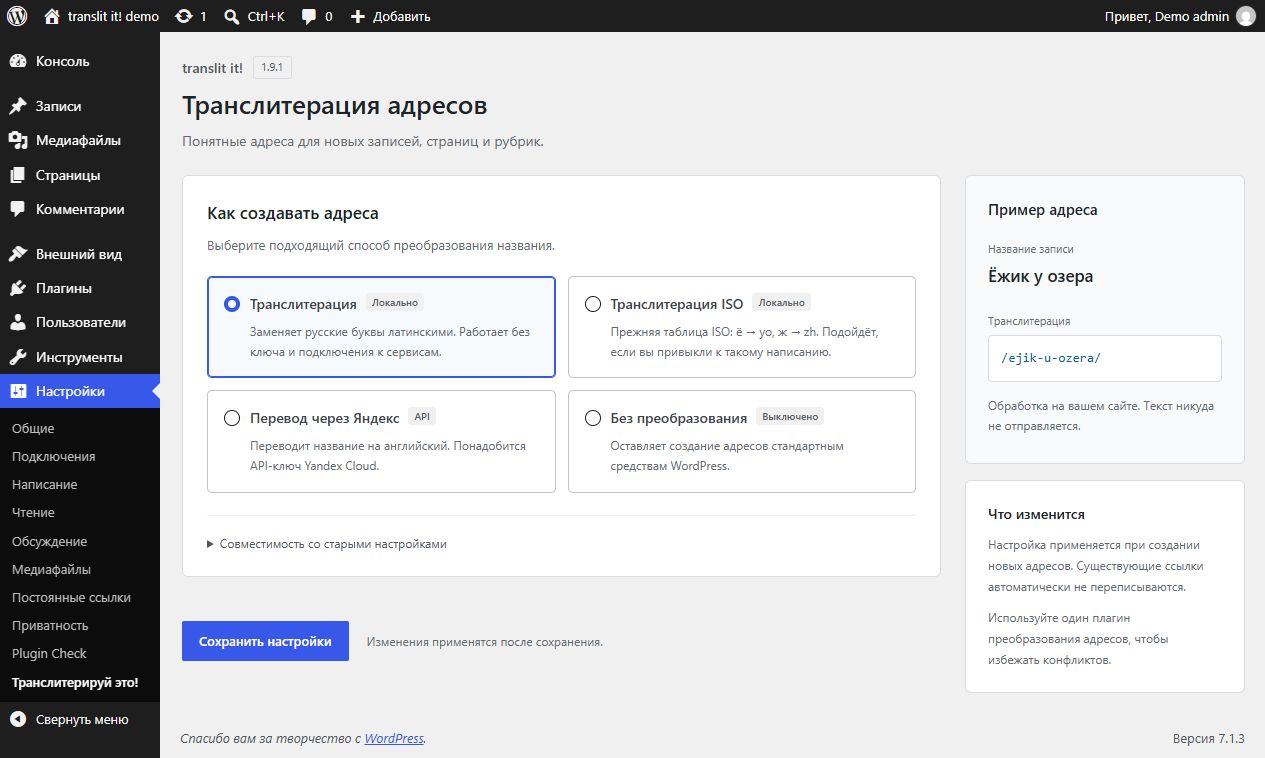
Local transliteration settings with conversion-mode cards and a sample address. No API key or external account is required.
translit it! creates Latin slugs for Russian post titles, pages and taxonomy terms.
Choose between the original conversational and ISO-style transliteration tables, or an optional Yandex translation service. The original transliteration tables and option names are retained for compatibility with existing installations.
Local transliteration does not require an API key, does not send data to any external service and works without a network connection.
The plugin does not run a bulk rewrite of existing permalinks. WordPress still handles slug cleanup and uniqueness. Explicitly changing or regenerating a slug can change its URL, as usual.
Settings are available under Settings > Translit it! (Настройки > Транслитерируй это! in Russian).
The settings screen includes conversion-mode cards, a local slug example and a separate Yandex connection section. Saved API keys are never sent back to the page: leave the replacement field blank to keep your key, or explicitly select its deletion. Legacy options remain available in a collapsible section. The form also works without JavaScript.
Support development
Support development via DaLink or DonationAlerts.
Minimum requirements
WordPress 7.1 or later and PHP 8.4 or later are required. PHP 8.5 is also tested.
External services
External translation is optional and disabled by default. It is used only when an administrator selects a Yandex translation mode and supplies an API key. When WordPress generates a slug in a save context and the source contains Cyrillic, that source text is sent to the selected Yandex service. Depending on the WordPress operation, this may include unpublished post titles or taxonomy names. Already Latin text does not trigger a translation request.
- Yandex Cloud Translate: requests are sent to https://translate.api.cloud.yandex.net/translate/v2/translate with the source text, Russian/English language codes and the configured API key. Use a service-account API key with the ai.translate.user role; its folder is selected by Yandex automatically. A paid Yandex account or usage charges may be required. Documentation: https://yandex.cloud/en/docs/translate/ . Terms: https://yandex.com/legal/cloud_terms/ . Privacy policy: https://yandex.com/legal/confidential/ .
- Legacy Yandex Translate API 1.5: retained for existing settings and keys. Requests are sent to https://translate.yandex.net/api/v1.5/tr.json/translate with the source text, language pair and configured API key. Availability of this old service is not guaranteed; use local transliteration or Yandex Cloud for a new setup. Terms: https://yandex.com/legal/translate_api/ . Privacy policy: https://yandex.com/legal/confidential/ .
Requests have a five-second timeout and do not follow redirects. Enable fallback transliteration to generate a Latin slug when translation fails. Without fallback, WordPress receives the original text. Translation responses are reused only within the current PHP request; the plugin does not persist a translation cache or log API keys.
After the first failed response from a translation mode and API key, further uncached translations using that configuration are skipped until the next PHP request. Previously successful responses remain available. This avoids repeated timeout delays during bulk operations. Nested uncached translations from HTTP hooks and titles longer than 10,000 Unicode characters also use the configured fallback without an external call.