


Translation Stats
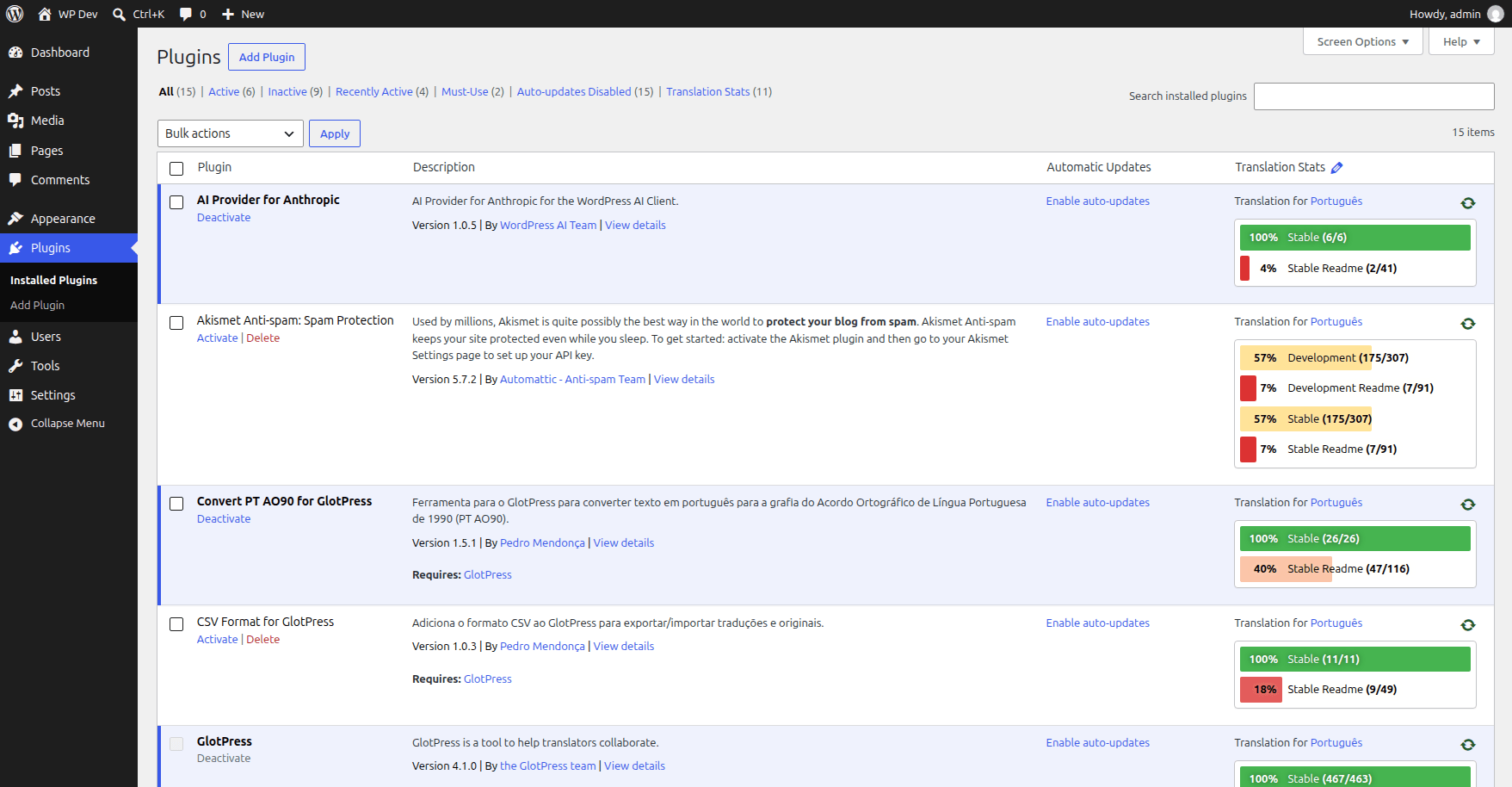
Translation Stats shown in WordPress plugins page
The plugin adds a “Translation Stats” column to the Plugins screen, and the translation stats to the Themes screen in WordPress admin: a translation stats bar on the theme cards, and a translation stats widget in the theme details.
Select the plugins and themes to show the translation stats in the plugin settings.
Show the translation stats of any plugin or theme on your site with the Translation Stats block: search the project on WordPress.org, choose the language and the subprojects, and update the stats right from the block editor. The block requires WordPress 6.3 or later.
The translation stats are shown only for plugins and themes that exist in translate.wordpress.org and are prepared for localization.
If a plugin doesn’t have complete translation stats, you’ll see a notice with one of the reasons below:
- Plugin not found on WordPress.org
- Translation project not found on WordPress.org
- The plugin is not properly prepared for localization
The color scheme of the translation stats bars is exactly same used in GlotPress for consistency with the translation experience in translate.wp.org.
This plugin is properly prepared for localization.