

Traction External Links Speed Bump
5/5 (4 ratings) 100 active installs Updated Jul 7, 2025
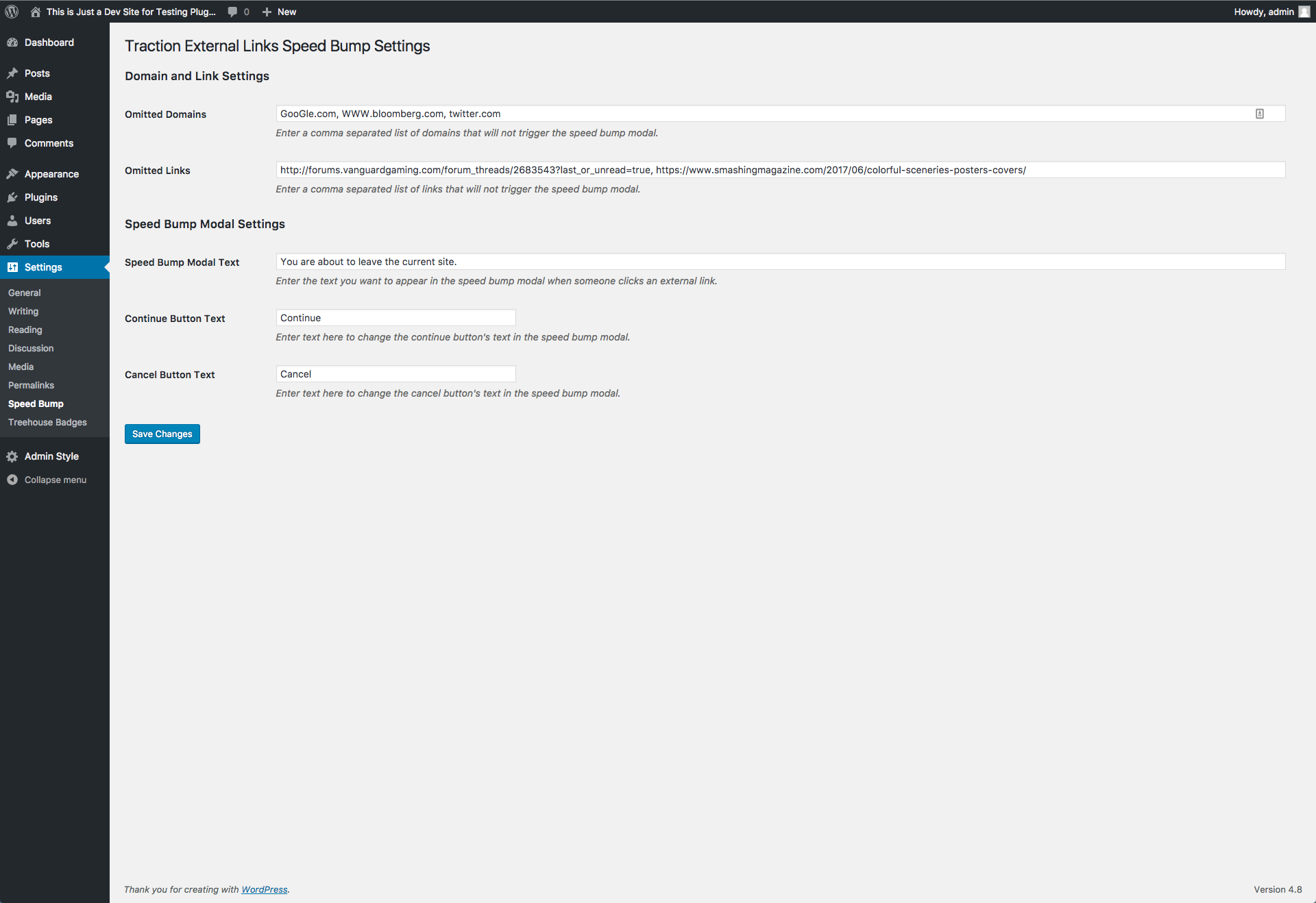
Once you have installed the plugin, navigate to Settings > Speed Bump in the admin area and fill in the text inputs with the sites, links, and text you want to customize.
Some websites for compliance reasons or just because they want to need to provide the user with a notice when a link is clicked that is not in that websites control. Traction External Links Speed Bump is a simple no frills plugin that provides a basic speed bump overlay when a link is clicked on a site that doesn’t match the site host’s domain name.
The plugin offers the following customization options:
- Omitted Domains – Enter a comma separated list of domain names that you don’t want to trigger the speed bump.
- Omitted Links – Enter a comma separated list of links that you don’t want to trigger the speed bump.
- Customize Text – Customize the speed bump text as well as the continue and cancel button text.
Read the FAQ for information on how to customize the CSS used in this plugin.