

TechByIt SMTP – WordPress SMTP & Email Delivery
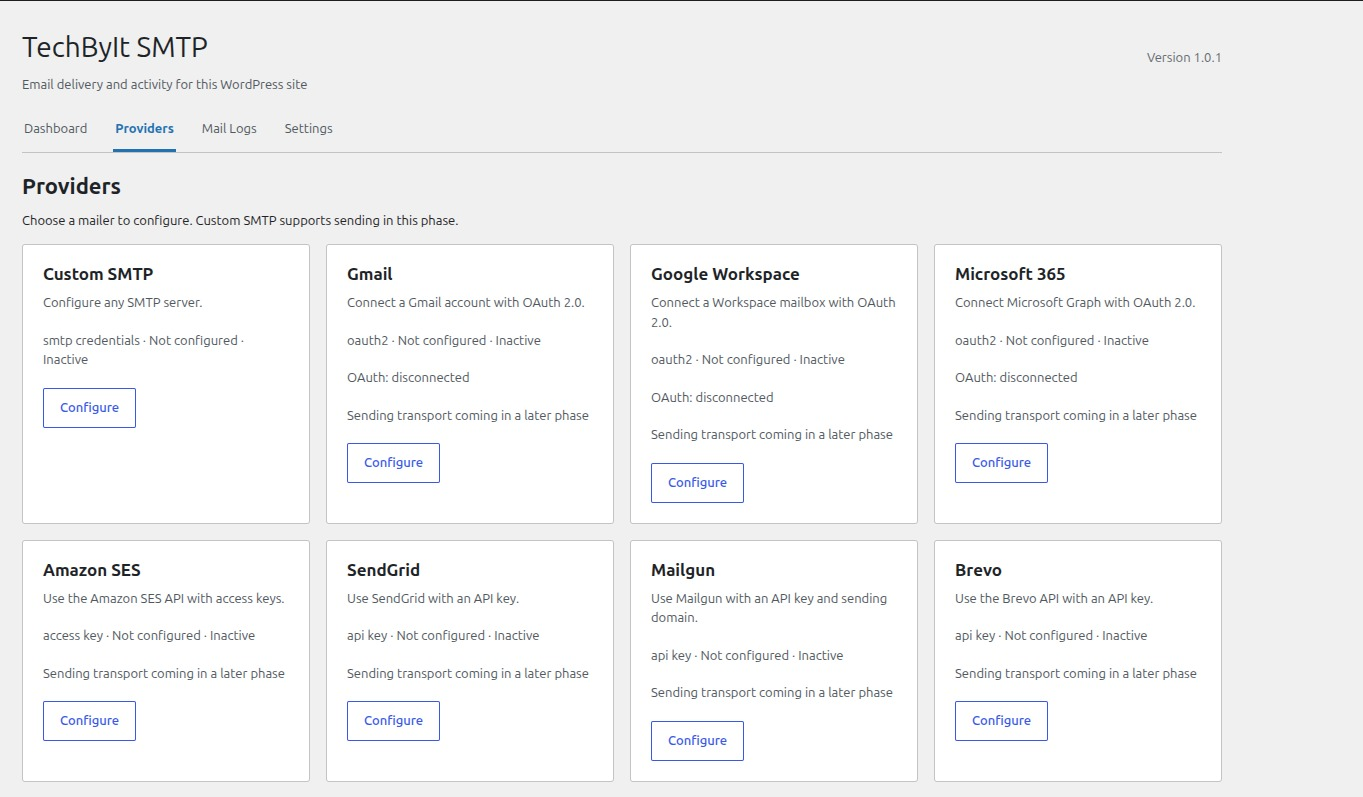
Providers screen — choose Custom SMTP or another mailer and configure its connection settings.
TechByIt SMTP is a lightweight WordPress SMTP plugin that routes your site’s outgoing email through a configured SMTP server. It works with any message sent using WordPress’s wp_mail() function, including contact form submissions, WooCommerce order emails, password reset emails, and notifications from other plugins.
If your WordPress emails are not sending, landing in spam, or being rejected by recipients, an SMTP plugin is the standard fix. TechByIt SMTP replaces the default PHP mail() function with authenticated SMTP delivery, which improves email deliverability and gives you control over how your site sends mail.
From the TechByIt SMTP admin menu you can configure your SMTP server, choose the active provider, set a default sender name and address, send a test email to confirm everything works, and review a log of the messages the plugin sends.
WordPress SMTP Plugin Features
- Custom SMTP configuration — host, port, encryption (TLS/SSL), authentication, and connection timeout settings.
- Default From name and email — set a consistent sender for all outgoing WordPress email.
- Test email form — verify your SMTP connection with success and error feedback.
- Email logs — search messages, filter by status, provider, and date, and open the details of each message.
- Dashboard statistics — sent and failed counts, success rate, and recent failures for the last 7 or 30 days.
- Log retention — logs are deleted automatically after the period you choose. Storing message bodies is optional and off by default.
- Encrypted credential storage — provider passwords and API keys are encrypted at rest.
- Capability-based access — settings are restricted to WordPress users with permission to manage site options.
- Works with
wp_mail()— compatible with any plugin or theme that sends email through WordPress.
Available SMTP Providers
Custom SMTP is the only sending provider currently available. Use it with any email service that provides standard SMTP connection details, including:
- Gmail SMTP (with an app password)
- Google Workspace SMTP
- Microsoft 365 / Outlook SMTP
- Amazon SES SMTP
- SendGrid SMTP
- Mailgun SMTP
- Brevo (Sendinblue) SMTP
- Postmark SMTP
- Any other standard SMTP server
Configuration forms are also included for Gmail, Google Workspace, Microsoft 365, Amazon SES, SendGrid, Mailgun, Brevo, and Postmark. Their dedicated sending transports and OAuth connections are not available yet — use Custom SMTP with the same provider’s SMTP credentials in the meantime.
Retry and resend of logged messages are planned features.
Development
The React and TypeScript source is in admin/src/; PHP source is in src/. Build tooling is in package.json and vite.config.ts. Run pnpm install --frozen-lockfile and pnpm build to regenerate dist/. Install PHP dependencies with composer install.
Source code and build instructions: https://github.com/mdabbas-cse/techbyit-smtp