


Tanupom In-Place Converter for WebP
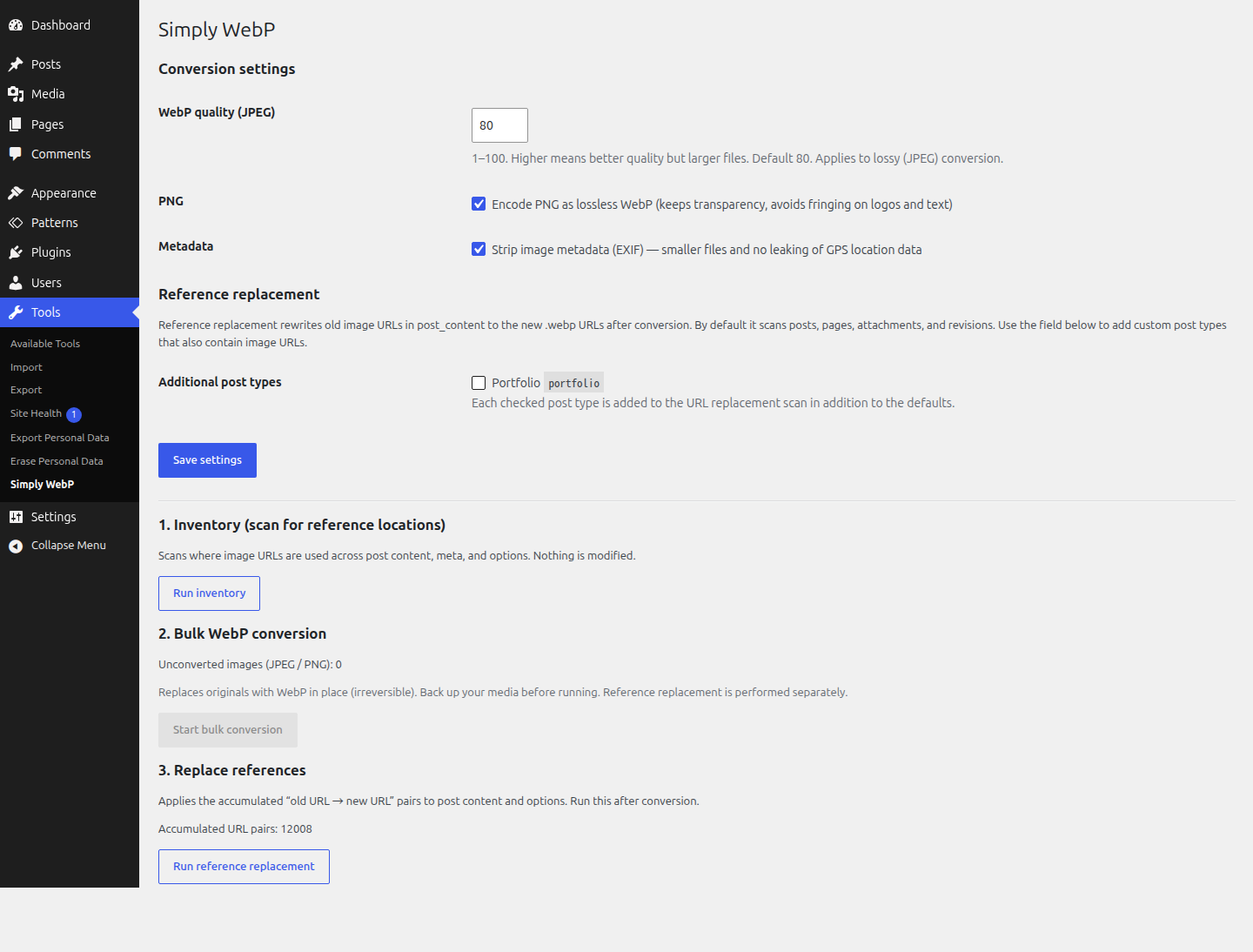
The In-Place WebP tools page (under the Tools menu): inventory scan, bulk conversion with live progress, and reference replacement.
Most WebP plugins keep your original JPEG/PNG files and serve WebP conditionally, which leaves you maintaining two copies of every image. Tanupom In-Place Converter for WebP takes the opposite, minimal approach: it replaces the originals with WebP in place, so your whole library ends up as a single set of WebP files. No rewrite rules, no .htaccess tricks, no duplicate storage.
It uses your server’s Imagick (ImageMagick) build to do the conversion, so heavy lifting stays on the server and the plugin itself stays small.
What it does
- Automatic conversion on upload. New uploads of JPEG, PNG, BMP, HEIC, and HEIF are converted to WebP at upload time via the
wp_handle_uploadfilter, replacing the original in place. If your server cannot output WebP (or HEIC/HEIF delegates are missing), the upload is passed through unchanged. - Inventory scan (non-destructive). Before touching anything, it reports where image URLs are used across post content, post meta, and options — so you know what a conversion will affect.
- Bulk WebP conversion. Converts every existing JPEG and PNG attachment — the original plus all of its generated sub-sizes — to WebP, then deletes the old files. Runs in small batches via AJAX so it survives shared-hosting execution-time limits, and shows live progress.
- Reference replacement. After conversion, it rewrites the old image URLs to the new
.webpURLs in your post content and options. Serialized options (widgets, theme mods) are handled with a serialize-safe replacement so the data does not break.
Conversion settings
- JPEG is encoded as lossy WebP at a configurable quality (default 80).
- PNG is encoded as lossless WebP with alpha (transparency) preserved, to avoid fringing on logos and text.
- EXIF orientation is baked into the pixels before conversion (no more sideways phone photos).
- EXIF metadata is stripped (smaller files, and no leaking GPS location data).
All three of these are adjustable from the plugin’s settings.
WordPress 7.1 and client-side media processing
WordPress 7.1 moves image resizing and sub-size generation into the browser. This plugin works with it: the uploaded original still passes through the wp_handle_upload filter and is converted to WebP as before, and the browser then generates every sub-size in that same WebP format.
This also unlocks HEIC/HEIF on servers whose Imagick build has no HEIC delegate. On 7.1 the browser decodes the HEIC itself, using the operating system’s decoder, so the image reaches the server in a format Imagick can read. An iPhone photo then ends up as WebP rather than JPEG. Browser-side decoding depends on the platform doing the upload: Windows and macOS can do it, Linux currently cannot.
WordPress itself does not convert formats. Without this plugin a JPEG upload stays a JPEG, and a HEIC upload becomes a JPEG, on 7.1 just as on earlier versions.
Important: this is in-place and irreversible
This plugin replaces and deletes your original images, both at upload time and during bulk conversion. There is no automatic rollback. Back up your media library (and database) before running the bulk conversion.
Requirements
- The Imagick PHP extension, built with WebP support. The plugin detects this and disables conversion (with a notice) if your server can’t output WebP.