
Server
71 plugins tagged with server

Media Sync
Simple plugin to scan "uploads" directory and bring those files into Media Library.

Display PHP Version
Displays the currently installed PHP/MySQL version in the "At a Glance" admin dashboard widget.

WP-Memory-Usage
Monitor PHP memory usage, set alert thresholds, and diagnose your server configuration — directly inside WordPress admin.
WP Server Health Stats
Monitor your WP site the right way with most important stats like Database, PHP details, PHP Memory, RAM Usage, CPU load, Server Uptime & more.

PHP Version
You can able to see the current PHP version in WordPress admin dashboard widget.

WP PHP Version Display
Displays the current running PHP/MySQL version inside "At a Glance" admin dashboard widget.

AWEOS PHP Server Info
Brief dashboard overview. Use this plugin to get all important server and PHP information. Useful tool for developer that need information about their …

WP Discord Post Plus – Supports Unlimited Channels
WP Discord Post Plus integrates with WordPress and WooCommerce (if installed) to send your new post and orders to discord channels.

Blog Time
Display the time according to your blog via an admin toolbar widget, a sidebar widget, and/or a template tag.
WP HTTP Compression
This plugin allows your WordPress blog to output pages compressed in gzip format if a browser supports compression. HTTP compression generally means …

MySQL version display
Shows the MySQL version in the admin footer. Can be used together with the "Server IP & Memory Usage Display" plugin.

Memory Usage Bar
Display the current memory usage bar on admin header.
Force gzip
Implements gzip output compression to speed up load times and does a check to see if browsers are incorrectly saying that they do not support GZIP whe …
PHP Server Info
A very simple plugin for displaying full PHP Info from within the WordPress Admin menu.

Server Monitor
Adds three simple widgets to your WordPress Dashboard displaying fundamental info about your server and installation.
Phpinfo
Prints out your webservers php settings as well as other information about your WordPress installation.

ATR Server Status
Important notice
Server Status
Show server information widget in Dashboard and Network Admin Dashboard.(Currently, only RHEL is tested)

MC Server Status
Displays the Minecraft server status along with the active players.

Dashboard Server Specs
Adds a dashboard widget displaying server specs like current PHP version.

Dashboard Server Info
Displays important server information in a stylish WordPress admin dashboard widget.

Debug Status display
Displays if WP_DEBUG is active in the admin footer. This plugin can be used alone or together with the "Server IP & Memory Usage Display" plugin.
WP Server Date Time
This plugin shows the server local current date time & timezone in the upper right of your admin screen on every page.
Dev Info Bar
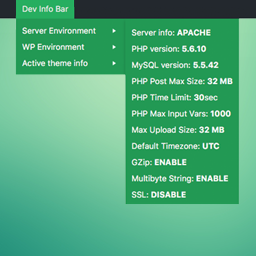
A simple WordPress extension which adds itself to the admin bar, providing system information such as PHP, MySQL version and details of the WordPress …