

SwiftWebDev Dashboard & Analytics – Visitor Statistics, AI Traffic & PageSpeed Test

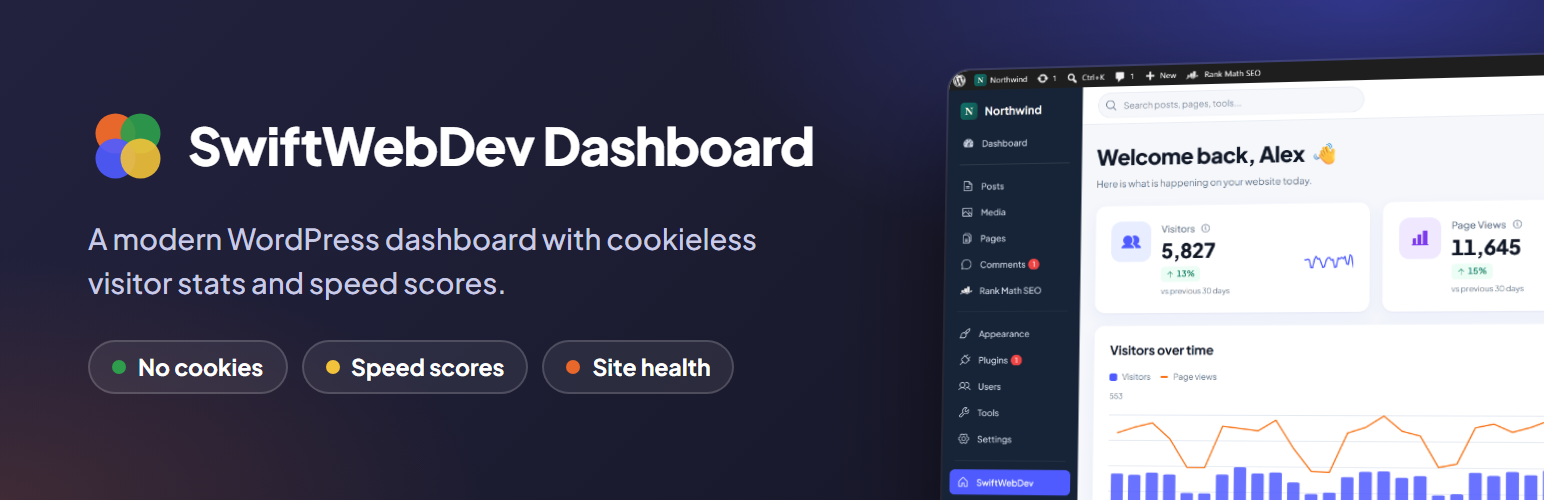
The dashboard: a cookieless visitor counter, visitors over time, busiest days, engagement, PageSpeed scores and Quick Links on one screen.
Your whole site at a glance: visitors, speed and health on one modern dashboard
SwiftWebDev Dashboard & Analytics adds a clean, colorful home screen to WordPress that answers the questions you ask every day: how many people visited, which pages they read, where they came from, how fast is the site, and is anything out of date?
No cookies, no Google Analytics account and no API key for speed tests. Install, activate and your dashboard is ready.
The plugin is lightweight by design. The front end gets one small counter script that runs after the page has loaded, and WordPress checks the browser name of each request for known AI bots. Everything else happens in the admin area.
📊 Cookieless visitor stats
- Visitors, page views and sessions for the last 7, 30 or 90 days
- Visitors over time chart, busiest days of the week and engagement (pages per visit, visits per visitor, best day)
- Trend versus the previous period, with a sparkline on every card
- Top pages, referrers and devices for the selected period
- A views column on your Posts and Pages lists, plus a compact visitor counter widget on the classic WordPress dashboard
- Counted on your own site, stored in your own database
- No cookies or browser storage, and IP addresses are never saved
- Logged-in users are not counted by default
🤖 AI traffic and AI crawlers
- AI visitors: people who clicked a link to your site in ChatGPT, Perplexity, Gemini, Claude, Copilot and 6 more assistants, with their share of all visits and the change versus the previous period
- AI crawlers: how often AI bots such as GPTBot, ClaudeBot, PerplexityBot, Meta and Amazon visit, by company, with the last day each was seen
- Each bot visit is sorted by purpose: training, AI search, or asked by a user
- AI bot visits and AI visitors side by side, so you see how much AI reads and how many people it sends
- AI access check: reads your robots.txt and shows, per AI company, whether AI search and training crawlers are allowed or blocked, with a clear warning when AI search is blocked
- Shows whether your site has an llms.txt file
- Counted on your own server; nothing is sent to AI companies or anyone else
✉️ Weekly Site Report email
- One email every Monday: visitors, top pages, top referrers, AI visitors and AI bot visits with the change from the week before, speed scores, pending updates and Site Health
- Sent from your own site with WordPress mail, to the address you choose
- Off by default; turn it on in the plugin settings and send yourself a test first
⚡ PageSpeed scores with fixes
- Google PageSpeed scores for mobile and desktop, run with one click
- Test your homepage or any other page of your site
- Performance, Accessibility, Best practices and SEO scores
- Core Web Vitals from the lab test, plus real-user Chrome UX data when Google has it
- A ranked list of what to fix to reach 90+, written in plain language
- No Google API key needed
🩺 Updates and site health
- Pending WordPress, plugin and theme updates
- Your PHP version, with the recommended version
- Site Health status with a shortcut to run the checks
- Recent activity: published posts and pages, new users, plugin and theme updates
🔗 Quick links
- One-click shortcuts to the WordPress tasks you use most
- Pin, reorder and hide shortcuts, and search them
- Each user keeps their own pinned list
🎨 A modern admin experience
- A matching modern style for the WordPress admin menu on every admin page
- Your own logo and site name at the top of the menu
- Search from the dashboard header: posts and pages in any status (drafts too), media, users and every admin screen, with icons, recent items and quick actions.
- Live visitors in the WordPress toolbar on every admin page and on your site: how many people are online now, with today’s visitors, page views, AI visits, top pages and sources on hover, plus the same search from a toolbar icon on every admin page. Both can be turned off in Settings.
- Show, hide and drag dashboard cards into your own order
- Optionally open this dashboard after login, with the classic WordPress dashboard one click away
- Administrators get the new look; other users keep the normal WordPress admin
🏆 PRO add-on
Everything described above is included in this plugin, with no limits, license keys or time restrictions. For extra reports, SwiftWebDev Dashboard PRO is a separate add-on plugin, sold and downloaded from our website: real-time visitors, countries and browsers, goals and conversions, UTM campaigns, AI assistant landing pages, traffic-spike email alerts, form and click tracking, session recordings, CSV export and weekly scheduled speed tests. Learn more about the PRO add-on
🔒 Privacy
Free visitor stats are counted without cookies or browser storage. Each visit is identified by a one-way hash of the IP address and browser, combined with a random value that changes every day, so visitors cannot be followed from one day to the next. IP addresses and browser details are never saved. Raw visit records are deleted after 48 hours; daily totals are kept for 180 days (the longest period shown, plus the period before it for comparison). Daily counts per page, referring website and device type are kept for 90 days; daily counts per AI assistant are kept for 180 days.
AI crawlers are recognized by the name in their user agent (for example GPTBot). The plugin stores only a daily total per AI bot, kept for 180 days. No IP address, user agent or requested address is stored. All data stays in your WordPress database.
More free plugins by the author
- SourceSay: ask WooCommerce customers “How did you hear about us?” after checkout and see revenue by channel.
External services
This plugin connects to one external service, and only when an administrator asks it to.
SwiftWebDev speed test service (swdashapi.swiftoutbox.com), which uses the Google PageSpeed Insights API
Used to measure the speed scores shown on the Speed & Optimize screen and the dashboard. A request is sent only when an administrator clicks “Run test”. The request contains your site address, the address of the page to test (your homepage or another page of your site) and the test type (mobile or desktop). Our service checks that the page belongs to your site, then asks Google PageSpeed Insights to test it with our own Google API key and returns the result. No visitor data is sent. The service keeps the result in memory for up to 10 minutes, so a repeat test of the same page returns quickly, then discards it; results are never saved to disk or a database.
- Swift Web Dev terms of service: https://swiftwebdev.com/terms/
- Swift Web Dev privacy policy: https://swiftwebdev.com/privacy-policy/
- Google PageSpeed Insights: https://developers.google.com/speed/docs/insights/v5/about
- Google terms of service: https://developers.google.com/terms
- Google privacy policy: https://policies.google.com/privacy
Your own robots.txt and llms.txt (not an external service)
The AI access check reads /robots.txt and /llms.txt from your own site address, at most once every 12 hours while an administrator views the dashboard. These requests go to your own site only; nothing is sent to a third party.
Third-party libraries
All are bundled locally (nothing is loaded from a CDN) and GPL-compatible:
- SortableJS, MIT license (assets/vendor/sortable/LICENSE).
- Plus Jakarta Sans font, SIL Open Font License 1.1 (assets/fonts/OFL.txt).
- Simple Icons brand icons (https://simpleicons.org), CC0 1.0 (includes/brands.php).