
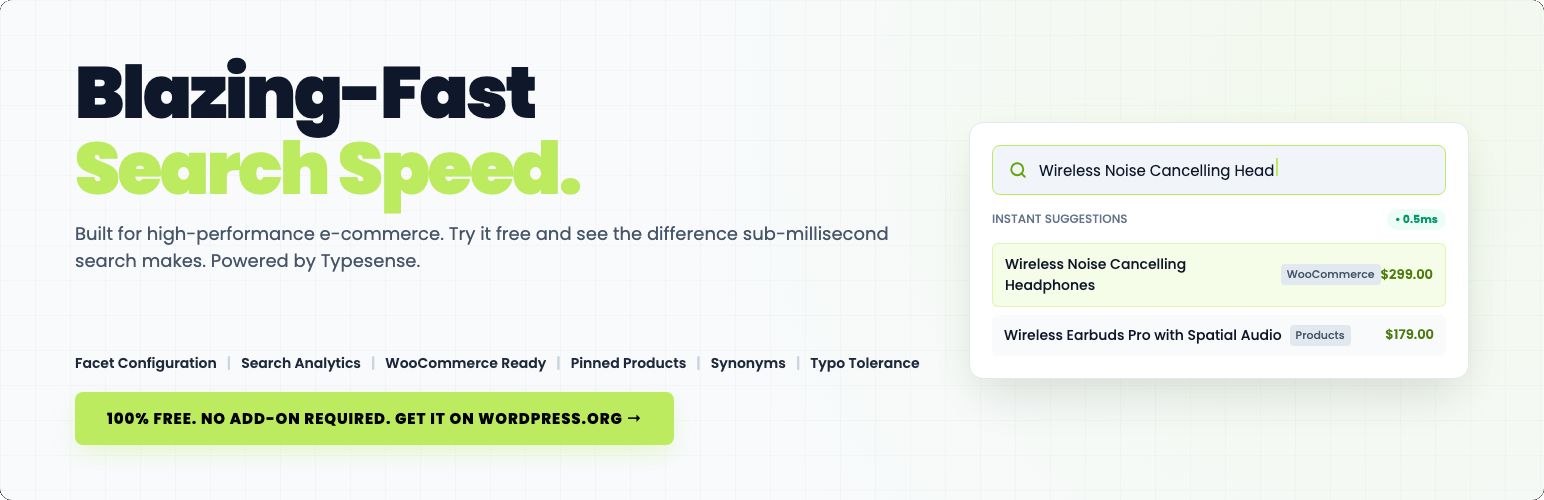

SwiftSearch for Typesense
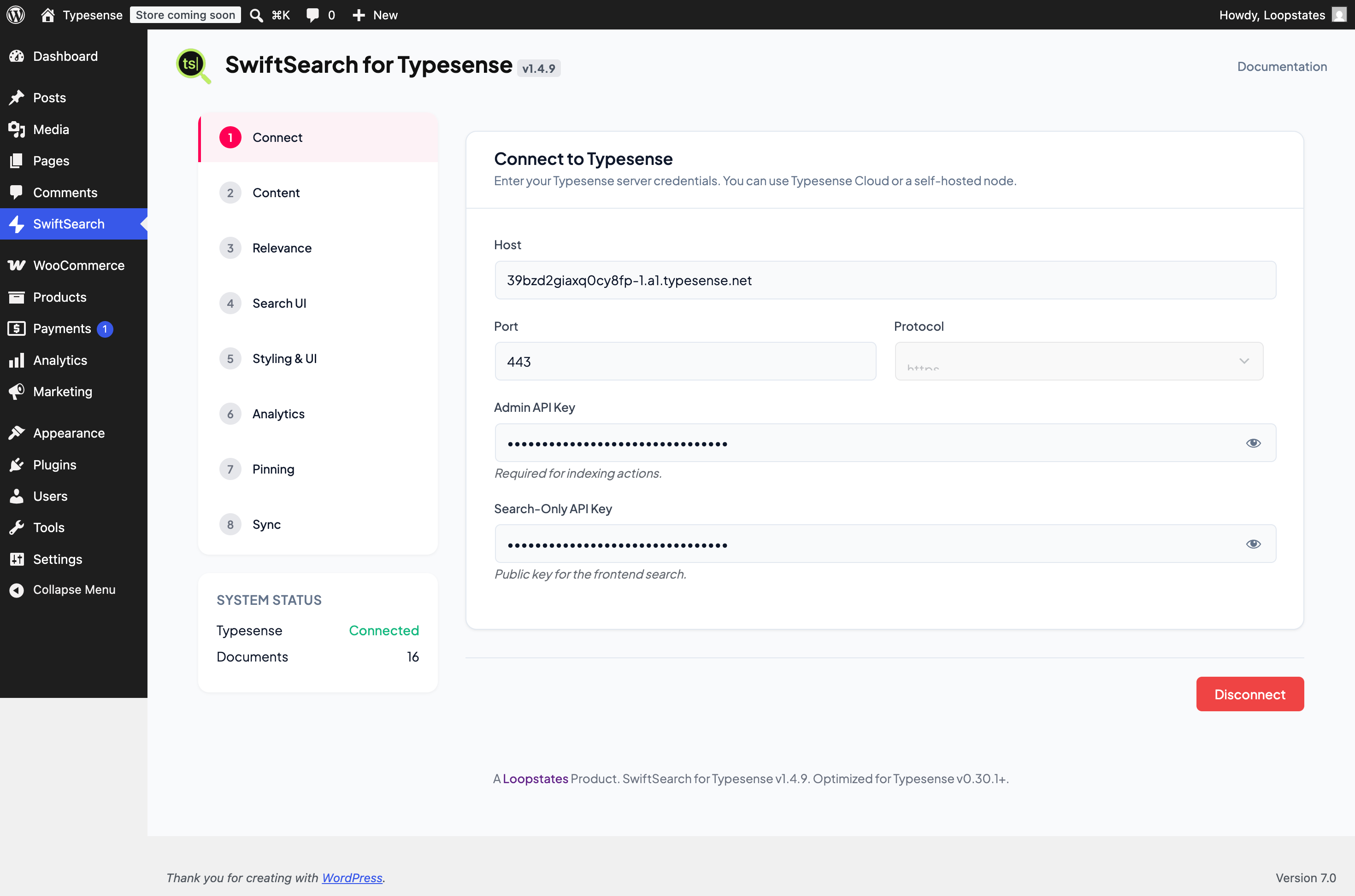
<strong>Connection Settings</strong>: Configure direct-to-node cluster credentials and Search-Only keys.
SwiftSearch for Typesense is a search engine replacement for WordPress and WooCommerce. By replacing the default, resource-heavy WordPress database query search with a fast, typo-tolerant engine powered by Typesense, SwiftSearch delivers an autocomplete experience that loads quickly.
Built by Loopstates, SwiftSearch is architected for privacy and direct connectivity. Unlike other search plugins that route queries through a heavy middle-layer proxy, SwiftSearch connects directly from your visitors’ browser to your Typesense cluster. No heavy PHP processes are loaded, no database queries are executed on your server, and your customer data remains secure and GDPR-compliant.
Why SwiftSearch & Typesense?
Native WordPress search lacks typo tolerance and can affect database performance under high traffic. SwiftSearch connects your site to Typesense—an open-source, developer-friendly alternative to Algolia.
Whether you run a blog, a directory site, or a WooCommerce store, SwiftSearch ensures your visitors find exactly what they are looking for in real-time.
Official Documentation: https://docs.loopstates.com/swift-search-typesense/
Key Features
Millisecond Search Results
Deliver search results in milliseconds. Because SwiftSearch connects visitors’ browsers directly to your Typesense nodes, search queries bypass WordPress entirely—yielding lightning-fast results and saving server resources.
Autocomplete and Search-As-You-Type
Deliver results as users type. The client-side search UI updates dynamically in real-time, fetching data directly from your nearest Typesense node.
Built-in WooCommerce Merchandising and Product Pinning
Take control of your search results to drive sales. The Merchandising dashboard allows you to manually “pin” specific products, posts, or pages to the very top of search results for specific keywords—suited for promotional campaigns and seasonal clearance.
Smart Typo Tolerance and Synonym Sets
Never show a “No Results Found” page due to a simple spelling mistake. Typesense’s typo tolerance handles spelling errors automatically. Additionally, define global multi-way Synonym Sets (compatible with Typesense v0.30+) to link terms like “laptop”, “notebook”, and “macbook”.
Real-Time Search Analytics and Zero-Result Insights
Track exactly what your users are looking for. Our admin dashboard provides a complete overview of search volumes and trends. Most importantly, it flags “Zero Result Queries” so you can spot inventory gaps or set up synonyms for missing terms.
Custom Fields and Faceted Sidebar Navigation
Give users the power to filter results instantly. Map any custom meta fields (such as Price, Brand, SKU, or custom metadata fields) and build multi-select facet filters using our visual drag-and-drop layout builder.
Background Sync and Real-Time Updates
When you first connect, our background sync engine processes your content in self-scheduling batches to prevent script timeouts. Once indexed, any new, updated, or deleted posts/products are synchronized.
Native WP-CLI Command-Line Integration
For stores with large catalogs (10,000+ items) or servers with strict security firewalls that block background HTTP requests (loopback blocks), SwiftSearch includes full WP-CLI terminal commands. Run bulk indexing (wp swift-search index), check connection status (wp swift-search status), and reset indexes (wp swift-search reset) directly via SSH.
Dedicated Shop & Catalog Page Mode
Easily replace your default WooCommerce Shop page with a high-performance, dedicated search and filter catalog page. Features horizontal sort filters, instant category sidebar counts, pagination, and a clean flat card layout.
Page Builder Friendly
Customize the search UI without writing code. Control colors, typography, card layouts, and toggles (show/hide prices, thumbnails, and excerpts) directly from the settings. It works with Elementor, Divi, Gutenberg, or any page builder via a lightweight shortcode [swift_search].
Features & Technical Capabilities
- Instant Autocomplete: Displays matching products and posts the moment visitors start typing.
- Faceted Navigation & Filters: Create and manage multi-select sidebar filters for taxonomies and metadata.
- Merchandising & Pinning: Fix specific items to the top of results for a curated user experience.
- Result Weighting & Tuning: Tune field importance (e.g., prioritize SKU hits over Content).
- Global Synonym Sets: Integrated synonym architecture (compatible with Typesense v0.30+).
- Advanced Custom Fields Mappings: Search and filter by custom fields (Price, SKU, Brand, etc.).
- Search Analytics: Dashboard for tracking popular searches and identifying “Zero Result” gaps.
- Background Indexing: Sync engine handles items in self-scheduling batches without timing out.
- Automated Sync: Real-time indexing when you Save, Update, or Delete content.
- WP-CLI Support: Bulk sync, reset, and check connection status from your terminal via SSH.
- CPT Support: Index Posts, Pages, Products, and Custom Post Types.
- Easy Setup (No Coding Required): Configure search layouts, color schemes, and settings visually without writing code.
- Global UI Toggles: Show or hide Thumbnails, Prices, and Excerpts globally.
- WooCommerce Search: Optimized for product titles, prices, and product imagery.
- Translation Ready: Works perfectly with multilingual websites and translation plugins.
- Mobile Ready: Fits perfectly on all screens, including phones, tablets, and desktops.
- SEO Optimized: Keeps your website light and fast, which helps improve your Google search rankings.
- Fast & Secure: Loads search results instantly while keeping your customer data fully secure.
- Automatic Updates: Receive new features and security fixes automatically right inside your dashboard.
- Full Search Replacement: Replace the default, slow WordPress search sitewide with a single click.
- Easy Placement: Put custom search bars anywhere on your site using simple shortcodes.
- Page Builder Ready: Integrates with Elementor, Divi, and Gutenberg blocks using shortcodes or automatic form replacement.
- Developer Customizable: Built with clean standards and standard hooks/filters for advanced customization.
Developer Customization
SwiftSearch is built with custom DOM event dispatching to allow advanced integrations with third-party themes and plugins (e.g. Wishlists, Ajax Add-to-Cart, or Quick View).
JavaScript Event Hooks
You can listen to these custom events on the document or the wrapper element:
-
swift-search:hit-rendered– Dispatched for every individual hit/card element that is rendered.event.detail.hit: The raw search hit data from Typesense.event.detail.card: The DOM element node of the rendered card.event.detail.collection: The collection name (e.g.posts,terms,users).
-
swift-search:results-rendered– Dispatched after the entire search grid and all sections have completed rendering.event.detail.data: The raw search results payload returned from Typesense.event.detail.totalFound: Total organic hits count.
Code Example
document.addEventListener('swift-search:hit-rendered', function(e) {
    if (e.detail.collection === 'posts') {
        const card = e.detail.card;
        const hitData = e.detail.hit;
        // Inject rating badges or custom hooks
    }
});
WordPress PHP Filters
Backend developers can customize data synchronization and query configurations using WordPress filters:
-
swift_search_post_document– Filters the structured document data before it is sent/synced to Typesense. Use this to add custom meta fields, dynamic stock rules, or text content modifications.- Arguments:
$document(array),$post_id(int),$post(WP_Post object). - Code Example (Complex Meta, HTML Sanitization & Array Handling):
add_filter(‘swift_search_post_document’, function($document, $post_id, $post) {
// Fetch complex custom fields (e.g. using helper functions if available)
if (function_exists(‘get_field’)) {
$brand = get_field(‘brand_name’, $post_id);
if ($brand) $document[‘brand’] = $brand;
}
// Strip HTML/shortcodes from WYSIWYG content
$wysiwyg = get_post_meta($post_id, ‘hero_wysiwyg’, true);
if ($wysiwyg) {
$document[‘hero_text’] = wp_strip_all_tags(strip_shortcodes($wysiwyg));
}
// Flatten array values for flat target fields
$colors = get_post_meta($post_id, ‘colors’, true);
if (is_array($colors)) {
$document[‘colors_list’] = implode(‘, ‘, $colors);
}
return $document;
}, 10, 3);
- Arguments:
-
swift_search_should_index_post– Filter returning a boolean. Returnfalseto completely exclude specific posts, drafts, or out-of-stock products from the search index.- Arguments:
$should_index(bool),$post_id(int),$post(WP_Post object).
- Arguments:
-
swift_search_vars– Filters the configuration variables passed from PHP to the frontend JavaScript (such as API keys, weights, and enabled facets).- Arguments:
$vars(array),$settings(array).
- Arguments:
-
swift_search_shortcode_args– Filters default shortcode attributes and display settings.- Arguments:
$args(array),$atts(array).
- Arguments:
Privacy & Compliance
SwiftSearch is designed with a “Privacy First” architecture:
– Zero Middleware: We do NOT use any proxy or Loopstates-hosted servers. Search queries go directly from the user’s browser to your Typesense cluster.
– Self-Contained: All configuration, analytics data, and result pinning rules are stored locally in your WordPress database.
– GDPR Ready: Since you control the Typesense node, you maintain full ownership of the search logs and user data flow.
– 100% Free & Open Source: No telemetry, no third-party data disclosure, and no licensing hooks.
Known Limitations
- Search-Only Keys: For public-facing sites, we recommend using a “Search Only” API key from Typesense for frontend queries. Using your Admin key on the frontend is a security risk.
- Schema Sensitivity: Changing core settings (like adding a new Facet or Custom Field) modifies the underlying Typesense schema. A full Re-Index (Step 8) is required after such changes.
- Background Sync: Initial indexing of large catalogs (10k+ items) can take a few minutes via the sync engine.