

Swatchline – Variation Swatches for WooCommerce
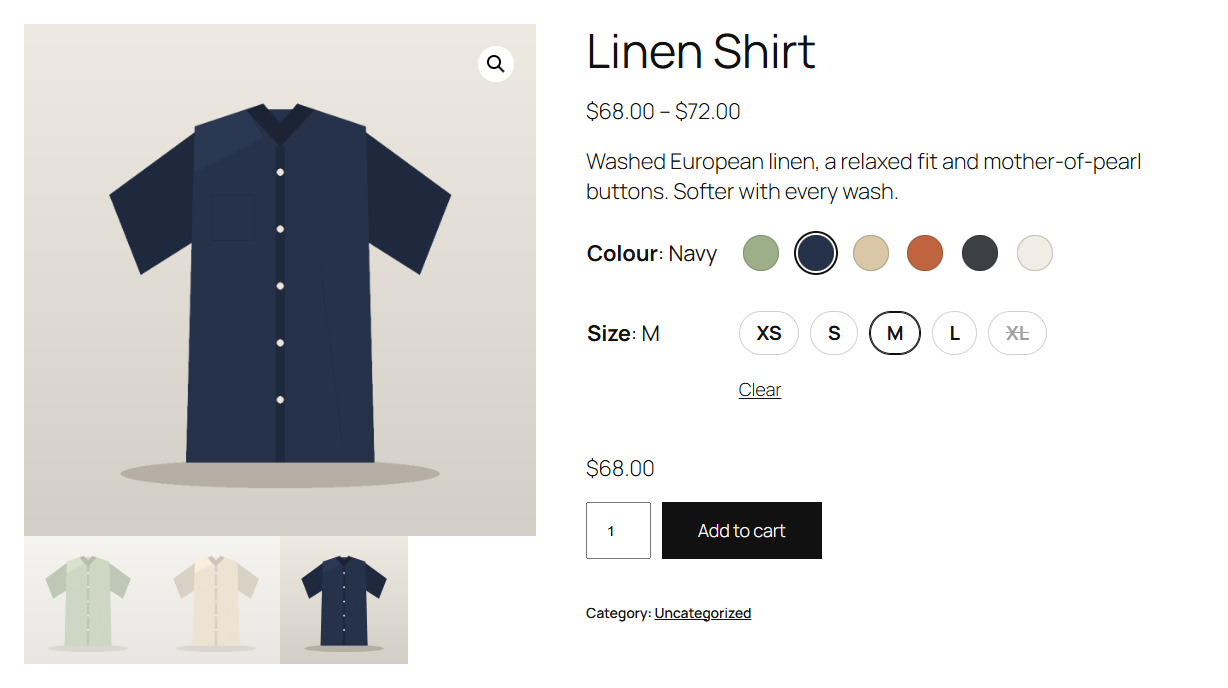
Colour and label swatches on the product page, with the chosen colour next to its name and a sold-out size crossed out.
Let customers pick a colour by its colour, a finish by its photo and a size by a button. Swatchline turns the attribute dropdowns of your variable products into swatches. No code, and nothing to change on your products.
Set up once, per attribute
- Choose a swatch type for each global attribute under Products Attributes: Colour, Image, Label (buttons) or Dropdown (WooCommerce’s own, the default).
- Give each value a colour (WordPress’s colour picker) or an image (from the media library) under Configure terms. The term list shows them in a Swatch column.
- Attributes you type on a single product can show as label swatches too, if you switch that on.
On the product page
- Swatches replace the dropdowns of the variation form. WooCommerce’s dropdowns stay in the form, hidden, so the price, image, stock and add to cart update exactly as they always do, and so does anything else that works with them.
- Combinations that can’t be bought are crossed out: out of stock, or no such variation with what the customer already chose. That works for products with any number of variations, also above the number where WooCommerce stops loading them all into the page.
- The chosen value shows next to the attribute’s name (“Colour: Sage”). WooCommerce’s Clear link clears the swatches; choosing a chosen swatch again clears it too.
- Tooltips with the value’s name, and a larger preview for image swatches.
- Accessible: each attribute is a radio group, so the keyboard’s arrow keys move between swatches, the focus is clearly visible, and screen readers read out each value and whether it’s out of stock.
- Works in classic themes such as Storefront and in block themes: in the Add to Cart Form block and in the Add to Cart + Options block, where Swatchline’s swatches take the place of the block’s text chips.
Settings
Under WooCommerce Settings Products Swatches: the shape (circle, rounded or square), the size, how the chosen label swatch looks, tooltips and image previews, the chosen value next to the name, and label swatches for custom attributes.
For developers
Swatchline is built to be extended: add swatch types (swatchline_swatch_types), change an attribute’s type on a product (swatchline_attribute_type), its swatches, colours and images (swatchline_attribute_swatches), the variation data the page uses (swatchline_variation) and the script’s settings (swatchline_frontend_config). swatchline_loaded fires once Swatchline has loaded. The hooks are documented on extendiment.com.
Swatchline Pro
The separate Swatchline Pro add-on adds swatches on shop and category pages and in Product Collection blocks (with the product image changing to the variation’s, and add to cart from the shop), swatches set per product (also for custom attributes), sold-out swatches blurred or hidden, two-colour swatches, image swatches from the variations’ own images, and swatches in the shop’s attribute filters. Everything described above is in this plugin and works without it. See extendiment.com/plugins/swatchline.